
Access Card Request Letter
Docs + Word2 pages
Free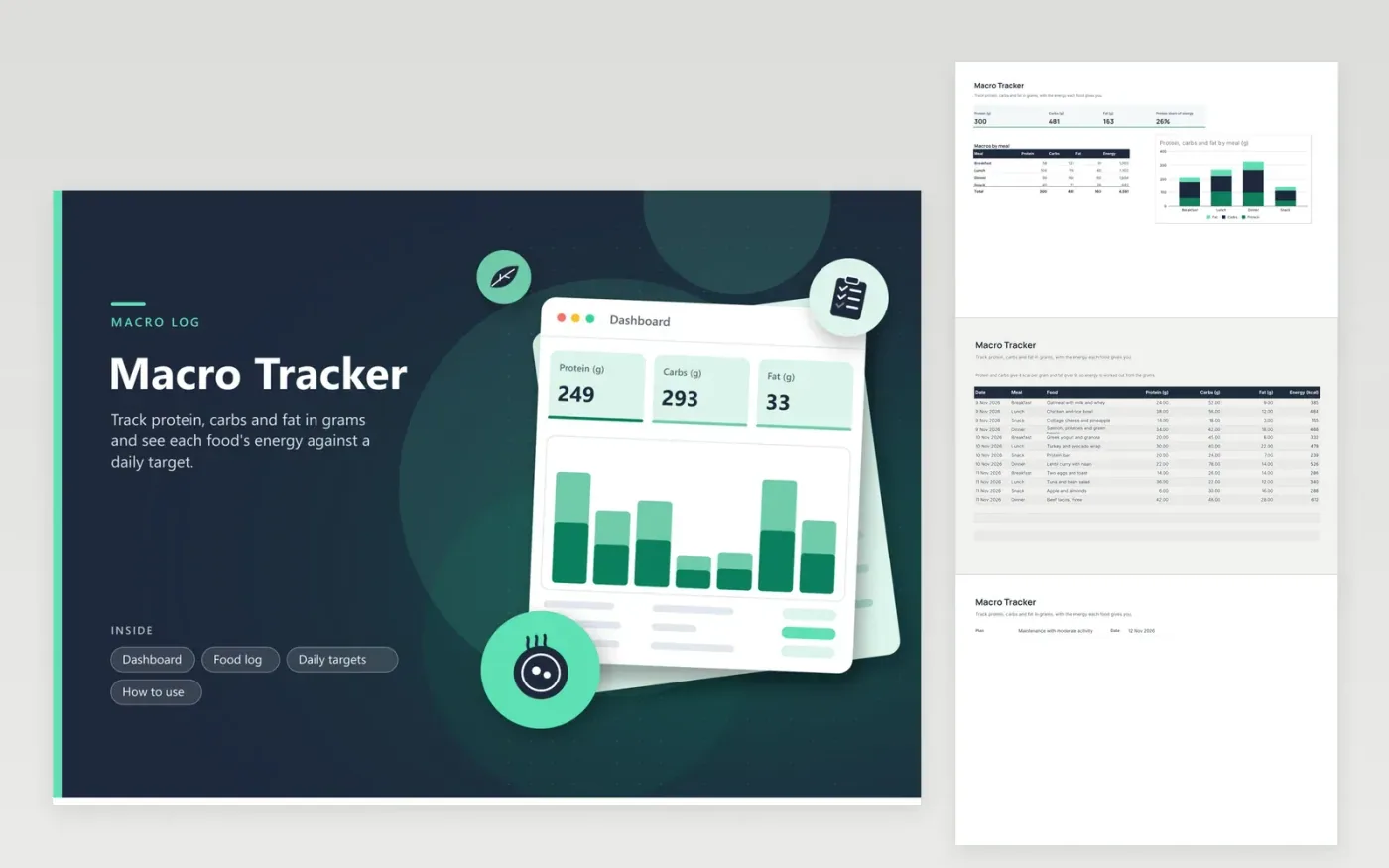
This tracker suits anyone who counts macronutrients in grams rather than calories alone. The Food log tab lists each food with its meal, protein, carbs and fat in grams, plus an energy column that converts the grams into kilocalories. The Dashboard totals each macro, shows the protein share of energy and charts grams by meal. The Daily targets tab turns an energy goal and a macro split into gram targets.
Weigh food when you can, because a label's grams apply only to the amount you eat. Set the split on the Daily targets tab first, then adjust it after a week of logging. The three shares must total 100 percent, and the share check line shows whether they do. Read the Dashboard after your last meal rather than midway through the day, since the totals only mean something across a full day.
Click Make a copy in Google Sheets, then confirm on the Google page. The copy is saved to your own Google Drive.
Start on the Food log tab: replace the sample rows with your own.
Keep the formula columns as they are; they fill in as you type.
Read the How to use tab for tips. For Excel, download the .xlsx file instead.
Protein and carbs each give 4 kilocalories per gram, and fat gives 9. The energy column multiplies each macro by its factor and rounds the total for each food. This is the usual convention, though some labels differ slightly.
The right share depends on your goals, body and medical history, so no one split suits everybody. The sample split uses 30 percent protein, 40 percent carbs and 30 percent fat as a rough start. Run it by a dietitian or doctor if a condition affects your diet.
The targets are a plan, and the food log is what you actually ate. A gap of a few grams a day is normal. Look at the trend over a week, and adjust the targets or your portions if the gap stays large.
More Google Sheets templatesMore business operations templates
Docs + Word2 pages
Free
Docs + Word2 pages
Free
Docs + Word2 pages
Free
Sheets + Excel4 tabs
Free
Sheets + Excel4 tabs
Free
Sheets + Excel4 tabs
Free
Sheets + Excel4 tabs
Free
Sheets + Excel4 tabs
Free
Sheets + Excel4 tabs
Free
Sheets + Excel5 tabs
Free
Sheets + Excel5 tabs
Free
Sheets + Excel4 tabs
Free
Sheets + Excel5 tabs
Free
Sheets + Excel4 tabs
Free
Sheets + Excel4 tabs
Free










