
Access Card Request Letter
Docs + Word2 pages
Free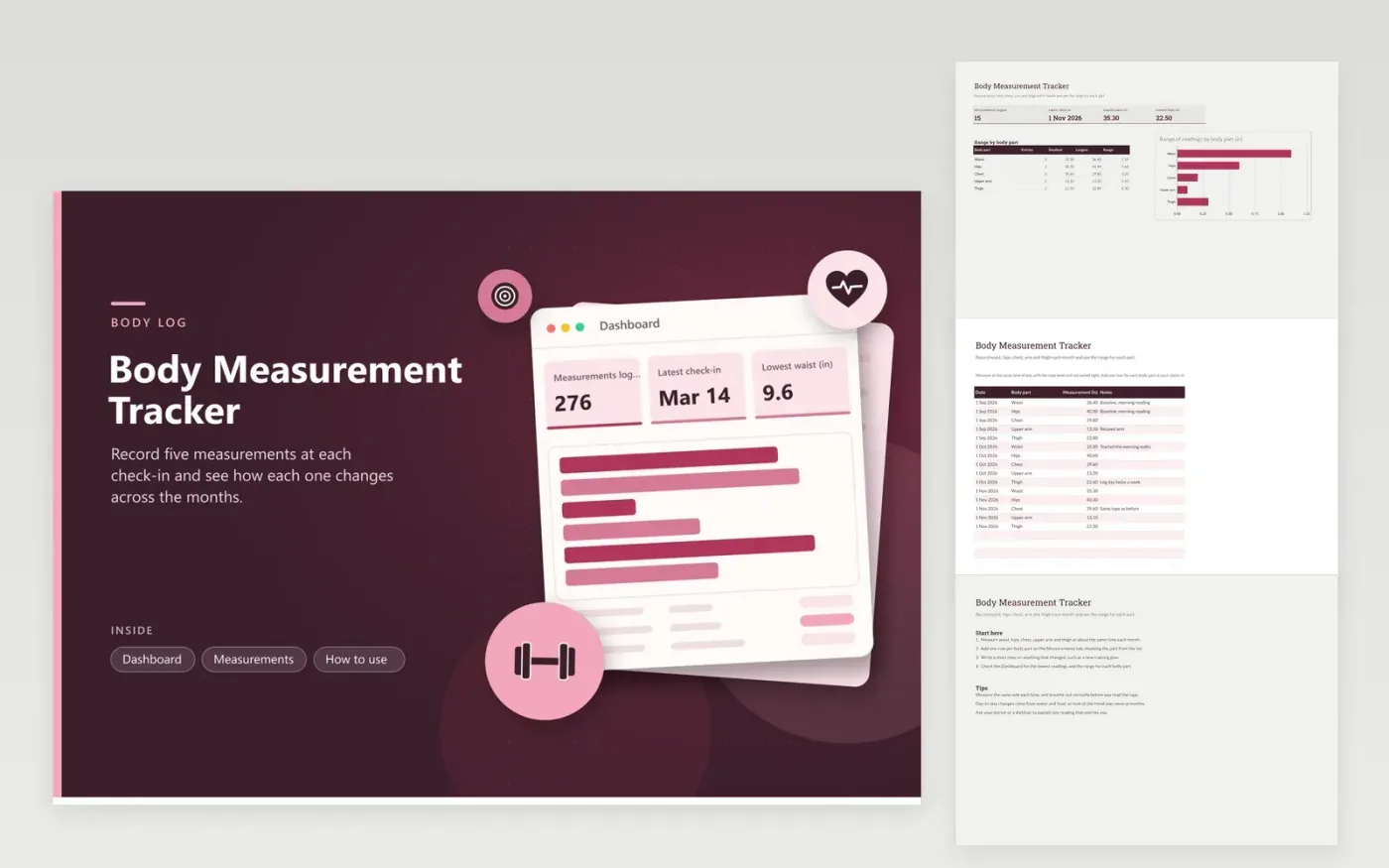
This tracker suits anyone who measures their body at regular check-ins, such as once a month. The Measurements tab stores a row for every body part at every visit, giving the date, the body part picked from a list, the measurement in inches and room for notes. The Dashboard shows how many readings you have, the latest check-in date, the lowest waist and thigh readings, and a chart of the range for each part.
Measure at the same time of day, relaxed, with the tape level, so the readings compare fairly. Keep to the same side of the body each time, and do not pull the tape tight. Small changes from one check-in to the next are normal, so judge the trend across several months. Notes such as a new training block or a change in water intake help explain a reading that moves unexpectedly.
Click Make a copy in Google Sheets, then confirm on the Google page. The copy is saved to your own Google Drive.
Start on the Measurements tab: replace the sample rows with your own.
Keep the formula columns as they are; they fill in as you type.
Read the How to use tab for tips. For Excel, download the .xlsx file instead.
Measure around your natural waistline, which is usually the narrowest part of the torso above the hips. Keep the tape level all the way around, and breathe out normally before you read it. Follow any specific method your clinician gives you.
Monthly checks are usually enough for most people. Day-to-day changes mostly come from water and food rather than body tissue. Use the same day of the month and the same time of day, so the readings stay comparable.
Range is the largest reading minus the smallest reading for that body part across all check-ins. With readings that trend down, the range roughly matches the change over the period. It does not show the direction, so read the rows in date order to see it.
More Google Sheets templatesMore business operations templates
Docs + Word2 pages
Free
Docs + Word2 pages
Free
Docs + Word2 pages
Free
Sheets + Excel4 tabs
Free
Sheets + Excel4 tabs
Free
Sheets + Excel4 tabs
Free
Sheets + Excel4 tabs
Free
Sheets + Excel4 tabs
Free
Sheets + Excel5 tabs
Free
Sheets + Excel5 tabs
Free
Sheets + Excel5 tabs
Free
Sheets + Excel4 tabs
Free
Sheets + Excel5 tabs
Free
Sheets + Excel4 tabs
Free
Sheets + Excel4 tabs
Free










