
Access Card Request Letter
Docs + Word2 pages
Free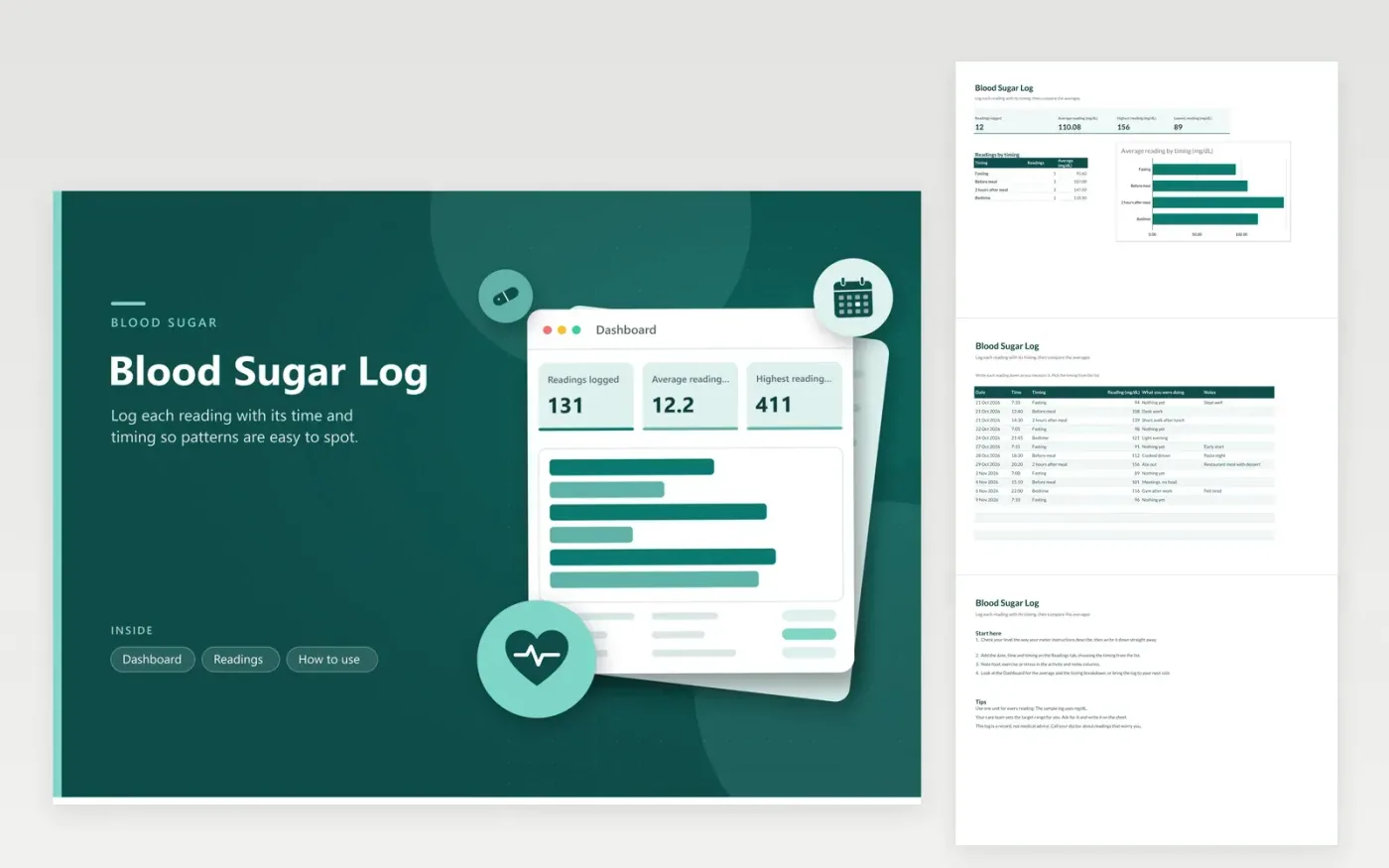
This blood sugar log is for people who check their levels at home and want a tidy history to hand their care team. Each check is one line on the Readings tab, recording the date, time, timing (fasting, before a meal, two hours after a meal or bedtime), the reading in mg/dL, what you were doing and notes. The Dashboard counts readings and gives the average, the highest and lowest values and the average for each timing.
Several weeks of example checks fill every figure. To use your own copy, overwrite the examples and leave the timing names unchanged so the breakdown still counts them. Write down meals, exercise and any change in routine in the notes, since those often explain a high or low reading. Your care team sets the target range, so get it before you read the averages.
Click Make a copy in Google Sheets, then confirm on the Google page. The copy is saved to your own Google Drive.
Start on the Readings tab: replace the sample rows with your own.
Keep the formula columns as they are; they fill in as you type.
Read the How to use tab for tips. For Excel, download the .xlsx file instead.
The sample readings are in mg/dL, the standard unit in the US. If your meter shows mmol/L, change the header on the Readings tab and the breakdown labels, or convert the numbers before you enter them. Stick to a single unit throughout, or the averages will mislead.
Fasting means a reading taken after you have not eaten for a set time, often first thing in the morning. Your care team will tell you how long to wait. Choose the timing that matches the reading so the averages compare like with like.
Follow the instructions your doctor or care team gave you for high and low readings. Do not wait for the next appointment if a reading worries you or you have symptoms. This log is a record, not medical advice.
More Google Sheets templatesMore business operations templates
Docs + Word2 pages
Free
Docs + Word2 pages
Free
Docs + Word2 pages
Free
Sheets + Excel4 tabs
Free
Sheets + Excel4 tabs
Free
Sheets + Excel4 tabs
Free
Sheets + Excel4 tabs
Free
Sheets + Excel4 tabs
Free
Sheets + Excel5 tabs
Free
Sheets + Excel5 tabs
Free
Sheets + Excel5 tabs
Free
Sheets + Excel4 tabs
Free
Sheets + Excel5 tabs
Free
Sheets + Excel4 tabs
Free
Sheets + Excel4 tabs
Free










