
Access Card Request Letter
Docs + Word2 pages
Free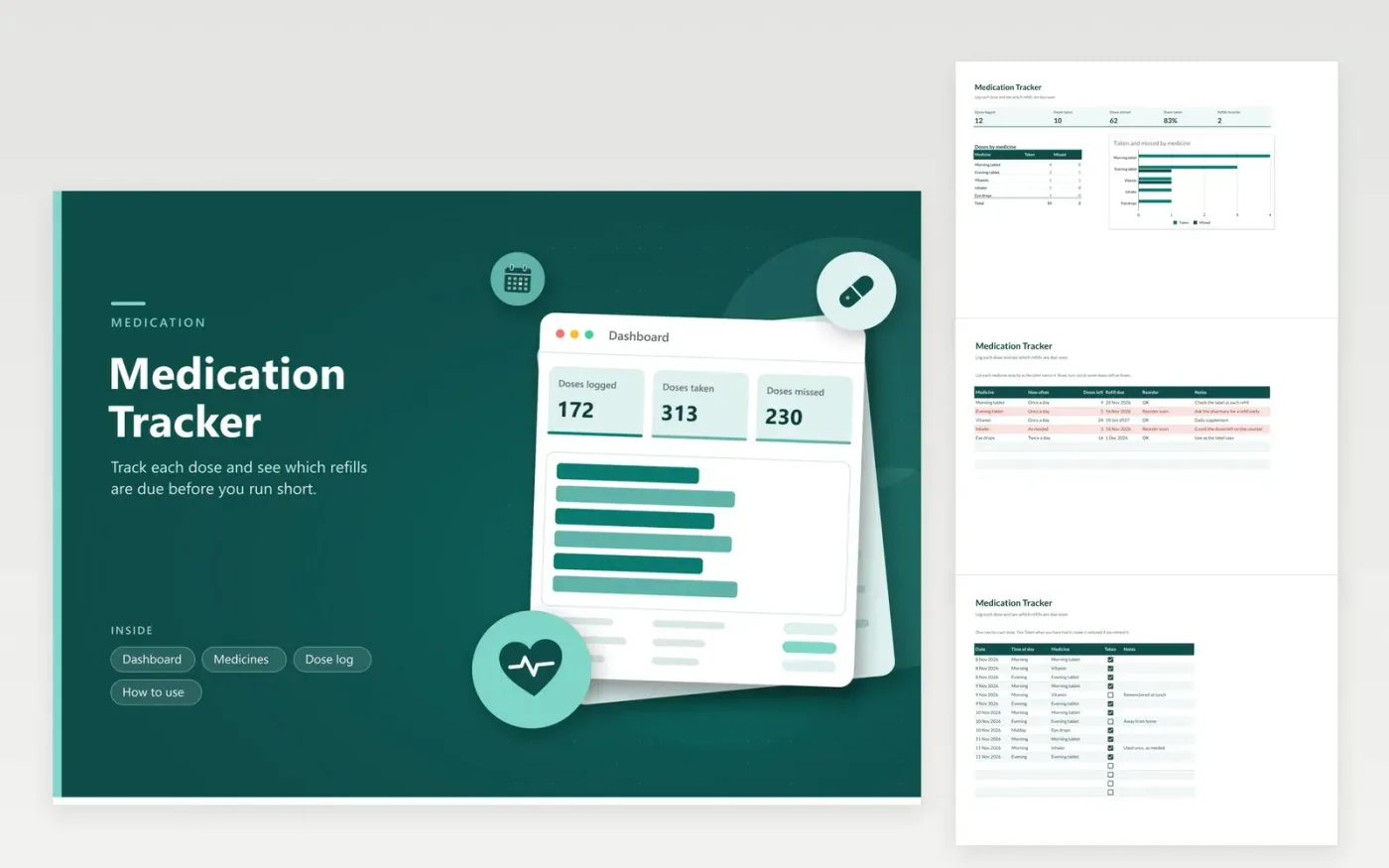
This medication tracker is for people who take regular tablets, drops or inhalers and want a simple record. The Medicines tab lists each item with how often it is taken, the doses left and the refill date, and flags any with seven doses or fewer. On the Dose log tab each dose is a row holding the date, time of day, medicine and a Taken box. The Dashboard shows doses taken and missed, the share taken and how many refills need ordering.
The sample rows use general names such as Morning tablet and Inhaler. Rename them to match your labels, and keep the same names on both tabs so the Dashboard counts them. Update the doses left each time you open a new pack. This tracker keeps a record only. It does not replace your prescription label or your pharmacist's advice, so ask them before changing how you take anything.
Click Make a copy in Google Sheets, then confirm on the Google page. The copy is saved to your own Google Drive.
Start on the Medicines tab: replace the sample rows with your own.
Keep the formula columns as they are; they fill in as you type.
Read the How to use tab for tips. For Excel, download the .xlsx file instead.
Type its name on the next blank row of the Medicines tab, then fill in how often you take it, the doses left and the refill date. Add the same name to the Medicine dropdown on the Dose log tab through Data validation, so you can log doses for it.
The Reorder soon flag appears when the doses left are seven or fewer. It is a prompt to ask your pharmacy for a refill, not a guarantee of stock. Refill rules and timing depend on your prescription, so check with your pharmacy.
Leave the Taken box unticked so the missed count is right, and add a note. Do not take a double dose to catch up unless your prescriber says otherwise. Ask your pharmacist what to do after a missed dose.
More Google Sheets templatesMore business operations templates
Docs + Word2 pages
Free
Docs + Word2 pages
Free
Docs + Word2 pages
Free
Sheets + Excel4 tabs
Free
Sheets + Excel4 tabs
Free
Sheets + Excel4 tabs
Free
Sheets + Excel4 tabs
Free
Sheets + Excel4 tabs
Free
Sheets + Excel4 tabs
Free
Sheets + Excel5 tabs
Free
Sheets + Excel5 tabs
Free
Sheets + Excel4 tabs
Free
Sheets + Excel5 tabs
Free
Sheets + Excel4 tabs
Free
Sheets + Excel4 tabs
Free










