
Access Card Request Letter
Docs + Word2 pages
Free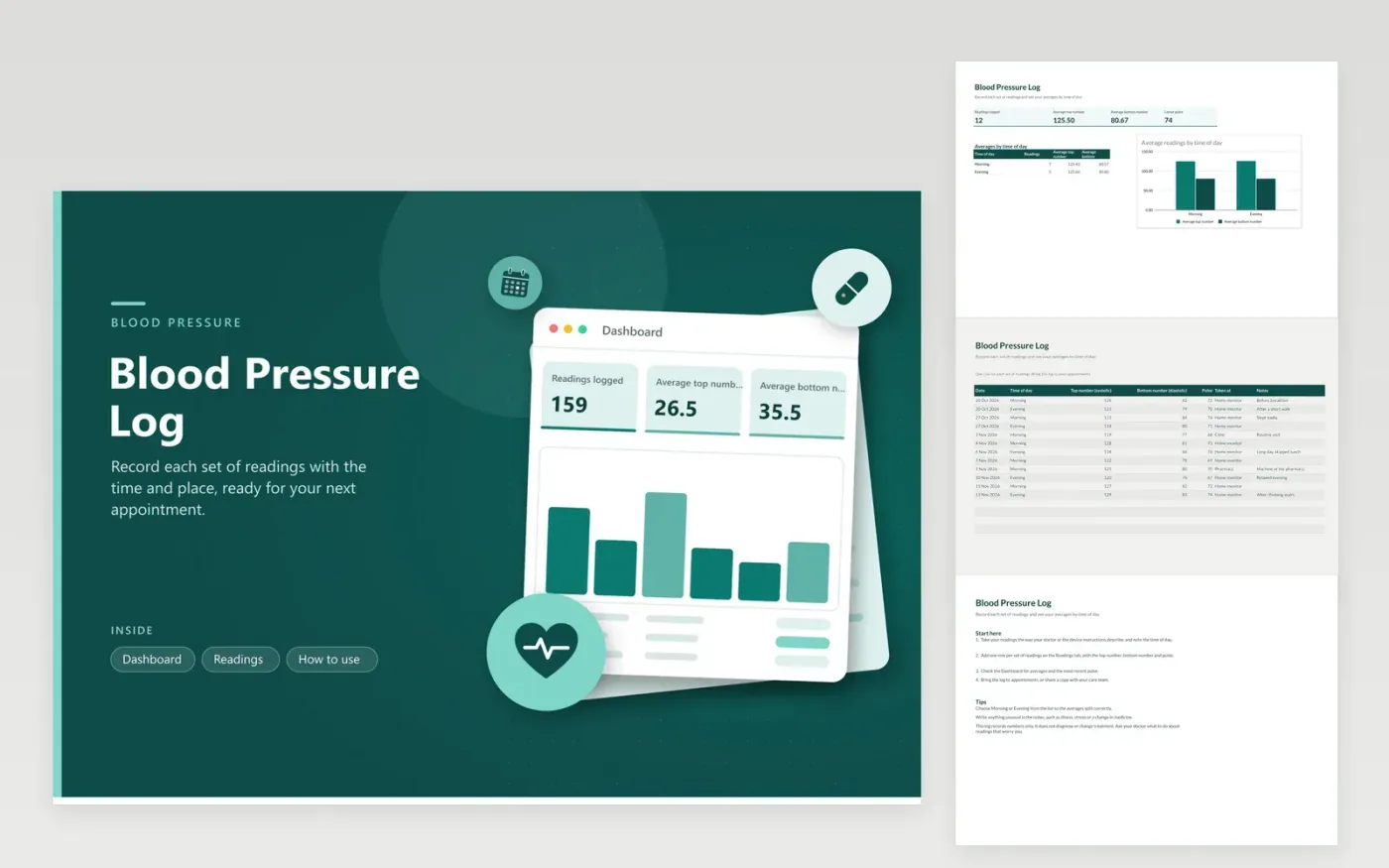
This blood pressure log is for people who measure at home or at a clinic and want a clear record for appointments. The Readings tab gives every set its own row: date, morning or evening, top and bottom numbers, pulse, the place of measurement and a note. On the Dashboard you will find the average of each number, the latest pulse and a column chart of averages by time of day.
The sample rows cover a few weeks of readings, so the averages and chart already have data. Make your own copy and type your numbers over the demo rows. Keep one row for every set you take, even when a reading looks odd, and note what was happening at the time. Take the log to each appointment and ask your doctor which numbers to aim for.
Click Make a copy in Google Sheets, then confirm on the Google page. The copy is saved to your own Google Drive.
Start on the Readings tab: replace the sample rows with your own.
Keep the formula columns as they are; they fill in as you type.
Read the How to use tab for tips. For Excel, download the .xlsx file instead.
Follow the schedule your doctor gives you. Many people log at the same times each day, such as morning and evening, so the readings compare fairly. Write the time and any notes about the day, such as caffeine, stress or a missed meal.
The top number, systolic, is the pressure when the heart beats. The bottom number, diastolic, is the pressure between beats. The log keeps both so you can see averages and changes over time.
No. The log records and averages your readings so you can share them. It does not diagnose or suggest treatment. Call your doctor about readings that worry you or symptoms that come on suddenly.
More Google Sheets templatesMore business operations templates
Docs + Word2 pages
Free
Docs + Word2 pages
Free
Docs + Word2 pages
Free
Sheets + Excel4 tabs
Free
Sheets + Excel4 tabs
Free
Sheets + Excel4 tabs
Free
Sheets + Excel4 tabs
Free
Sheets + Excel4 tabs
Free
Sheets + Excel5 tabs
Free
Sheets + Excel5 tabs
Free
Sheets + Excel5 tabs
Free
Sheets + Excel4 tabs
Free
Sheets + Excel5 tabs
Free
Sheets + Excel4 tabs
Free
Sheets + Excel4 tabs
Free










