
Access Card Request Letter
Docs + Word2 pages
Free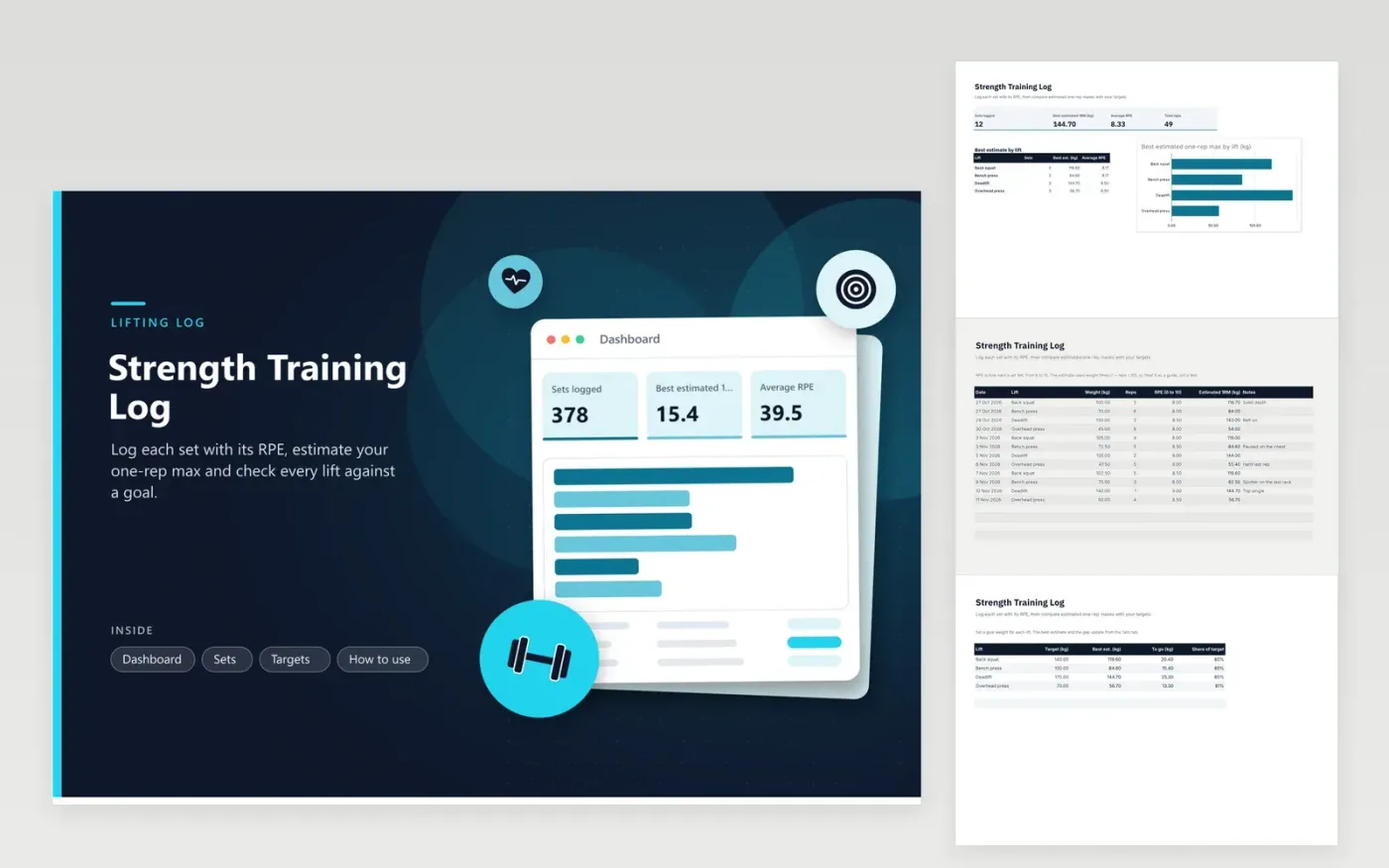
This log suits lifters who train the main barbell lifts and want to see their strength build over time. The Sets tab records each set with its date, lift, weight, reps and RPE, and works out an estimated one-rep max with the Epley formula. The Dashboard shows the best estimate, average RPE and total reps, with a chart of the best estimate for each lift. The Targets tab sets a goal weight for each lift and shows how far it still has to go.
Log every working set, not only the heaviest one, so the RPE averages show how hard the training really was. Keep lift names from the drop-down list, or the Dashboard will miss them. Estimates grow less reliable at high reps, so favor sets of three to six. Review the targets once a month, and raise one only after a lift has risen steadily for several weeks.
Click Make a copy in Google Sheets, then confirm on the Google page. The copy is saved to your own Google Drive.
Start on the Sets tab: replace the sample rows with your own.
Keep the formula columns as they are; they fill in as you type.
Read the How to use tab for tips. For Excel, download the .xlsx file instead.
It is a guess at the most you could lift for one rep, worked out from a heavier set with more reps. This sheet uses weight times (1 + reps / 30), which is the Epley formula. It helps with planning sets but does not replace a tested maximum.
RPE stands for rate of perceived exertion. A 10 is a maximal effort, and an 8 usually leaves about two reps in reserve. Use the same scale every session, so the average RPE on the Dashboard stays comparable from one month to the next.
Add the lift to the drop-down list on the Sets tab and to the Targets tab, spelled the same way each time. A lift outside the list will not match the Dashboard totals, so keep to the names given.
More Google Sheets templatesMore business operations templates
Docs + Word2 pages
Free
Docs + Word2 pages
Free
Docs + Word2 pages
Free
Sheets + Excel4 tabs
Free
Sheets + Excel4 tabs
Free
Sheets + Excel4 tabs
Free
Sheets + Excel4 tabs
Free
Sheets + Excel4 tabs
Free
Sheets + Excel4 tabs
Free
Sheets + Excel5 tabs
Free
Sheets + Excel5 tabs
Free
Sheets + Excel5 tabs
Free
Sheets + Excel4 tabs
Free
Sheets + Excel4 tabs
Free
Sheets + Excel4 tabs
Free










