
Access Card Request Letter
Docs + Word2 pages
Free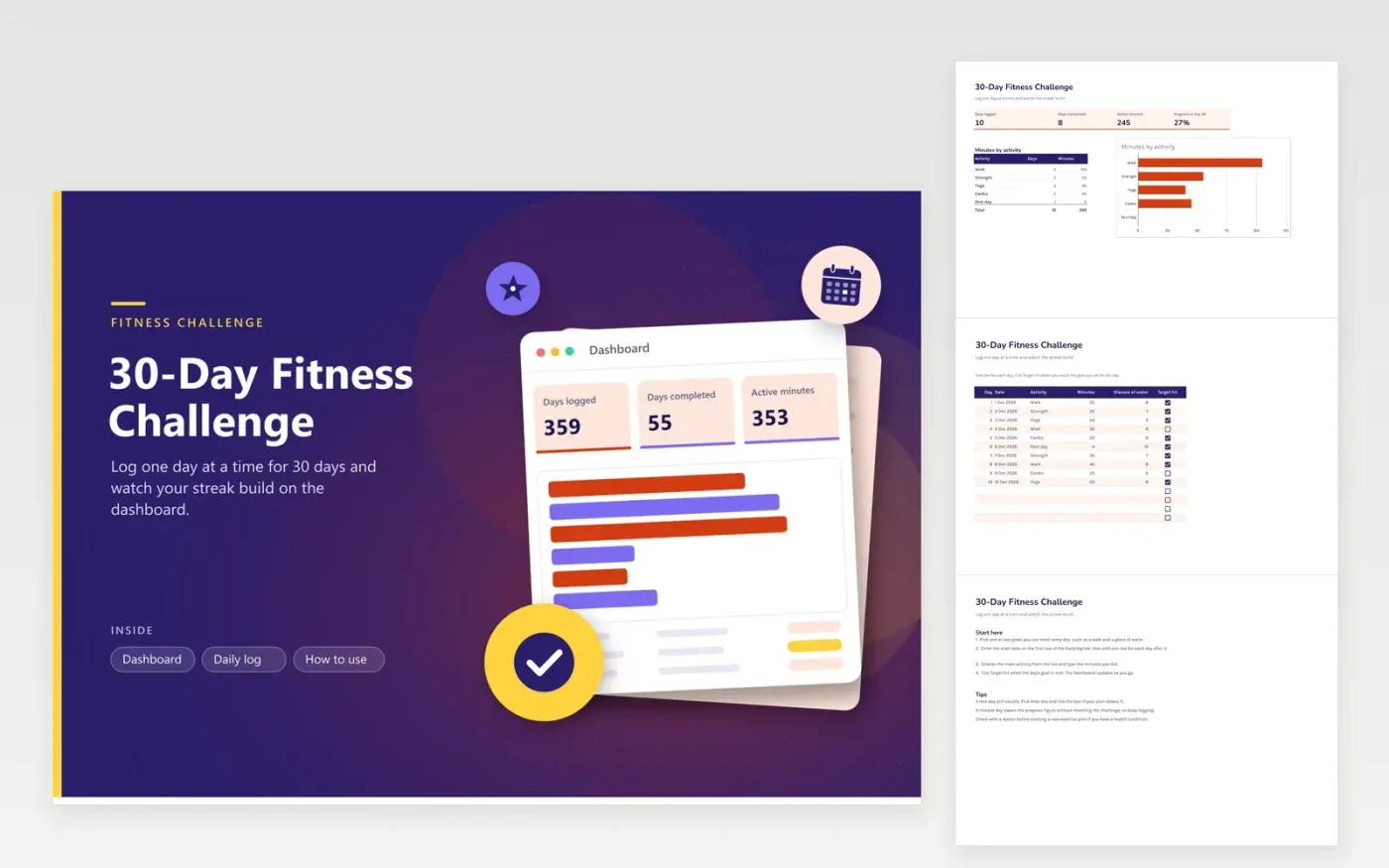
This 30-day fitness challenge suits anyone who wants a month of steady habits. The Daily log tab covers each challenge day, with the date, the main activity (walk, strength, yoga, cardio or a rest day), minutes, glasses of water and a Target hit box. The Dashboard counts completed days, total active minutes and your progress toward day thirty, with a bar chart of minutes by activity.
Sample entries fill days one to ten, which gives the totals something to show on opening. To run your own challenge, copy the file, clear the rows and start at day one. Choose a target you can meet on a tired day too, such as ten minutes of walking, and tick Target hit only when you reach it. If you have health concerns, check with a doctor before you begin any new exercise routine.
Click Make a copy in Google Sheets, then confirm on the Google page. The copy is saved to your own Google Drive.
Start on the Daily log tab: replace the sample rows with your own.
Keep the formula columns as they are; they fill in as you type.
Read the How to use tab for tips. For Excel, download the .xlsx file instead.
Pick one or two goals you can meet every day, such as a walk and a glass of water. Enter the start date on the first row, then fill in one line per day. Tick Target hit when you finish the day's goal, and the progress figure updates on its own.
Leave Target hit unticked and keep going. The progress figure counts completed days, so a missed day lowers the total rather than resetting the challenge. Many people find it easier to log the day in the evening.
Yes. Edit the list in Data validation on the Activity column, then rename the same items in the Dashboard breakdown so the totals still match.
More Google Sheets templatesMore business operations templates
Docs + Word2 pages
Free
Docs + Word2 pages
Free
Docs + Word2 pages
Free
Sheets + Excel4 tabs
Free
Sheets + Excel4 tabs
Free
Sheets + Excel4 tabs
Free
Sheets + Excel4 tabs
Free
Sheets + Excel4 tabs
Free
Sheets + Excel5 tabs
Free
Sheets + Excel5 tabs
Free
Sheets + Excel5 tabs
Free
Sheets + Excel4 tabs
Free
Sheets + Excel5 tabs
Free
Sheets + Excel4 tabs
Free
Sheets + Excel4 tabs
Free










