
Annual Report
Docs + Word6 pages
FeaturedFree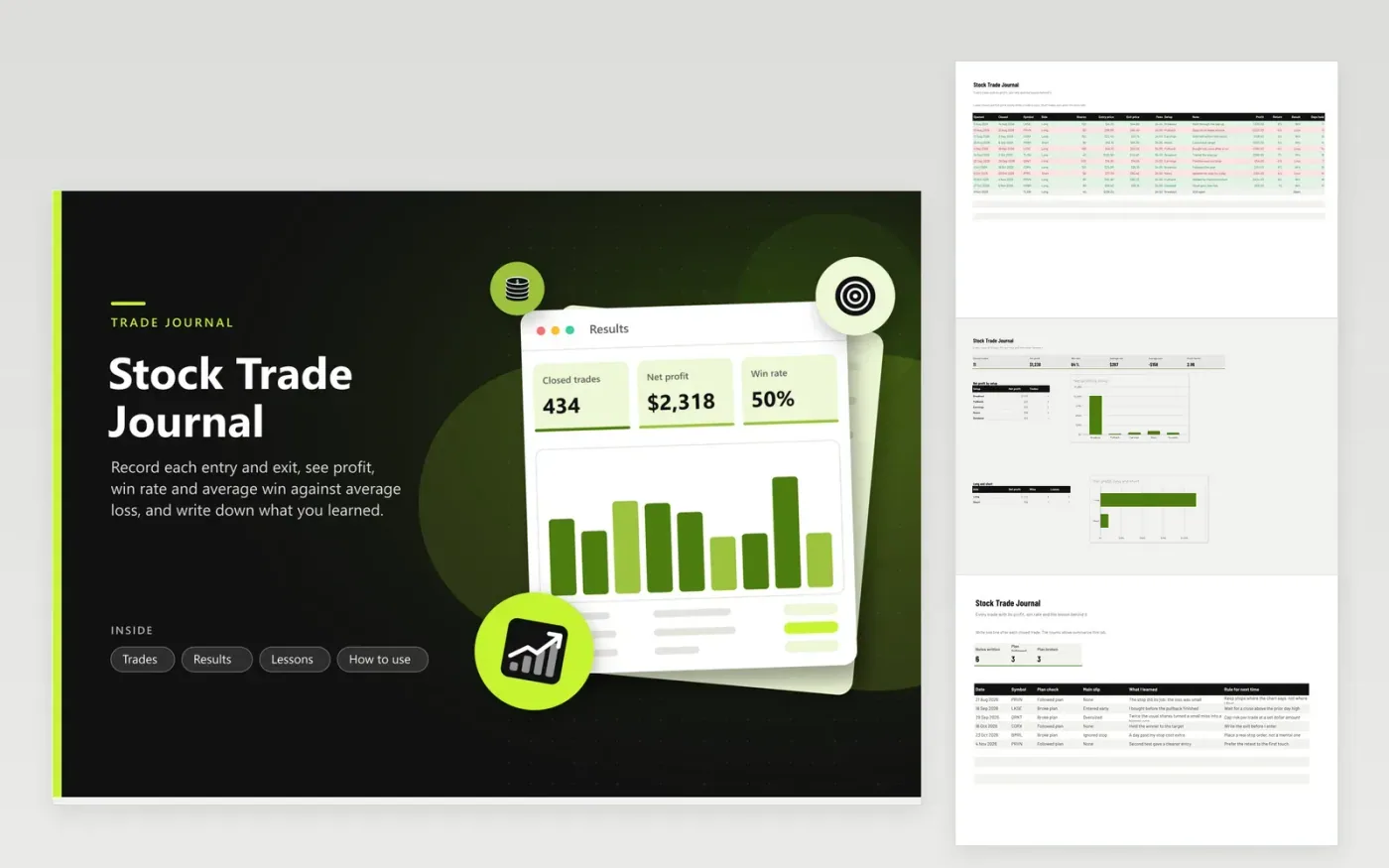
A trade journal helps most when it records the reasoning and the mistakes next to the numbers. The Trades tab takes the dates, symbol, side, shares, entry, exit, fees and setup, then fills in profit, return, result and days held. Short trades are handled, and a trade with no exit price stays marked Open.
Results turns the journal into a win rate, an average win, an average loss and a profit factor, with net profit split by setup and by long versus short. The Lessons tab asks whether you followed your plan, names the main slip and records a rule for next time. Symbols and prices in the sample are invented.
Click Make a copy in Google Sheets, then confirm on the Google page. The copy is saved to your own Google Drive.
Start on the Trades tab: replace the sample rows with your own.
Keep the formula columns as they are; they fill in as you type.
Read the How to use tab for tips. For Excel, download the .xlsx file instead.
Record the date, symbol, entry, exit and size of every trade, plus why you took it and what you learned. Review the journal on a schedule, looking for setups and habits that repeat.
Win rate is winning trades divided by closed trades. Profit factor is the sum of winning profits divided by the sum of losing amounts. Both are calculated for you on the Results tab.
Yes, they reduce profit. Enter commissions or other costs in the Fees column and the profit formula subtracts them. Keep broker statements for taxes.
Docs + Word6 pages
FeaturedFree
Excel
FeaturedFree
Sheets + Excel5 tabs
Free
Sheets + Excel6 tabs
Free
Sheets + Excel6 tabs
Free
Sheets + Excel5 tabs
Free
Sheets + Excel6 tabs
Free
Sheets + Excel6 tabs
Free
Sheets + Excel7 tabs
Free
Sheets + Excel5 tabs
Free
Sheets + Excel5 tabs
Free
Sheets + Excel5 tabs
Free
Sheets + Excel5 tabs
Free
Sheets + Excel6 tabs
Free
Sheets + Excel7 tabs
Free








