
Annual Report
Docs + Word6 pages
FeaturedFree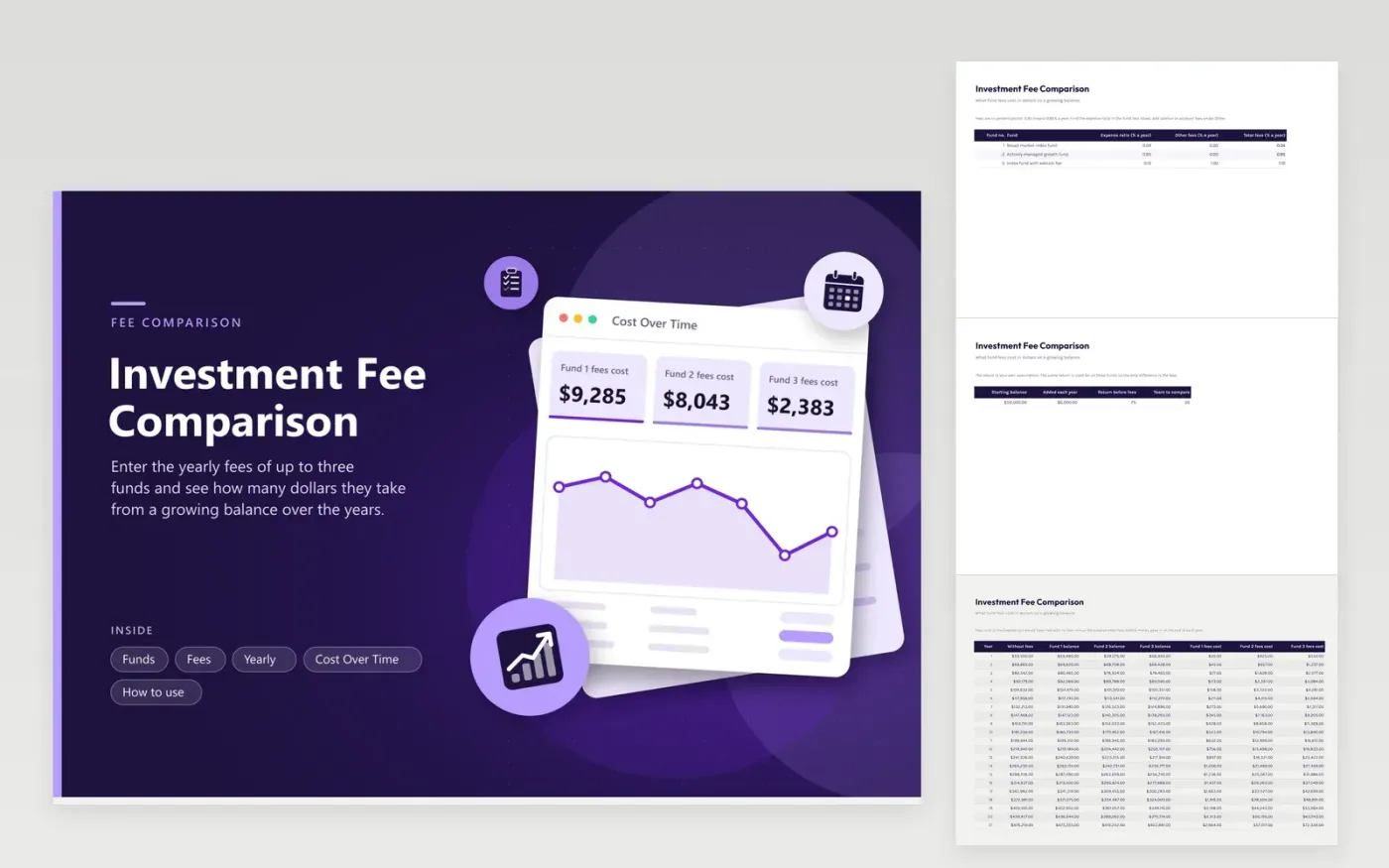
Fees are quoted in small percentages that hide their dollar cost. On Funds, list up to three funds with an expense ratio and any other yearly fee, such as an advisor charge. On Fees, set a starting balance, a yearly addition and the return before fees. Yearly then grows the balance with no fees and again for each fund, so the gap between them is the dollar cost of fees.
Cost Over Time shows that cost at the number of years you pick and charts it every five years from 5 to 30. In the sample, a 0.04 percent fund costs about $8,300 over 30 years against about $160,700 for a 0.85 percent fund. Fees are not the only difference between funds, and the return you assume is your own.
Click Make a copy in Google Sheets, then confirm on the Google page. The copy is saved to your own Google Drive.
Start on the Funds tab: replace the sample rows with your own.
Keep the formula columns as they are; they fill in as you type.
Read the How to use tab for tips. For Excel, download the .xlsx file instead.
Fees are taken every year from a balance that would otherwise keep growing, so the cost compounds. Enter your balance, deposits and fees on the Fees tab to see it in dollars.
It is the yearly percentage a fund charges for running it, taken from the fund assets. It is listed in the fund fact sheet and prospectus.
Not always on its own, because funds differ in what they hold and how they behave. Fees are one certain cost, so they deserve a look next to risk and tax effects.
Docs + Word6 pages
FeaturedFree
Excel
FeaturedFree
Sheets + Excel5 tabs
Free
Sheets + Excel6 tabs
Free
Sheets + Excel6 tabs
Free
Sheets + Excel5 tabs
Free
Sheets + Excel6 tabs
Free
Sheets + Excel6 tabs
Free
Sheets + Excel5 tabs
Free
Sheets + Excel5 tabs
Free
Sheets + Excel5 tabs
Free
Sheets + Excel5 tabs
Free
Sheets + Excel6 tabs
Free
Sheets + Excel7 tabs
Free
Sheets + Excel5 tabs
Free








