
Annual Report
Docs + Word6 pages
FeaturedFree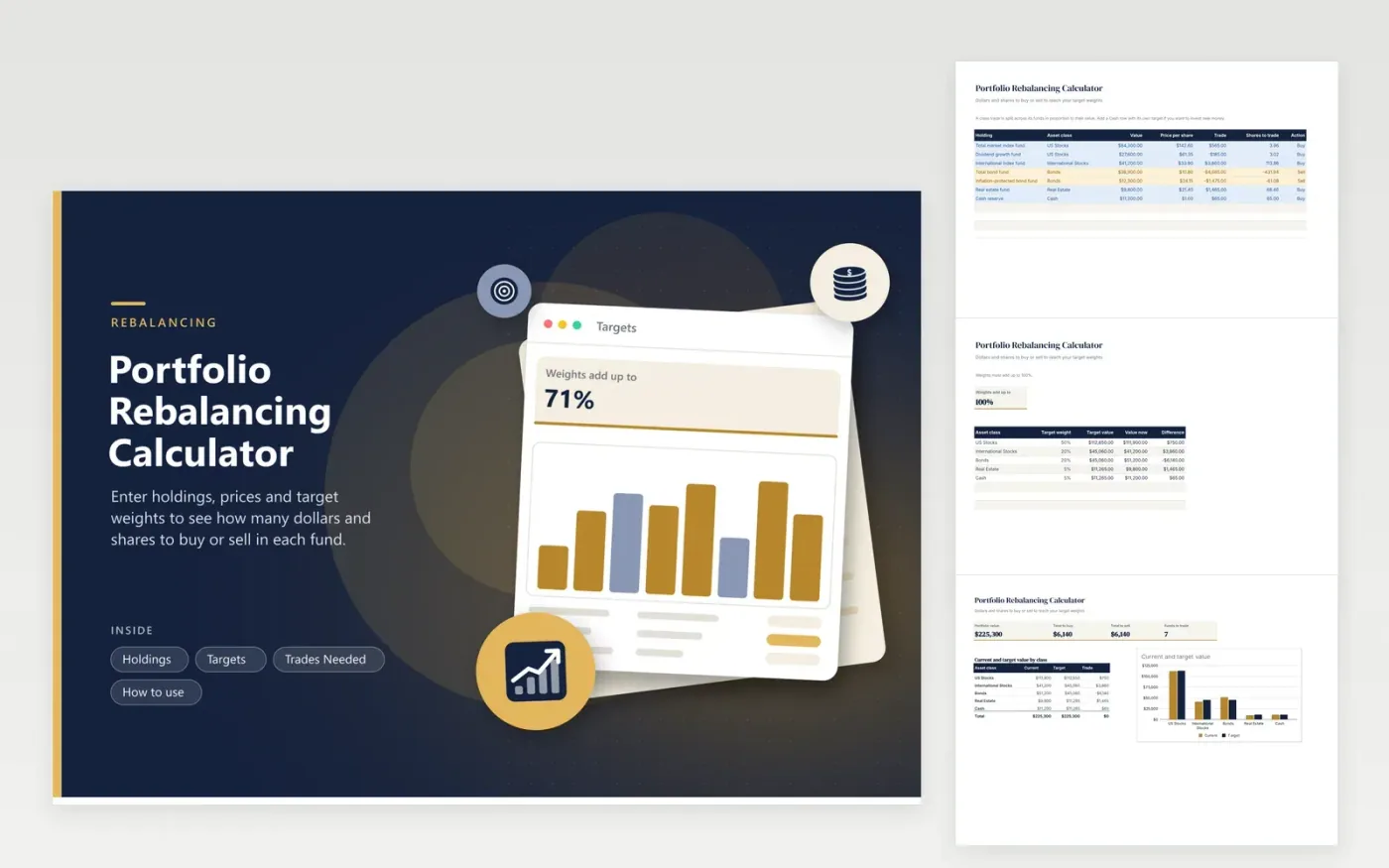
Rebalancing is arithmetic: compare what you hold with what you wanted and trade the difference. List every fund on Holdings with its class, value and price per share. On Targets, give each class a weight. The calculator splits each class trade across the funds in that class in proportion to their value and converts the dollars to shares.
Trades Needed totals what to buy and what to sell, counts how many funds change and charts current against target value by class. In the sample, bonds are over weight by about $6,100 and international stocks under by $3,900. To invest new money, add a Cash row and give it its own target weight.
Click Make a copy in Google Sheets, then confirm on the Google page. The copy is saved to your own Google Drive.
Start on the Holdings tab: replace the sample rows with your own.
Keep the formula columns as they are; they fill in as you type.
Read the How to use tab for tips. For Excel, download the .xlsx file instead.
Compare each asset class with its target weight, then sell what is over and buy what is under. You can also steer new deposits to the low classes instead of selling.
Divide the dollar trade by the price per share. The Shares to trade column does this for every fund using the price you enter.
Selling in a taxable account can create a taxable gain, while trades inside most retirement accounts usually do not. Ask a tax advisor what your own sale would trigger.
Docs + Word6 pages
FeaturedFree
Excel
FeaturedFree
Sheets + Excel5 tabs
Free
Sheets + Excel6 tabs
Free
Sheets + Excel6 tabs
Free
Sheets + Excel5 tabs
Free
Sheets + Excel6 tabs
Free
Sheets + Excel6 tabs
Free
Sheets + Excel7 tabs
Free
Sheets + Excel5 tabs
Free
Sheets + Excel5 tabs
Free
Sheets + Excel5 tabs
Free
Sheets + Excel6 tabs
Free
Sheets + Excel7 tabs
Free
Sheets + Excel5 tabs
Free








