
Annual Report
Docs + Word6 pages
FeaturedFree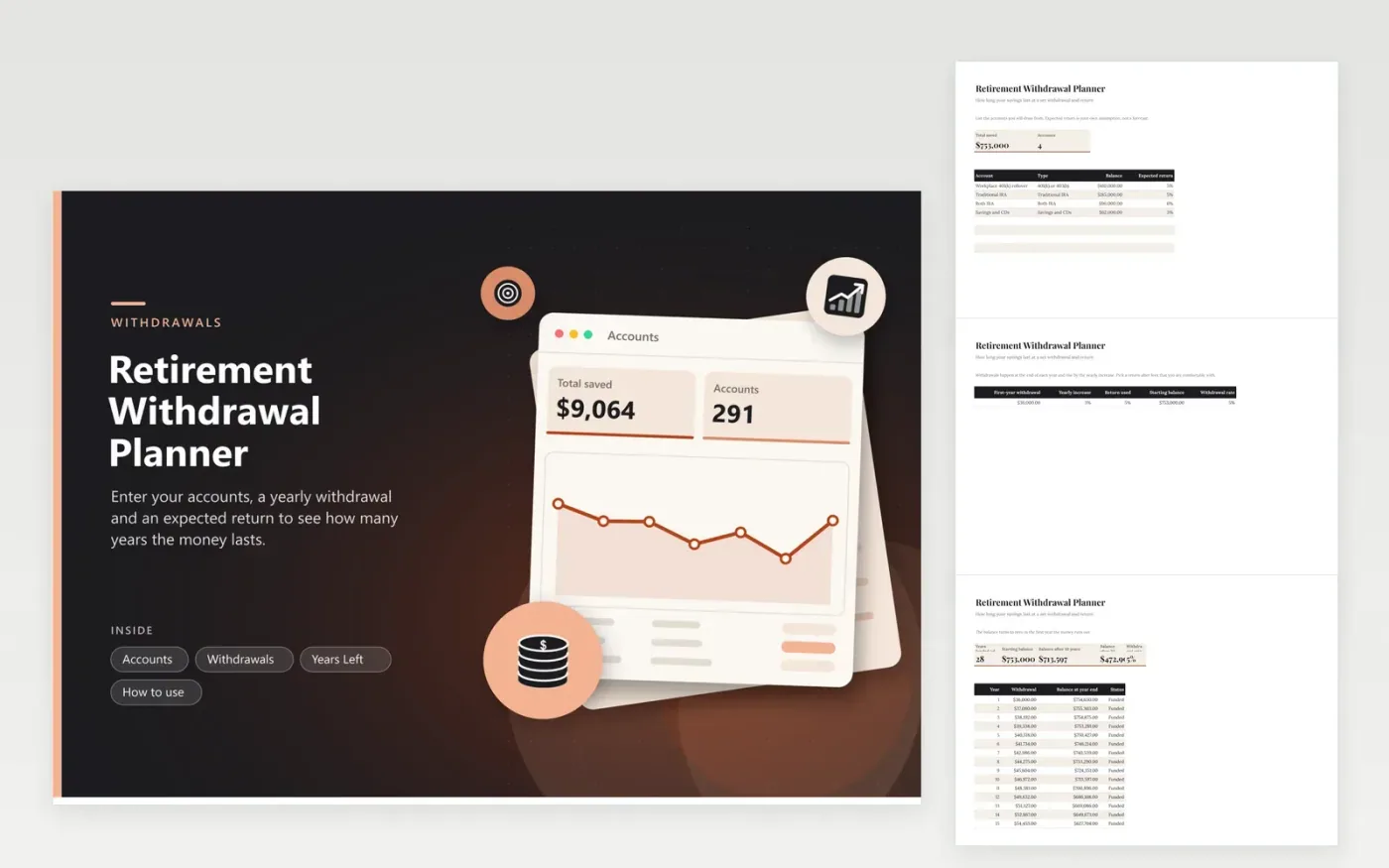
Start by listing the accounts you plan to draw from, with their balances and a return you expect from each. The Withdrawals tab takes the first-year withdrawal, how much it rises each year and the return to use, and shows the withdrawal rate that results. Years Left then builds a table of 35 years with the withdrawal and a year-end balance in every row, and flags the first year the money runs out.
The sample plan starts with about $753,000 and withdraws $36,000 rising 3 percent a year at a 5 percent return, which empties the pot after 28 years. Changing the return or the withdrawal and watching the funded years move is the main use. Taxes, Social Security and required withdrawals are not modeled.
Click Make a copy in Google Sheets, then confirm on the Google page. The copy is saved to your own Google Drive.
Start on the Accounts tab: replace the sample rows with your own.
Keep the formula columns as they are; they fill in as you type.
Read the How to use tab for tips. For Excel, download the .xlsx file instead.
It depends on the balance, how much you withdraw, how withdrawals rise and the return you earn. Enter those into the Withdrawals tab and the Years Left table shows the first year the balance reaches zero.
It is the first-year withdrawal divided by the starting balance. The sheet calculates it for you. There is no safe number for everyone, so test several returns and amounts.
No. It only runs the arithmetic of balance, return and withdrawals. Taxes, other income and required withdrawal rules change real outcomes, so ask a professional for a full plan.
Docs + Word6 pages
FeaturedFree
Excel
FeaturedFree
Sheets + Excel5 tabs
Free
Sheets + Excel6 tabs
Free
Sheets + Excel6 tabs
Free
Sheets + Excel5 tabs
Free
Sheets + Excel6 tabs
Free
Sheets + Excel6 tabs
Free
Sheets + Excel7 tabs
Free
Sheets + Excel5 tabs
Free
Sheets + Excel5 tabs
Free
Sheets + Excel5 tabs
Free
Sheets + Excel5 tabs
Free
Sheets + Excel6 tabs
Free
Sheets + Excel5 tabs
Free








