
Annual Report
Docs + Word6 pages
FeaturedFree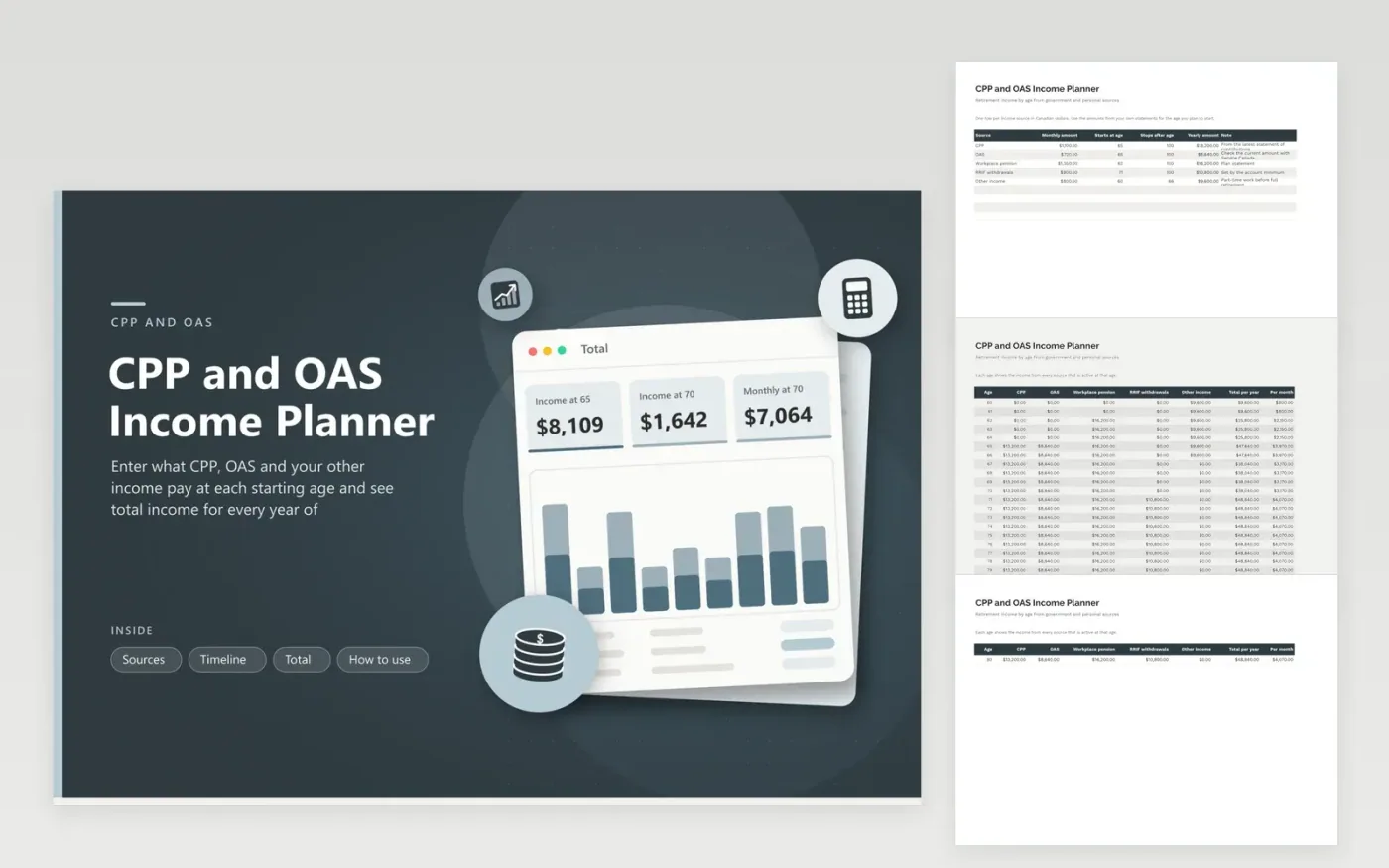
Canadian retirees often stack several payments that begin at different ages: CPP and OAS at 65, a workplace pension earlier, RRIF withdrawals later. The Sources tab takes the monthly amount, the age it starts and the age it stops for each one. The Timeline tab then adds the sources that are active at every age from 60 to 80 and shows the yearly and monthly total.
The Total tab picks out income at 65 and 70, the monthly figure at 70, the government share and a stacked chart by source at seven ages. The sample shows part-time work ending at 66 and RRIF withdrawals starting at 71. Use the amounts from your own statements; benefit amounts change with the age you start and each year with indexing.
Click Make a copy in Google Sheets, then confirm on the Google page. The copy is saved to your own Google Drive.
Start on the Sources tab: replace the sample rows with your own.
Keep the formula columns as they are; they fill in as you type.
Read the How to use tab for tips. For Excel, download the .xlsx file instead.
List each source with its monthly amount and the age it starts, then add them by age. Government benefit amounts depend on your contributions and when you start, so use your own statements.
Your My Service Canada Account shows your contribution record and an estimate. Type the amount for the age you plan to start into the Sources tab.
No. It adds the amounts you enter. Income tax and the OAS recovery tax depend on your total income, so check with the CRA or a tax professional.
Docs + Word6 pages
FeaturedFree
Excel
FeaturedFree
Sheets + Excel5 tabs
Free
Sheets + Excel6 tabs
Free
Sheets + Excel6 tabs
Free
Sheets + Excel5 tabs
Free
Sheets + Excel6 tabs
Free
Sheets + Excel7 tabs
Free
Sheets + Excel5 tabs
Free
Sheets + Excel5 tabs
Free
Sheets + Excel5 tabs
Free
Sheets + Excel5 tabs
Free
Sheets + Excel6 tabs
Free
Sheets + Excel7 tabs
Free
Sheets + Excel5 tabs
Free








