Annual Report
Docs + Word6 pages
FeaturedFree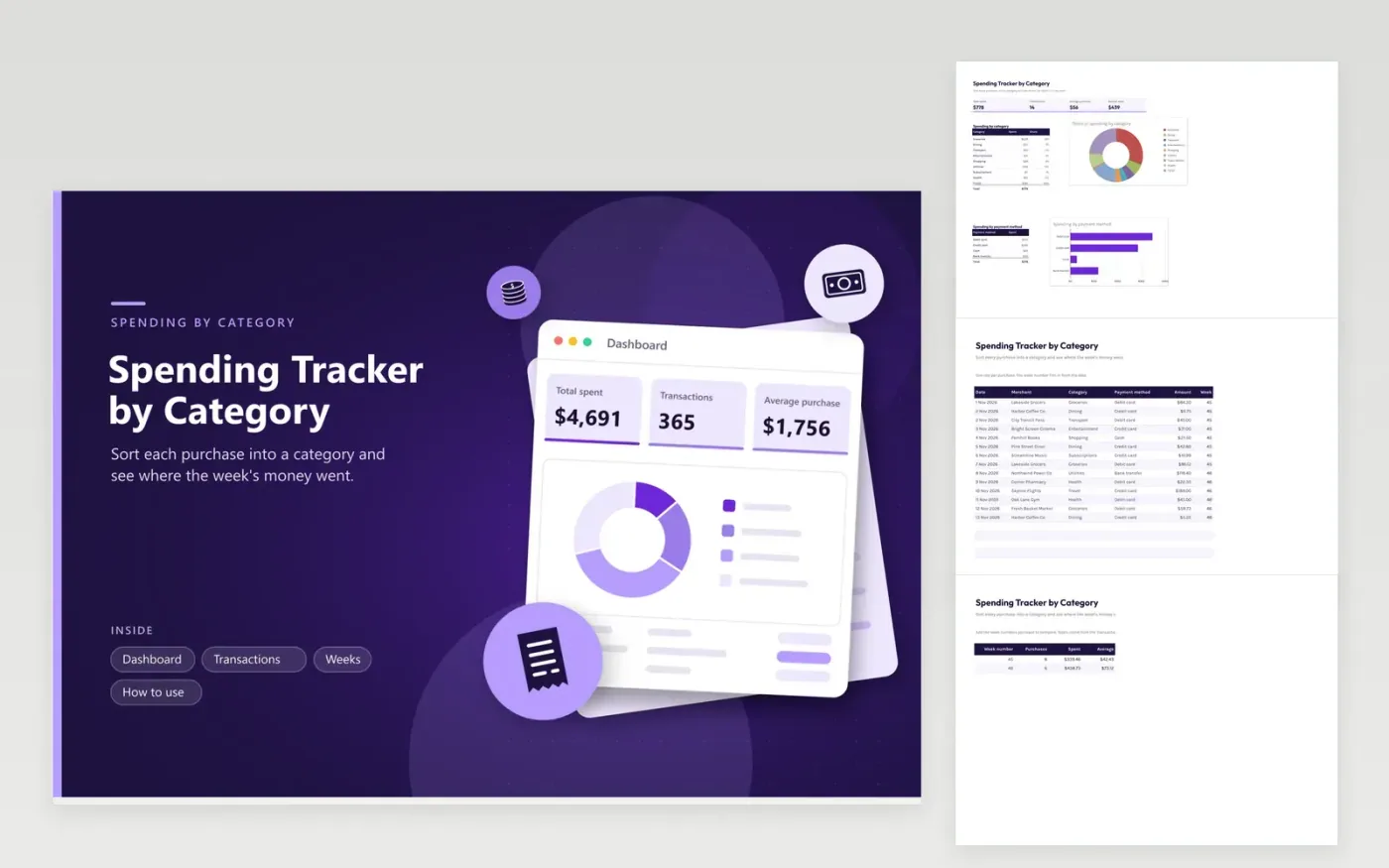
This tracker helps people who want to know where their money goes without building a full budget. The Transactions tab records each purchase with its date, merchant, category, payment method and amount, and works out its week number. The Dashboard gives the grand total, the average purchase and two charts, one split by category and one by card, cash or other payment method.
The Weeks tab adds up each week, counts the purchases and gives an average, so you can compare one week with the next. Use the same category names as the list on the Transactions tab, because a new name will not appear in the breakdown. Review the top categories every weekend and pick one to cut back on.
Click Make a copy in Google Sheets, then confirm on the Google page. The copy is saved to your own Google Drive.
Start on the Transactions tab: replace the sample rows with your own.
Keep the formula columns as they are; they fill in as you type.
Read the How to use tab for tips. For Excel, download the .xlsx file instead.
The week number uses WEEKNUM, which counts weeks from the start of the year and begins each week on a Sunday. A purchase dated on a Sunday starts a new week. Add the week numbers you need to the Weeks tab so the totals pick them up.
Yes. Put the new category in the list that feeds the Transactions tab plus one more line in the Dashboard breakdown. Spell it identically in both places, or its spending will not be counted.
Log the purchases as they happen and add a row to the Weeks tab for each new week number. Fill the formulas down from the row above. Totals on the Dashboard refresh as you go, so the busiest week and the category shares stay current.
Docs + Word6 pages
FeaturedFree
Excel
FeaturedFree
Sheets + Excel9 tabs
Free
Sheets + Excel5 tabs
Free
Sheets + Excel5 tabs
Free
Sheets + Excel4 tabs
Free
Sheets + Excel5 tabs
Free
Sheets + Excel5 tabs
Free
Sheets + Excel5 tabs
Free
Sheets + Excel5 tabs
Free
Sheets + Excel4 tabs
Free
Sheets + Excel4 tabs
Free
Sheets + Excel3 tabs
Free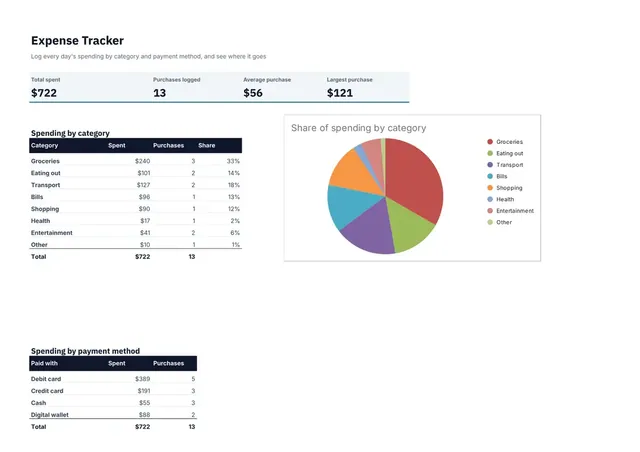
Sheets + Excel3 tabs
Free
Sheets + Excel3 tabs
Free