Lead Intake Webhook
n8n
FeaturedFree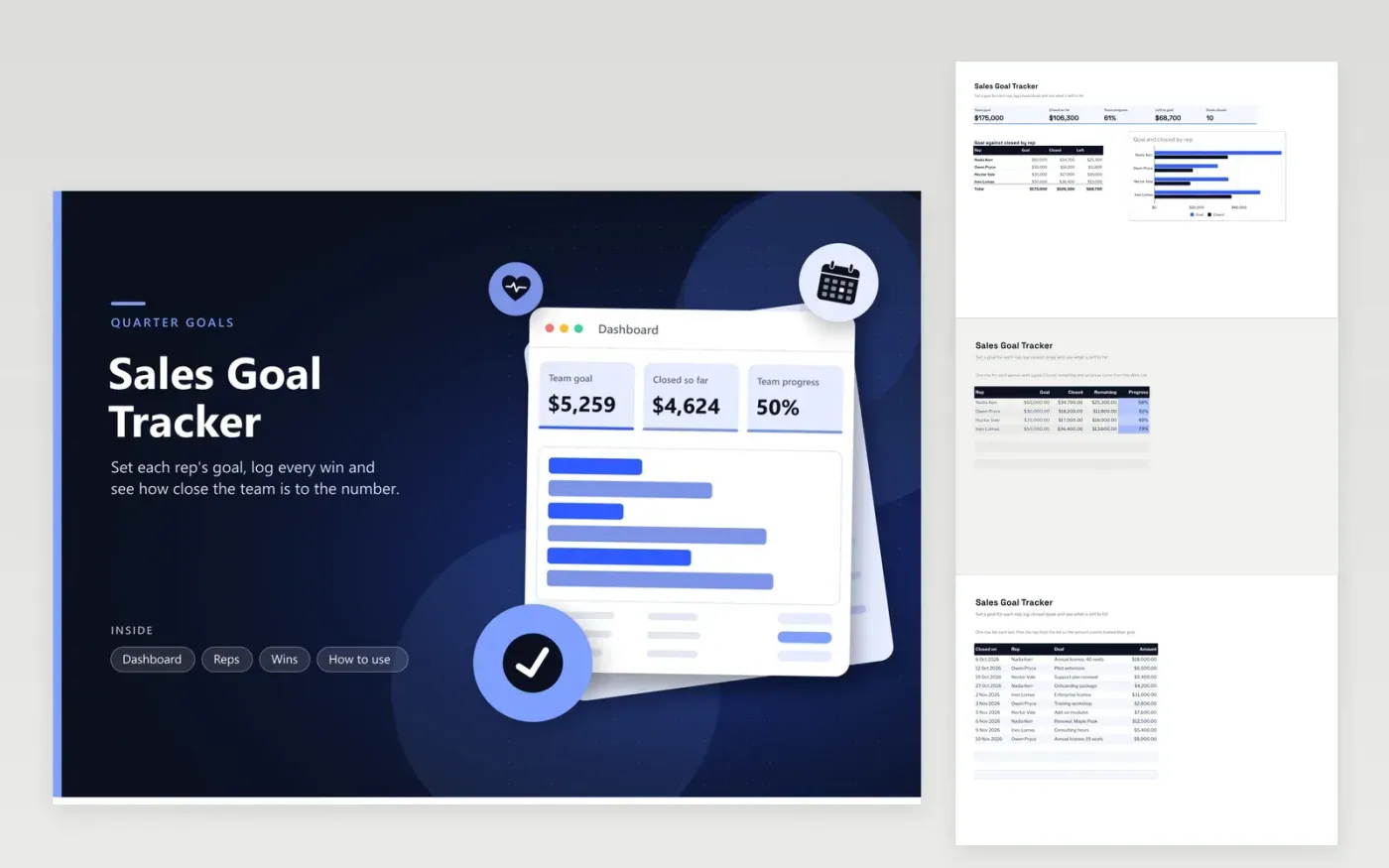
This tracker helps a sales lead or small team see progress toward a quarterly goal. The Reps tab holds each person's goal and calculates what they have closed, how much remains and their progress, highlighted by a colour scale. The Wins tab logs each closed deal with its date, rep, deal name and amount. The Dashboard shows the team goal, the closed total, team progress and a bar chart comparing goal and closed for each rep.
Set goals at the start of the quarter, then log each win on the day it closes so progress stays current. Use the same rep names on the Reps and Wins tabs, or closed amounts will not count. To check whether the team is on pace, compare team progress with the share of the quarter that has passed. If progress trails the calendar, plan extra outreach for the rest of the period.
Click Make a copy in Google Sheets, then confirm on the Google page. The copy is saved to your own Google Drive.
Start on the Reps tab: replace the sample rows with your own.
Keep the formula columns as they are; they fill in as you type.
Read the How to use tab for tips. For Excel, download the .xlsx file instead.
The Remaining column subtracts the closed amount from the goal and shows zero once a rep has passed it. On the dashboard, Left to goal subtracts all closed wins from the team goal, so one rep's extra sales can offset another rep's gap.
Yes. Set the goals on the Reps tab for the period you want, then keep only the Wins rows from that period. For monthly goals, save a fresh copy on day one of each month. The formulas and charts keep working because they read whatever rows are on the Wins tab.
Delete its row on the Wins tab, or set its amount to zero. The progress updates straight away. To keep a trace of the cancellation, note it in the deal name before you remove the amount.
n8n
FeaturedFree
Sheets + Excel4 tabs
Free
Sheets + Excel5 tabs
Free
Sheets + Excel5 tabs
Free
Sheets + Excel5 tabs
Free
Sheets + Excel4 tabs
Free
Sheets + Excel5 tabs
Free
Sheets + Excel4 tabs
Free
Sheets + Excel4 tabs
Free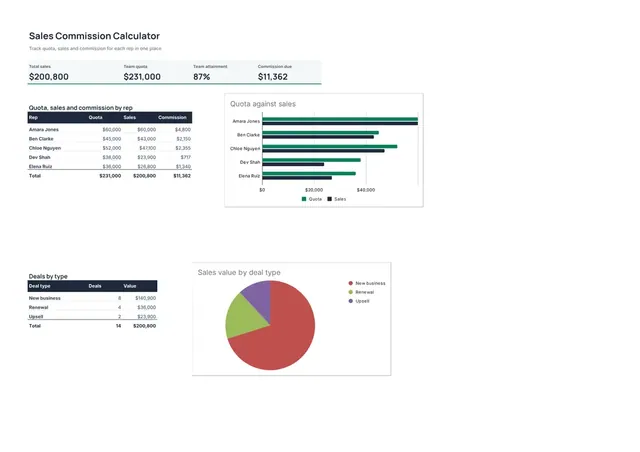
Sheets + Excel4 tabs
Free








