Lead Intake Webhook
n8n
FeaturedFree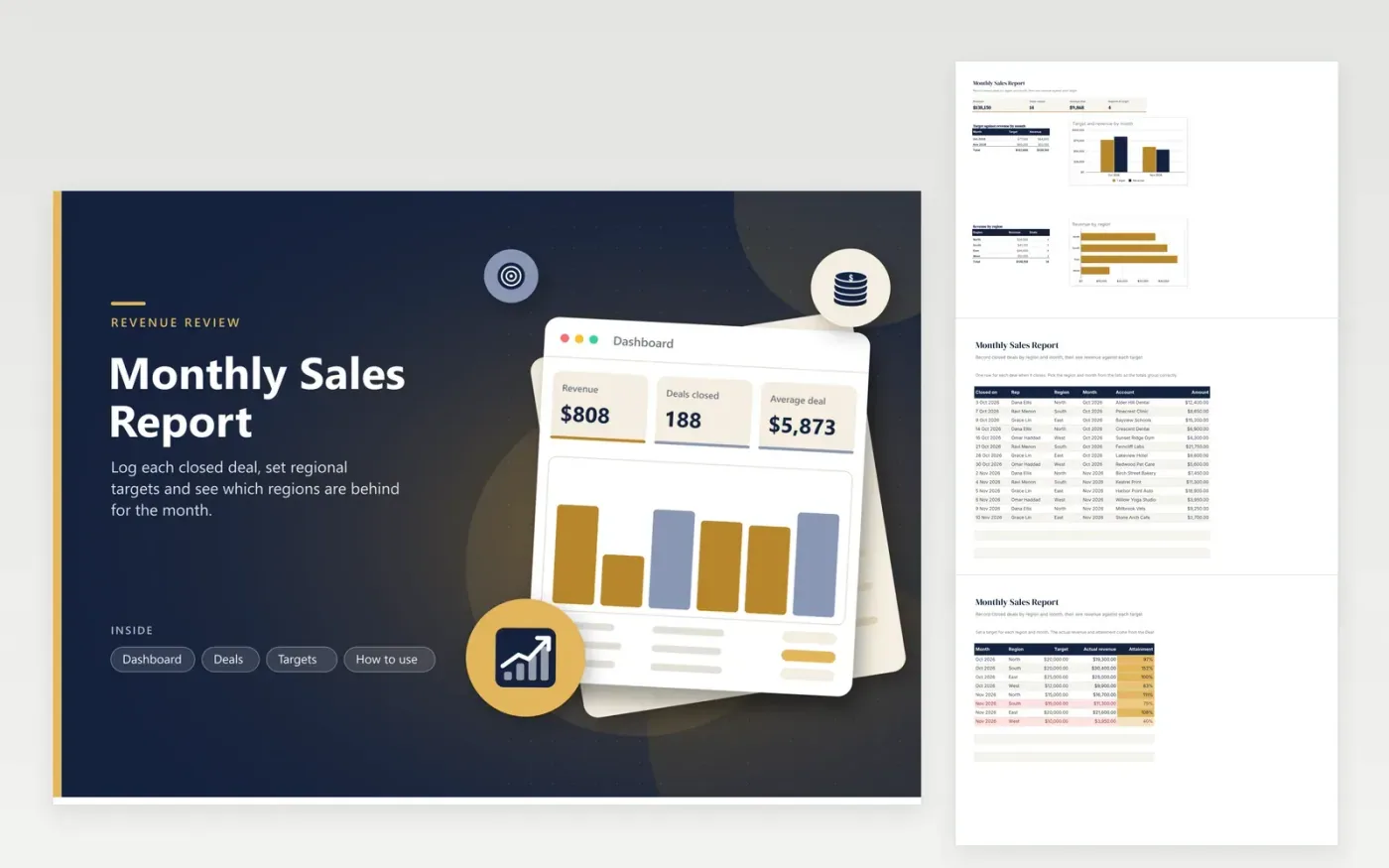
Sales managers and small business owners review revenue with this report, one month and one region at a time. The Deals tab records every closed deal: its date, rep, region, month, account and amount. The Targets tab sets a target for every region and month, pulls the actual revenue from the deals and shows attainment as a percentage, shaded from weak to strong. The Dashboard compares target and revenue by month and totals each region.
Record each deal as it closes and choose its month from the list so totals land in the right group. Enter targets ahead of the month so any gap appears early. Rows on the Targets tab turn red when a region has reached less than 80 percent of its target. For a quarterly review, copy the file, add the months you need to the Month lists and give each region its own row on the Targets tab.
Click Make a copy in Google Sheets, then confirm on the Google page. The copy is saved to your own Google Drive.
Start on the Deals tab: replace the sample rows with your own.
Keep the formula columns as they are; they fill in as you type.
Read the How to use tab for tips. For Excel, download the .xlsx file instead.
The region name on the Deals tab must match the name on the Targets tab exactly, including capital letters and spaces. A typo or an extra space puts the deal outside the total. Check the spelling in the Region column first, then the Targets tab.
Attainment is the actual revenue for a region and month divided by its target. A value of 100 percent means the target was met exactly, and anything above it is over target. The colour scale on the Targets tab makes the strongest and weakest regions easy to spot.
Add the new month to the Month lists on the Deals and Targets tabs, then add a row for each region on the Targets tab. Old months stay in the file, so the dashboard keeps a running comparison.
n8n
FeaturedFree
Sheets + Excel4 tabs
Free
Sheets + Excel5 tabs
Free
Sheets + Excel5 tabs
Free
Sheets + Excel4 tabs
Free
Sheets + Excel5 tabs
Free
Sheets + Excel5 tabs
Free
Sheets + Excel4 tabs
Free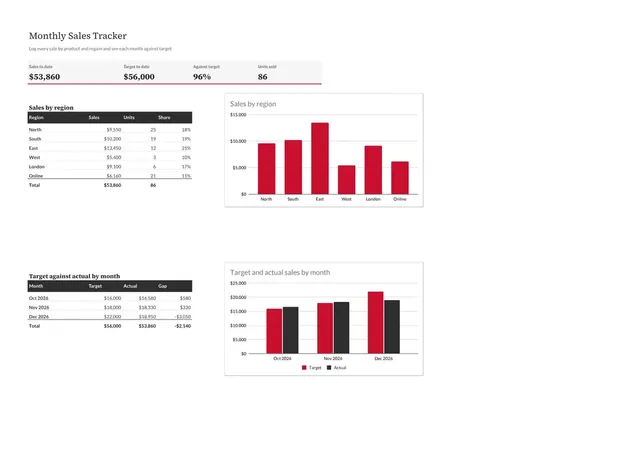
Sheets + Excel4 tabs
Free
Sheets + Excel4 tabs
Free








