Lead Intake Webhook
n8n
FeaturedFree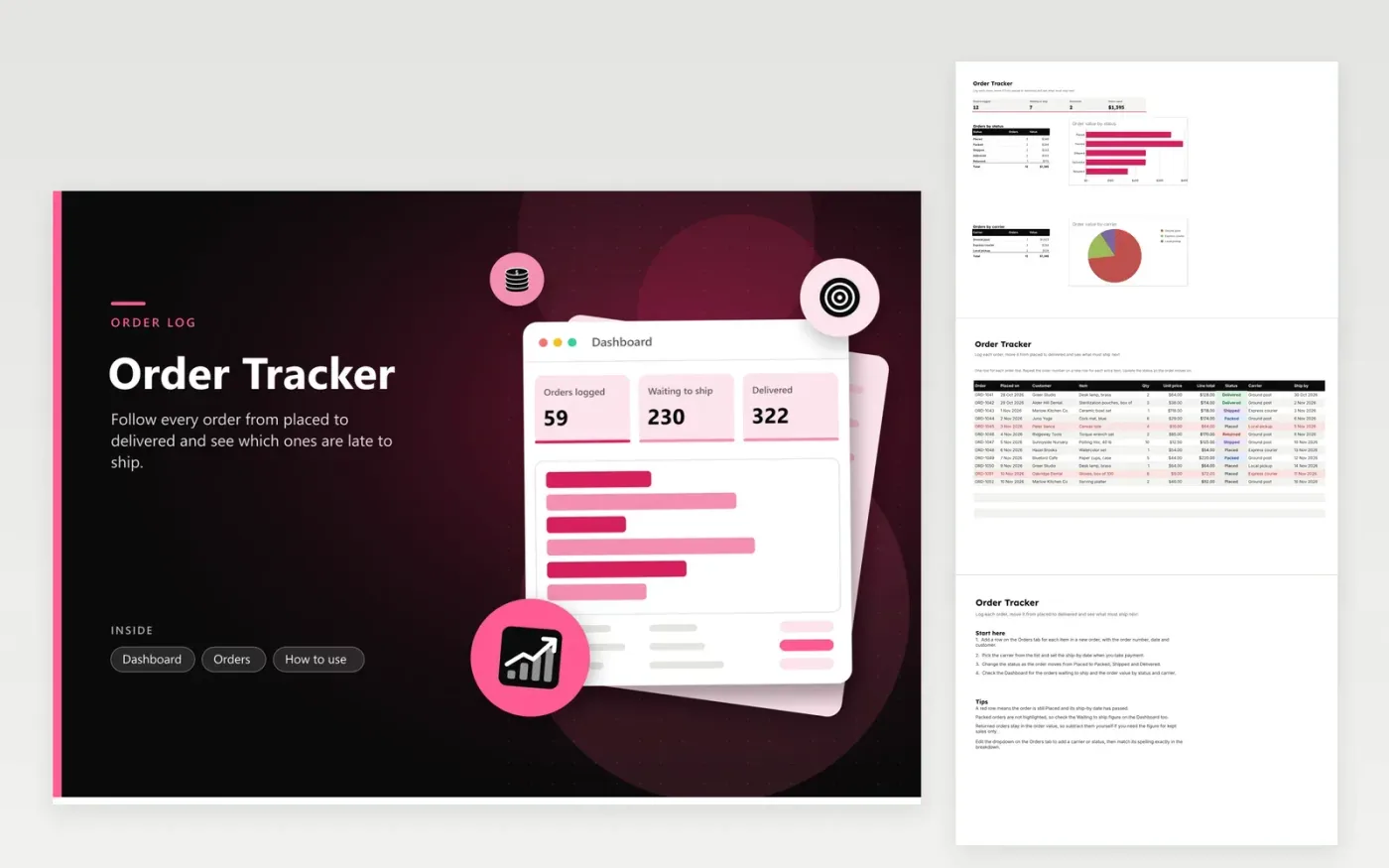
This tracker is for a small shop, workshop or online seller that ships orders by post, courier or pickup. Every order line is a row on the Orders tab, with its order number, date, customer, item, quantity, unit price and status, plus the carrier and the day it must ship. The line total calculates itself. The Dashboard counts orders waiting to ship, adds up the order value and breaks the orders down by status and by carrier.
Enter an order as soon as it arrives, then update its status as it moves through packing, shipping and delivery. Set the ship-by date when you take payment. A row turns red when it is still placed and its ship-by date has passed, so you can deal with it first thing. Returned orders stay in the order value, so subtract them yourself or check the Returned figure in the status breakdown.
Click Make a copy in Google Sheets, then confirm on the Google page. The copy is saved to your own Google Drive.
Start on the Orders tab: replace the sample rows with your own.
Keep the formula columns as they are; they fill in as you type.
Read the How to use tab for tips. For Excel, download the .xlsx file instead.
Look for red rows on the Orders tab. Rows go red if the status is still Placed after the Ship by date has passed. Packed orders are not highlighted, so check the Waiting to ship figure on the dashboard as well.
Add a new row with the same order number for each item. The dashboard counts rows, so the Orders logged figure counts order lines. Use a separate list if you need the number of distinct orders.
Yes. Extend the Carrier or Status list on the Orders tab, then give it a matching row in the dashboard breakdown with identical spelling, otherwise its count stays at zero.
n8n
FeaturedFree
Sheets + Excel4 tabs
Free
Sheets + Excel5 tabs
Free
Sheets + Excel5 tabs
Free
Sheets + Excel5 tabs
Free
Sheets + Excel5 tabs
Free
Sheets + Excel5 tabs
Free
Sheets + Excel4 tabs
Free
Sheets + Excel4 tabs
Free
Sheets + Excel4 tabs
Free








