Lead Intake Webhook
n8n
FeaturedFree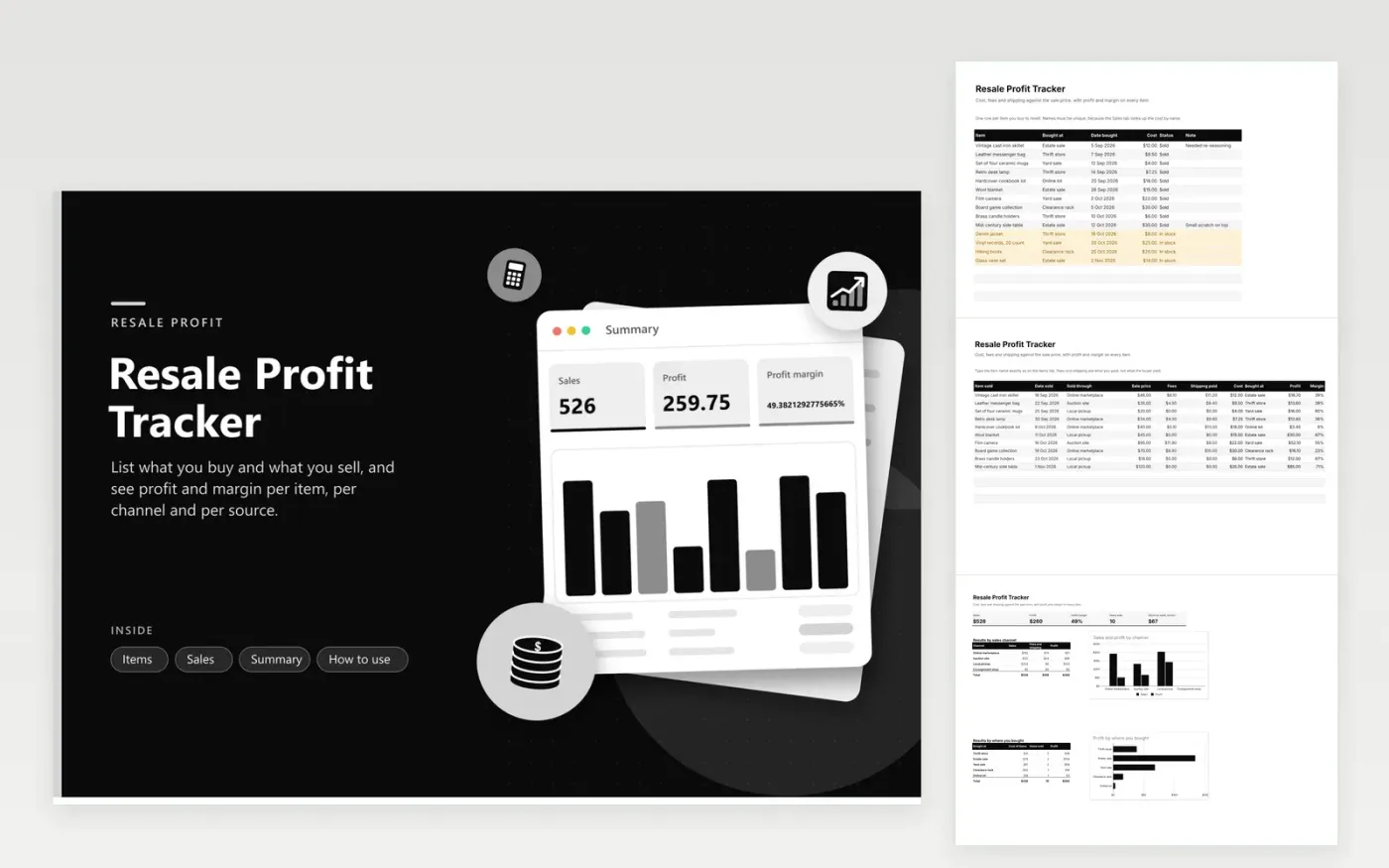
Reselling feels profitable until fees and shipping are counted. This resale profit tracker keeps two lists. Items records what you bought, where and for how much, and marks each item In stock or Sold. Sales records the price, fees and shipping, looks up the cost by item name and works out profit and margin. The Summary tab adds up sales, profit, margin, items sold and the cost of stock you still hold, and splits results by sales channel and by where you bought the goods.
Fourteen sample items show a thrift-and-estate-sale routine with ten sold and four waiting. The sources chart tells you which places give the best return, and the channel chart shows whether fees on one platform eat the gain. Item names must be unique and typed the same on both tabs. Negative-profit sales turn red, so a bad buy is easy to spot.
Click Make a copy in Google Sheets, then confirm on the Google page. The copy is saved to your own Google Drive.
Start on the Items tab: replace the sample rows with your own.
Keep the formula columns as they are; they fill in as you type.
Read the How to use tab for tips. For Excel, download the .xlsx file instead.
Subtract what you paid for the item, any selling fees and the shipping you covered from the sale price. A $48 sale with $6.10 fees, $11.20 shipping and a $12 cost leaves $18.70 profit.
Margin is profit divided by the sale price. Many resellers look for 30 percent or more after fees, but it depends on your time and the item type. This sheet shows the margin for each sale.
Yes, if you want true profit. Unsold stock ties up money, and costs recorded at purchase let the sheet work out profit when the item sells.
n8n
FeaturedFree
Sheets + Excel5 tabs
Free
Sheets + Excel4 tabs
Free
Sheets + Excel5 tabs
Free
Sheets + Excel5 tabs
Free
Sheets + Excel4 tabs
Free
Sheets + Excel5 tabs
Free
Sheets + Excel5 tabs
Free
Sheets + Excel4 tabs
Free
Sheets + Excel4 tabs
Free
Sheets + Excel4 tabs
Free









