Lead Intake Webhook
n8n
FeaturedFree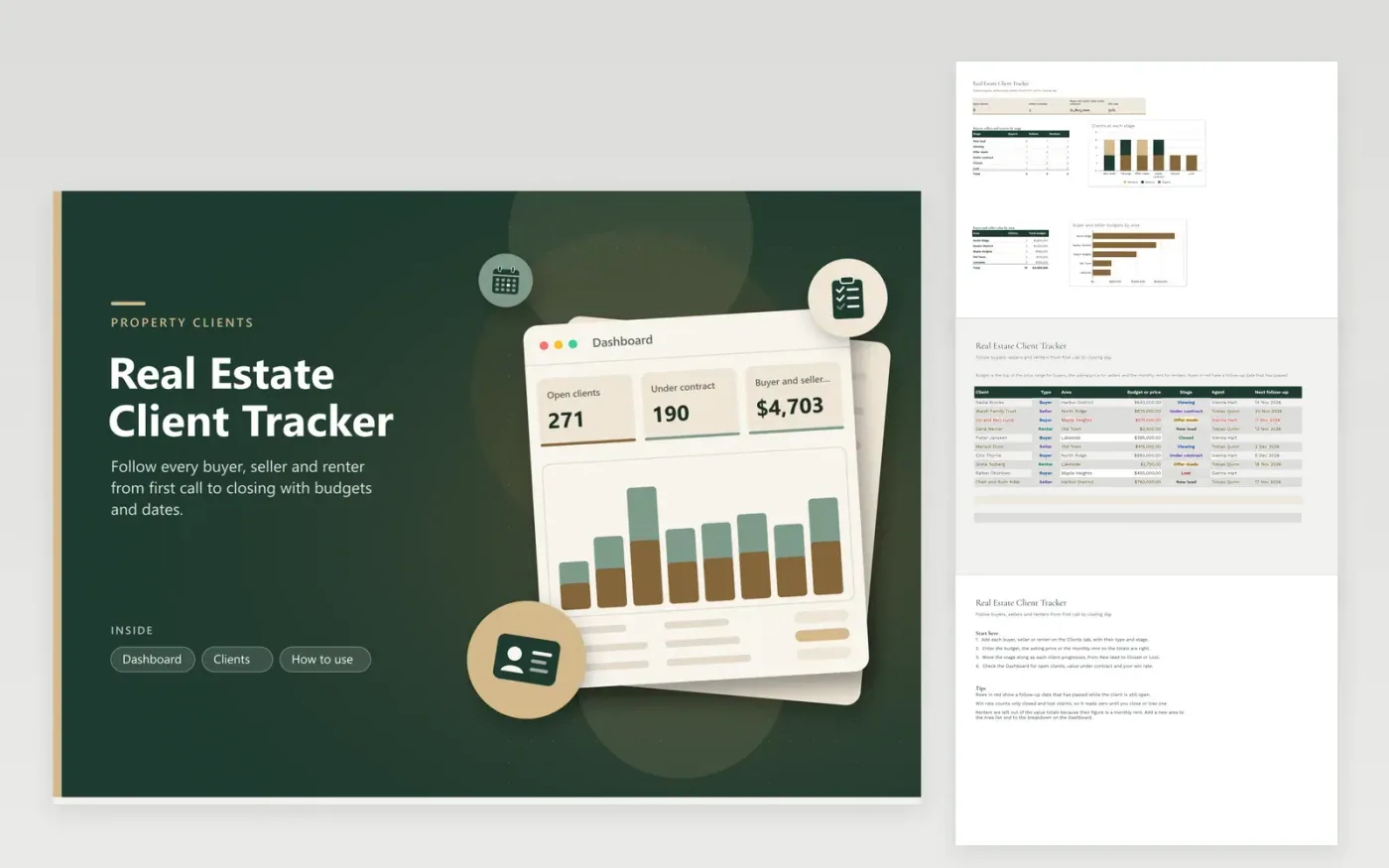
Agents and brokerages use the Real Estate Client Tracker to follow each buyer, seller and renter from the first call to closing. The Clients tab records a person's type, area, budget or asking price, stage, agent and follow-up date. The Dashboard shows open clients, the buyer and seller value under contract, your win rate, and how the clients spread across stages and areas.
Enter budgets as the top of the price range for buyers, the asking price for sellers and the monthly rent for renters. Move each client along as the deal progresses. Rows go red when a follow-up date slips past while the client is still open, so you can call before interest fades. Renters are kept out of the value totals, because a rent figure should not be added to purchase prices.
Click Make a copy in Google Sheets, then confirm on the Google page. The copy is saved to your own Google Drive.
Start on the Clients tab: replace the sample rows with your own.
Keep the formula columns as they are; they fill in as you type.
Read the How to use tab for tips. For Excel, download the .xlsx file instead.
Win rate is closed clients divided by closed plus lost clients. Open clients do not count yet, so the rate reads zero until you close or lose at least one client. Apply the same rule across the team so the figures compare fairly.
Renters record a monthly rent rather than a price, so adding it to purchase budgets would mislead. The value figures include only buyers and sellers. Track rent totals separately if you need them.
Type the new area into the Area dropdown on the Clients tab, then include it in the Buyer and seller value by area table on the Dashboard. Clients in that area will then appear in the totals.
n8n
FeaturedFree
Sheets + Excel4 tabs
Free
Sheets + Excel5 tabs
Free
Sheets + Excel4 tabs
Free
Sheets + Excel4 tabs
Free
Sheets + Excel5 tabs
Free
Sheets + Excel4 tabs
Free
Sheets + Excel4 tabs
Free
Sheets + Excel3 tabs
Free
Sheets + Excel4 tabs
Free








