
Lead Intake Webhook
n8n
Free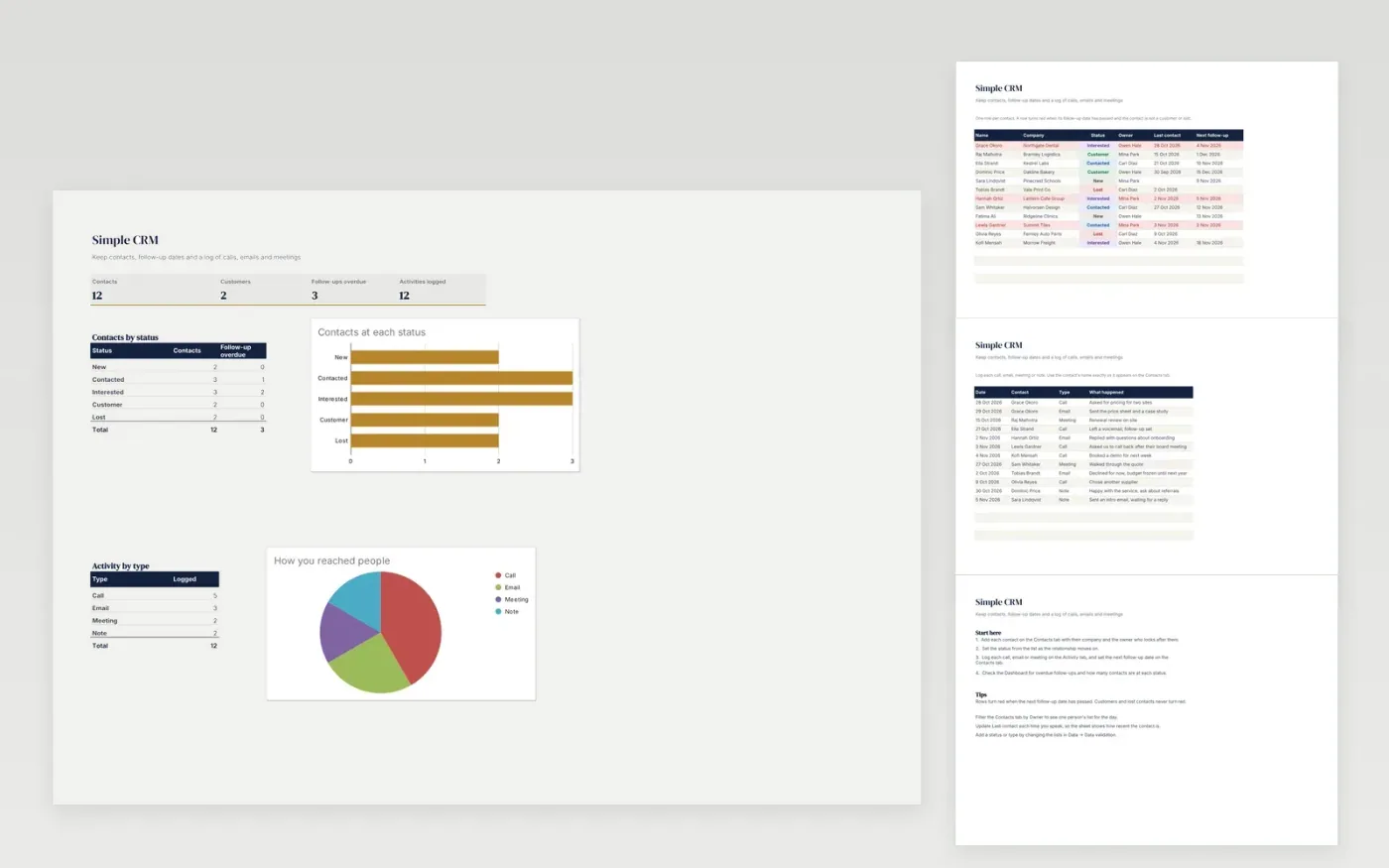
The Simple CRM is a light customer list for small sales or service teams. The Contacts tab holds each person and company, their status, owner, last contact and next follow-up date. The Activity tab logs every call, email, meeting or note. Rows turn red when a follow-up is overdue. The Dashboard shows contacts by status, overdue follow-ups and activity by type.
The file comes with sample data for twelve contacts and twelve activity entries, so you can see how it works. Make a copy, replace the sample rows with your own contacts, and the counts, highlighting and charts update on their own.
Click Make a copy in Google Sheets, then confirm on the Google page. The copy is saved to your own Google Drive.
Start on the Contacts tab: replace the sample rows with your own.
Keep the formula columns as they are; they fill in as you type.
Read the How to use tab for tips. For Excel, download the .xlsx file instead.
Yes. The Simple CRM template is free to download, copy and use for your own business.
Yes. Download the .xlsx file and open it in Microsoft Excel. The dropdowns, highlighting and charts work in Excel as well as in Google Sheets.
A contact turns red when its next follow-up date has passed and its status is not Customer or Lost. Update the status or set a new follow-up date to clear the highlight.
n8n
Free
Slides + PowerPoint12 slides
Free
Docs + Word3 pages
Free
Sheets + Excel4 slides
Free
Sheets + Excel3 slides
Free







