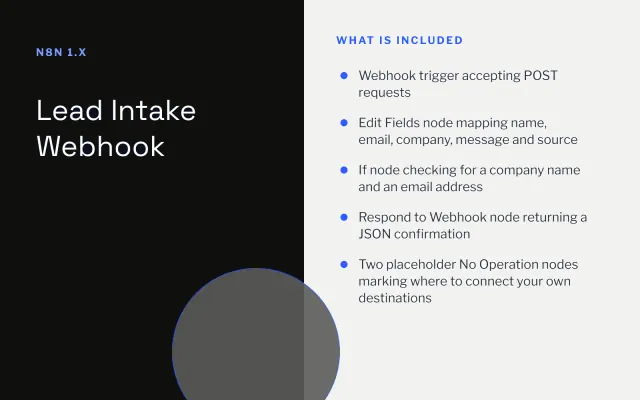
Lead Intake Webhook
n8n
FeaturedFree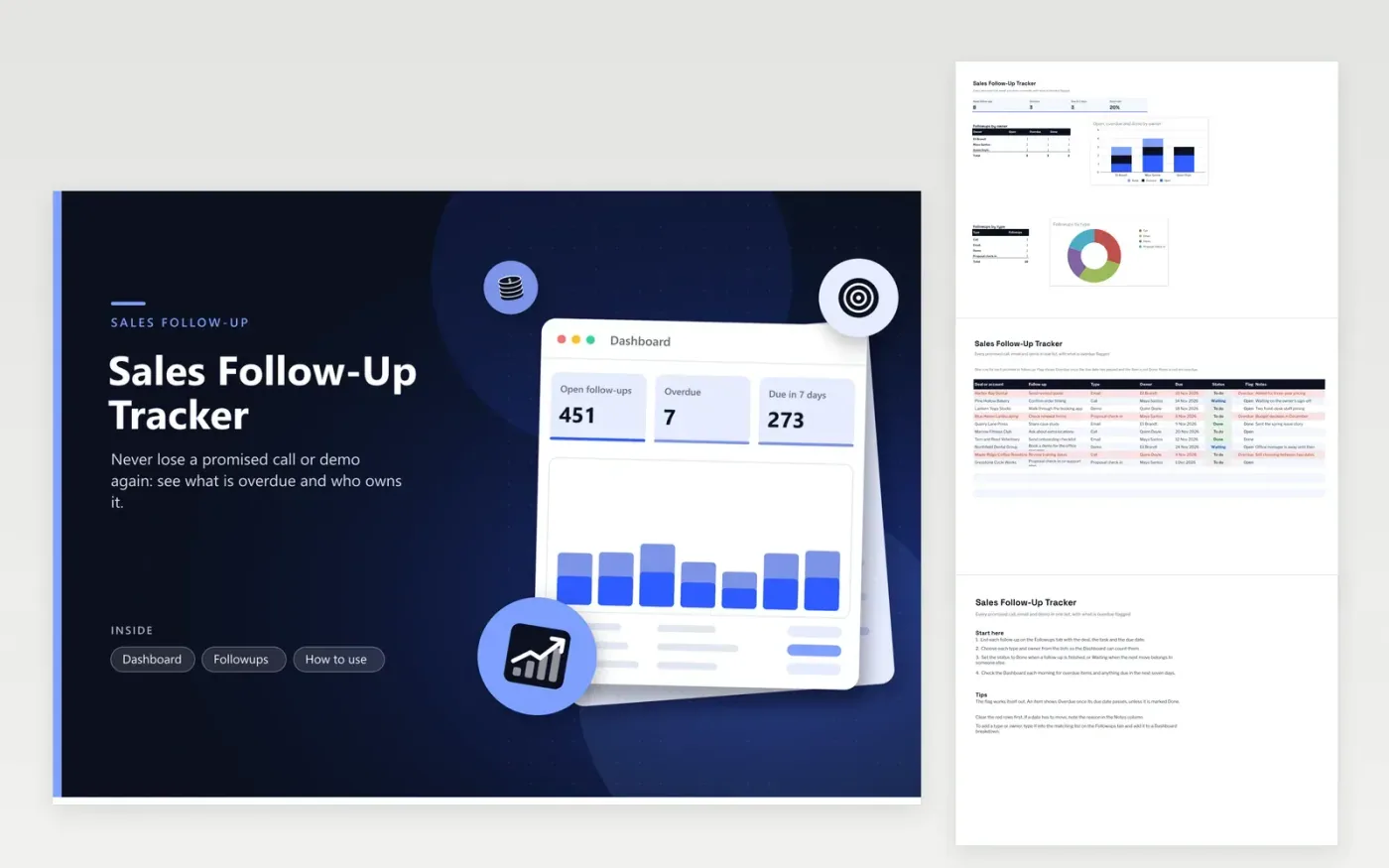
Sales reps and account managers use the Sales Follow-Up Tracker to keep promises from slipping. The Followups tab lists each item as a row, naming the deal, the task, its type (Call, Email, Demo or Proposal check-in), owner, due date, status (To do, Waiting or Done) and notes. The flag column shows Overdue once its due date is behind you and the item is unfinished. The Dashboard counts open and overdue items by owner and by type.
Log a follow-up the same day you promise it, with a due date that matches what you said. Mark it Waiting when the next step belongs to the customer, so it stays visible without looking urgent. Check the Dashboard each morning, starting with the overdue rows in red. Clear them, or move the due date and note why in the Notes column.
Click Make a copy in Google Sheets, then confirm on the Google page. The copy is saved to your own Google Drive.
Start on the Followups tab: replace the sample rows with your own.
Keep the formula columns as they are; they fill in as you type.
Read the How to use tab for tips. For Excel, download the .xlsx file instead.
To do means the next step is yours. Waiting means you have sent what was needed and the customer owes the next move. Both stay open on the Dashboard, but only To do items should prompt you to act today.
The flag compares the due date with today's date. An item whose due date has passed and is not marked Done shows Overdue. An item due today still shows Open until the day ends, so check the Dashboard first thing each day.
There is no fixed number, since it depends on deal size and sales cycle. Watch the overdue count instead. If it keeps climbing for one owner, that person probably has more items than time to work them, and the list should be shared out.
n8n
FeaturedFree
Sheets + Excel4 tabs
Free
Sheets + Excel5 tabs
Free
Sheets + Excel4 tabs
Free
Sheets + Excel4 tabs
Free
Sheets + Excel5 tabs
Free
Sheets + Excel4 tabs
Free
Sheets + Excel4 tabs
Free
Sheets + Excel3 tabs
Free
Sheets + Excel4 tabs
Free








