
Annual Marketing Plan
Docs + Word12 pages
Free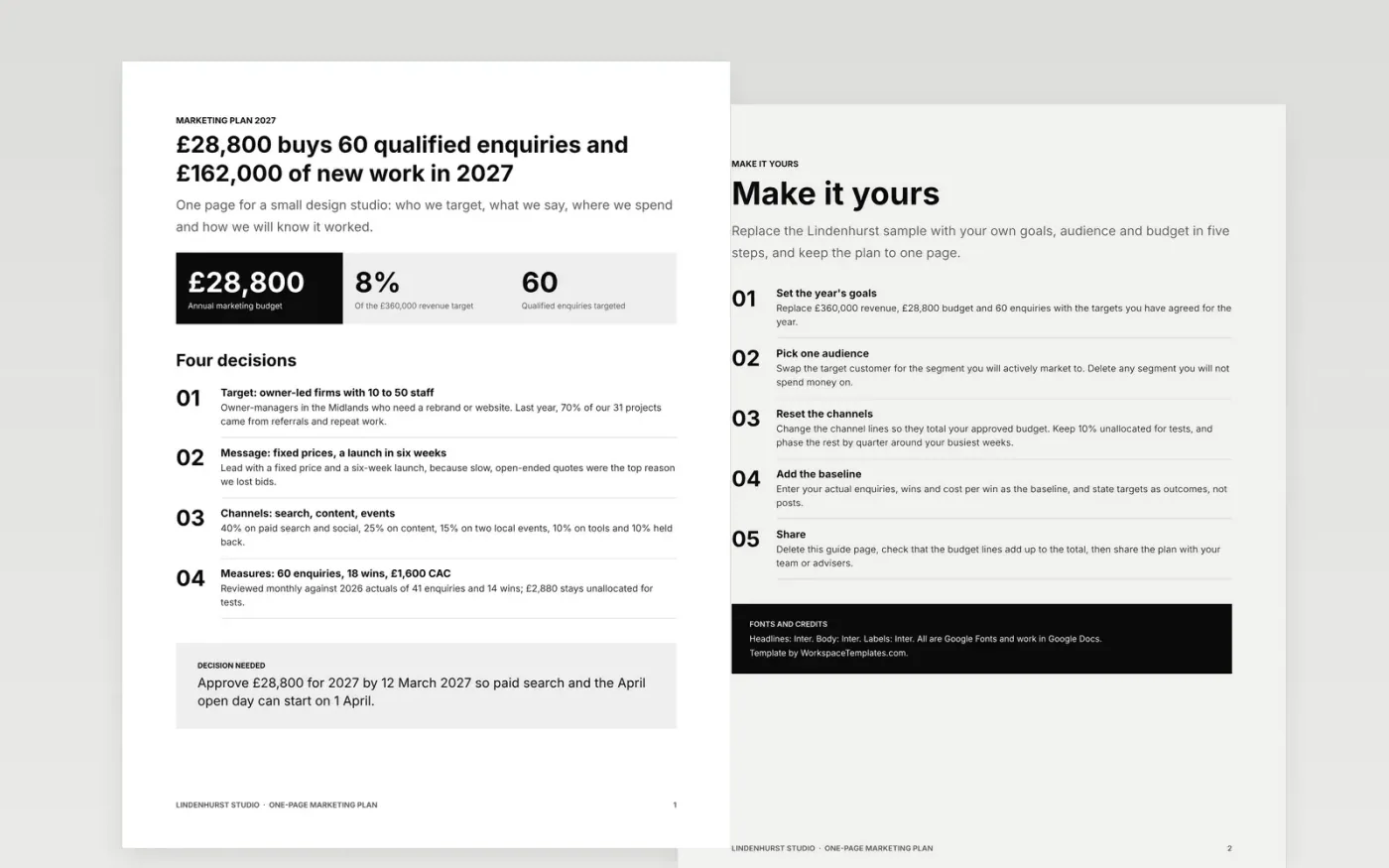
Small business owners rarely need a 40-page strategy. They need one page that says who the customer is, what the message is, which channels get money, what the budget is and how success will be measured. This template lays that out in a simple nine-box structure with numbers beside every choice.
The sample is a plan for Lindenhurst Studio, a small design studio with a £28,800 annual budget, 60 qualified enquiries as its target and a clear split between paid search, content, events, tools and a held-back test fund. Replace the goals, audience, channel budget lines and last year's results with your own, keeping 10% unallocated for tests.
Click Make a copy in Google Docs, then confirm on the Google page. The copy is saved to your own Google Drive.
Replace the revenue, budget and enquiry targets with your own goals for the year, and update the headline figures to match.
Rewrite the target customer and message for the segment you will actively market to, and delete any you will not.
Reset the channel lines so they total your approved budget, keeping 10% unallocated for tests, and enter last year's actual results as the baseline.
Delete the Make it yours guide page, then share the plan with your team or present it.
A single page is easier to agree, to remember and to review each month. It forces you to link every channel to a goal and every pound to a target.
No. Lindenhurst Studio, its people and every figure are fictional sample data. Use them to see how the numbers connect, then replace them with your own.
Many small firms spend 6% to 12% of revenue on marketing. The sample uses 8%, split across paid, content, events and tools, with 10% held back for tests.
Docs + Word12 pages
Free
Slides + PowerPoint11 slides
Free
Docs + Word6 pages
Free
Slides + PowerPoint12 slides
Free
Docs + Word9 pages
Free









