Freelance Invoice
Docs + Word3 pages
Free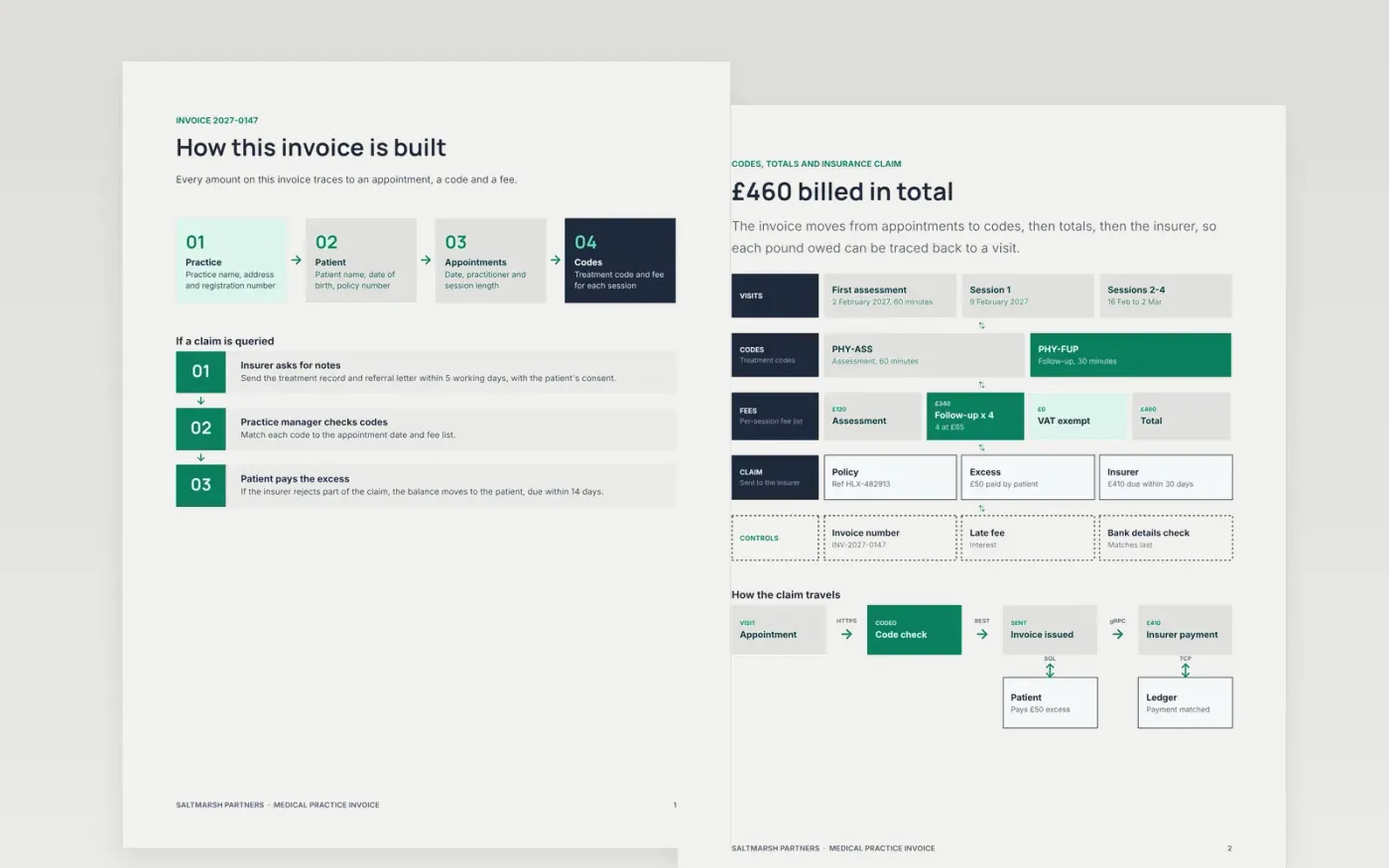
Private clinics lose days chasing payment when an invoice lacks a policy number, a treatment code or a clear due date. This template lays the bill out in the order a reader checks it: practice details, patient and policy, appointments, codes and fees, then the totals and the insurer claim.
The sample is a physiotherapy invoice from Saltmarsh Partners: a £120 first assessment and four £85 sessions make £460, of which the insurer pays £410 and the patient pays a £50 excess. Replace the practice header, the patient details, the fees and the bank details first, then delete any insurance rows you do not need.
Click Make a copy in Google Docs, then confirm on the Google page. The copy is saved to your own Google Drive.
Replace the practice name, address and registration number, then set the invoice number format and date.
Enter the patient and policy details, then replace the appointments, codes and fees and check that the lines add up to the total.
Update the payment terms, due date and bank details to match what the patient or insurer has on file.
Delete the guide page, then share the invoice as a PDF or send it.
No. The practice, the people, the policy number and all the figures are fictional sample content. Replace every detail with your own before you send an invoice.
The sample shows no VAT because it assumes the treatment is exempt medical care. Check your own position with an accountant and edit the VAT row to match.
Yes. Delete the claim and excess rows, keep the appointments, codes and fees, and set the total due from the patient with your payment terms and bank details.
Docs + Word3 pages
Free
Docs + Word4 pages
Free
Docs + Word4 pages
Free
Sheets + Excel5 tabs
Free
Sheets + Excel5 tabs
Free
Sheets + Excel5 tabs
Free
Sheets + Excel5 tabs
Free
Sheets + Excel5 tabs
Free
Docs + Word3 pages
Free
Docs + Word3 pages
Free
Docs + Word3 pages
Free
Docs + Word3 pages
Free
Docs + Word3 pages
Free
Docs + Word3 pages
Free
Docs + Word3 pages
Free










