
Annual Report
Docs + Word6 pages
FeaturedFree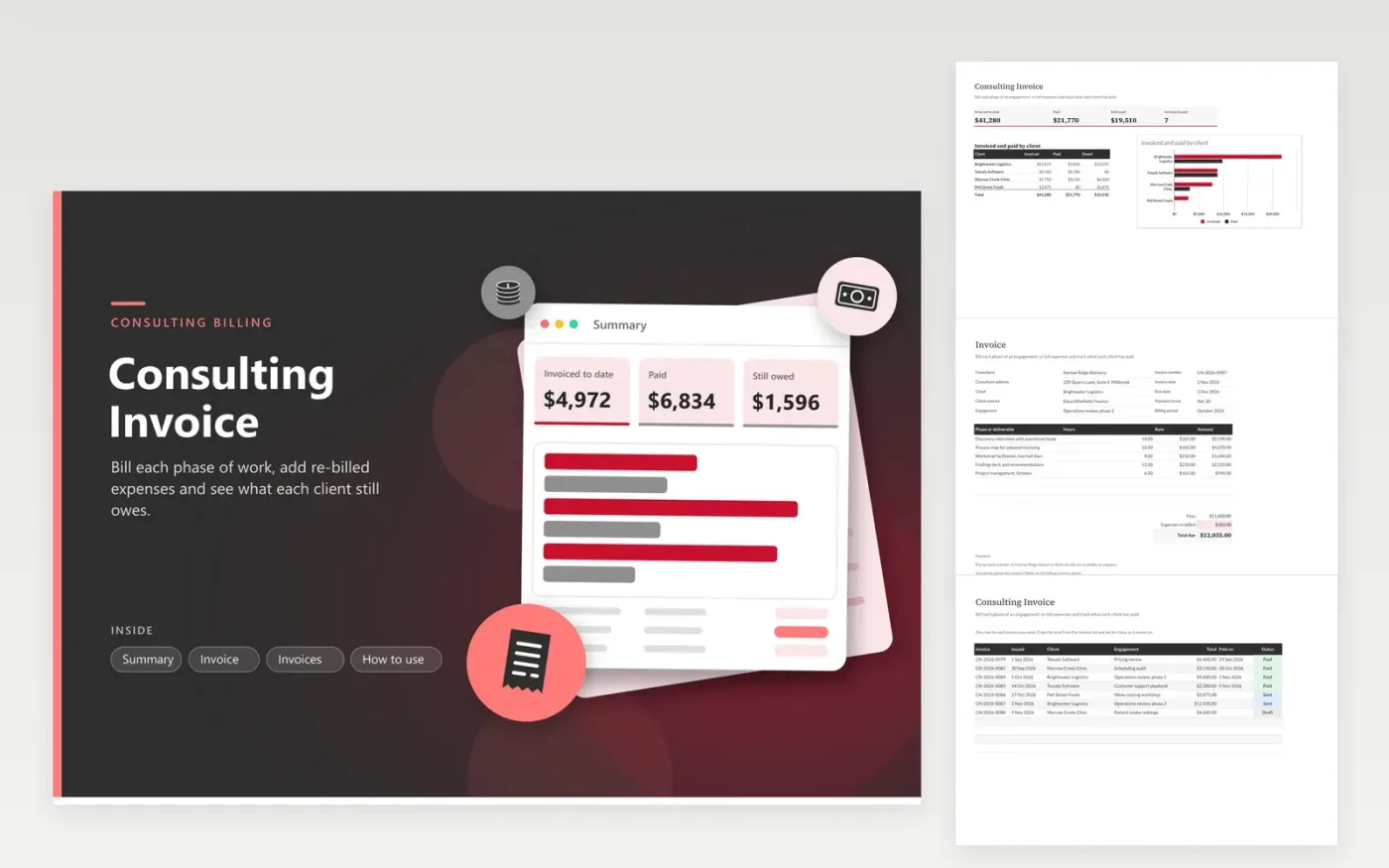
The Consulting Invoice suits independent consultants and small advisory firms. The Invoice tab is a billing form that carries your firm's details, the client, payment terms and the engagement, then a list of phases with hours and rates. Fees, re-billed expenses and the total due work out automatically. The Invoices tab gives each invoice a row and a status, and the Summary tab breaks invoiced, paid and outstanding amounts down client by client.
The sample figures cover a two-phase operations review for a logistics client, to show how the lines and totals connect. Swap in your own client and phases, then copy the total into the Invoices tab. For a retainer, list the monthly block of hours as one line. Give every invoice its own number, because the Summary counts each row separately.
Click Make a copy in Google Sheets, then confirm on the Google page. The copy is saved to your own Google Drive.
Start on the Invoice tab: replace the sample rows with your own.
Keep the formula columns as they are; they fill in as you type.
Read the How to use tab for tips. For Excel, download the .xlsx file instead.
Type the phase or deliverable in any empty line of the item table and enter its hours and rate. The amount, the fees subtotal and the total due update on their own. The form has eight lines, so a longer engagement needs a second copy of the Invoice tab or a line that groups several phases.
Yes. Enter the monthly retainer as one line with a quantity of 1 and the retainer fee as the rate. Use the Expenses re-billed line for any costs you pass on. Check the retainer terms in your contract before you send the invoice.
Use the Invoices tab. Add one row per invoice with its number, issue date, client, total and status. Once a client pays, record the payment date and switch the status to Paid so the Summary follows.
Docs + Word6 pages
FeaturedFree
Excel
FeaturedFree
Sheets + Excel5 tabs
Free
Sheets + Excel5 tabs
Free
Sheets + Excel5 tabs
Free
Sheets + Excel5 tabs
Free
Sheets + Excel5 tabs
Free
Docs + Word3 pages
Free
Docs + Word3 pages
Free
Docs + Word3 pages
Free
Docs + Word3 pages
Free
Docs + Word3 pages
Free
Docs + Word3 pages
Free
Docs + Word3 pages
Free
Docs + Word3 pages
Free








