
Annual Report
Docs + Word6 pages
FeaturedFree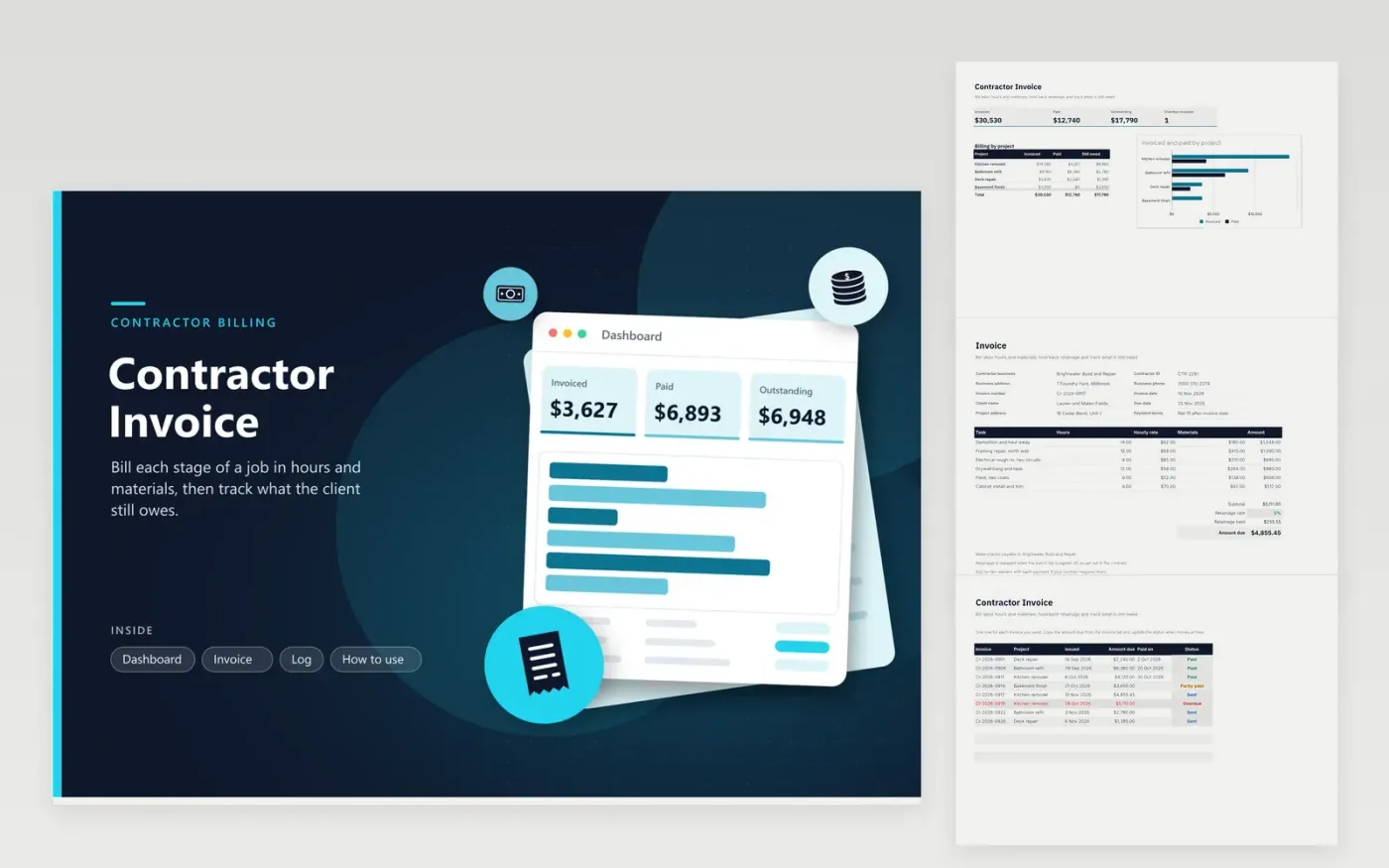
Independent contractors, remodelers and repair crews use this template to bill a client for a job in stages. The Invoice tab sets out each task with its hours, an hourly rate, materials and a line amount. Subtotal, retainage and the amount due calculate themselves. The Log tab records every invoice with its project, date, amount, payment date and status. The Dashboard closes with billed, collected and outstanding totals.
Create one invoice for each billing stage, then add its amount due to the Log. Hold back retainage only when your contract says so, and set the rate to match it. Check the due date against the payment terms you agreed. Change the status to Overdue when a payment is late, which turns the row red and adds it to the overdue count on the dashboard.
Click Make a copy in Google Sheets, then confirm on the Google page. The copy is saved to your own Google Drive.
Start on the Invoice tab: replace the sample rows with your own.
Keep the formula columns as they are; they fill in as you type.
Read the How to use tab for tips. For Excel, download the .xlsx file instead.
Retainage is a share of each payment that the client holds back until the work is finished and checked. The rate comes from your contract, not from this template. Enter the rate on the Invoice tab to match the agreement before you send the bill.
Use the hours and hourly rate columns for labor, and the materials column for parts and supplies at their cost. Some contracts add a markup on materials, which you can add into that figure. Check your contract before you bill.
Duplicate the Invoice tab, give it a fresh number and dates, then rework the tasks and totals. Record the finished invoice on the Log tab, which feeds it into the Dashboard totals.
Docs + Word6 pages
FeaturedFree
Excel
FeaturedFree
Sheets + Excel5 tabs
Free
Sheets + Excel5 tabs
Free
Sheets + Excel5 tabs
Free
Sheets + Excel5 tabs
Free
Sheets + Excel5 tabs
Free
Docs + Word3 pages
Free
Docs + Word3 pages
Free
Docs + Word3 pages
Free
Docs + Word3 pages
Free
Docs + Word3 pages
Free
Docs + Word3 pages
Free
Docs + Word3 pages
Free
Docs + Word3 pages
Free








