Invoice
Docs + Word2 pages
Free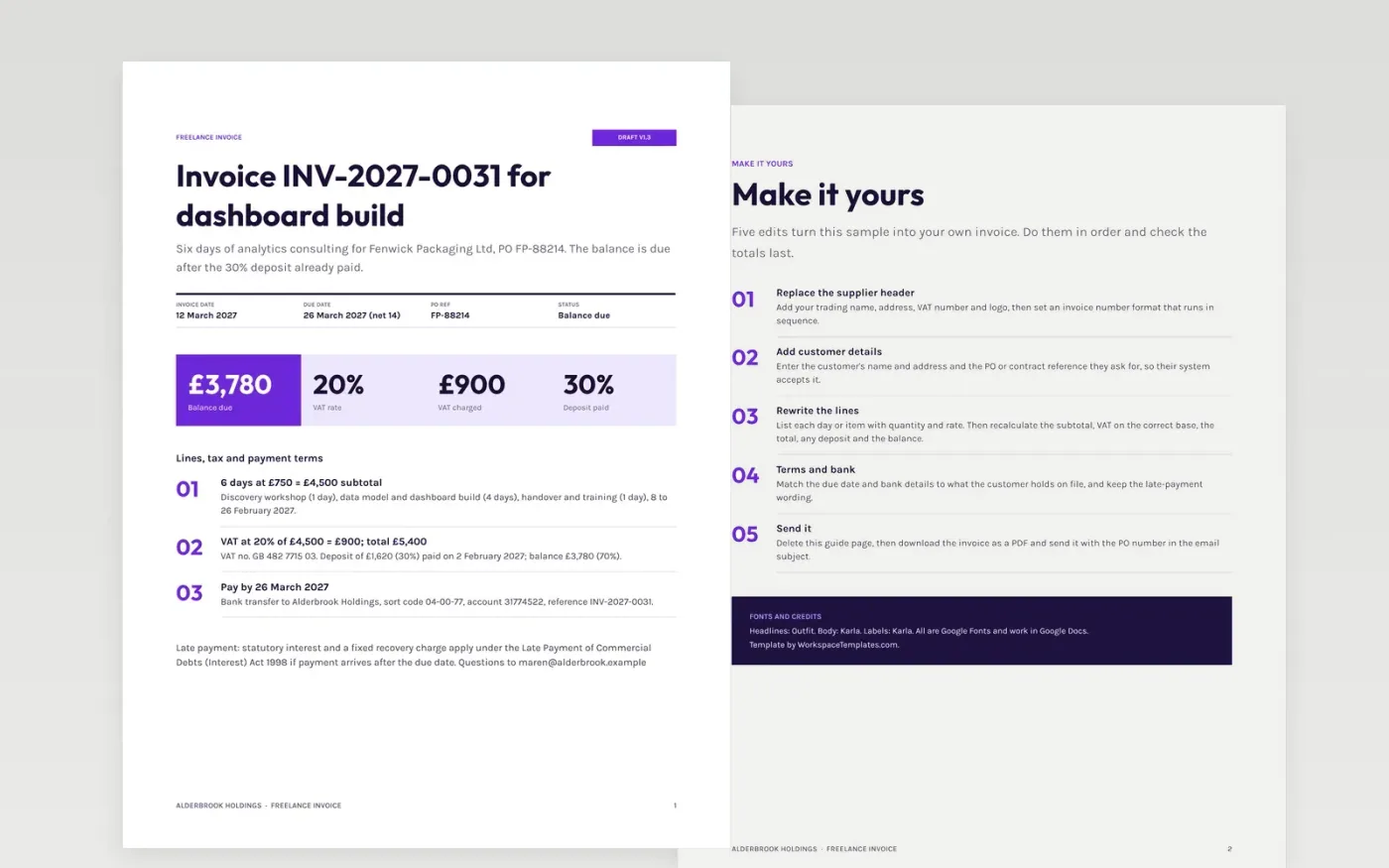
A freelance invoice gets paid faster when the customer's accounts team can find the invoice number, PO reference, amount, due date and bank details at a glance. This template puts them in a compact header, then lines, tax, deposit and late-payment terms on the same page.
The sample is a six-day analytics project billed at £750 a day: £4,500 plus 20% VAT gives £5,400, less a 30% deposit of £1,620, leaving £3,780 due in 14 days. Replace the supplier header, PO reference, lines and bank details with your own, and check the totals add up.
Click Make a copy in Google Docs, then confirm on the Google page. The copy is saved to your own Google Drive.
Replace the header with your trading name, address, VAT number and logo, then set your invoice number format and the customer's PO or contract reference.
Replace the lines with your own work and check that the subtotal, VAT, total, deposit and balance add up.
Update the due date and bank details exactly as the customer holds them on file, and keep your late-payment wording.
Delete the guide page, then export the invoice as a PDF and send it, or share it from Google Docs.
Yes. Remove the VAT line and the VAT registration number, set the total equal to the subtotal and update the summary strip so the figures still agree.
Stating your terms and due date on the invoice makes it clear when payment is late, which supports any claim for interest and recovery costs on business debts.
No. Alderbrook Holdings, Fenwick Packaging Ltd, the people, bank details and all figures are fictional sample data. Replace every detail before you send an invoice.
Docs + Word2 pages
Free
Docs + Word3 pages
Free
Docs + Word6 pages
Free
Docs + Word3 pages
Free
Docs + Word3 pages
Free
Sheets + Excel3 slides
Free
Sheets + Excel3 slides
Free
Sheets + Excel4 slides
Free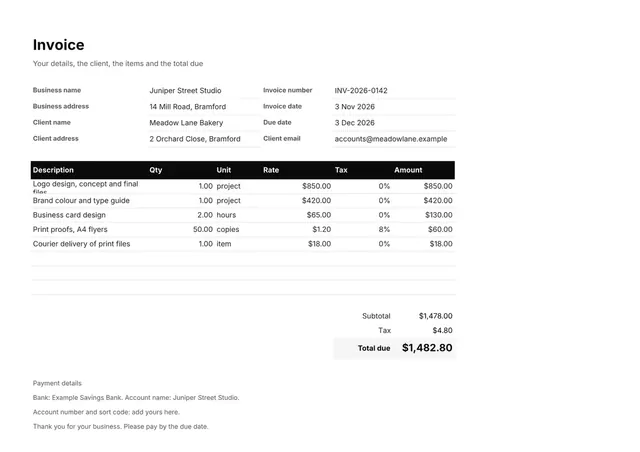
Sheets + Excel3 slides
Free









