Construction Invoice
Docs + Word4 pages
Free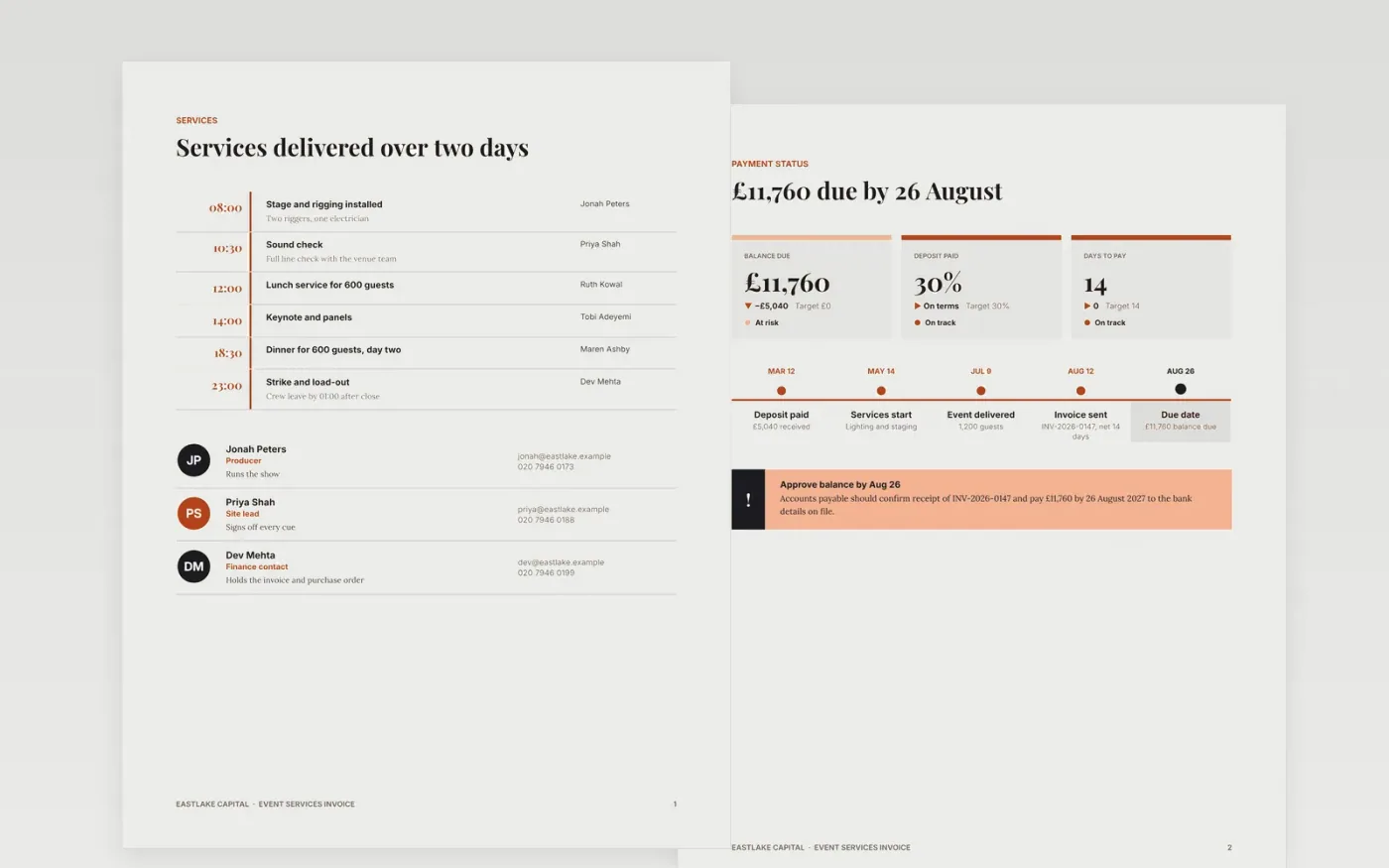
Clients delay payment when an invoice does not show what was supplied, what is still owed or how the deposit was applied. This template sets out the event services as line items, deducts the deposit already received and states the balance, the due date and the payment terms in one place. Each amount can be traced back to a line, so the customer's accounts team can match it to a purchase order without a phone call.
The sample bills a fictional corporate summit run by Eastlake Capital, with services totalling £14,000 before VAT at 20 percent. A 30 percent deposit of £5,040 is already paid, leaving a balance of £11,760 due on 26 August 2027 on net 14 terms. Every name, figure and bank detail is sample data. Replace the header, invoice number, purchase order and line items with your own, and copy the bank details exactly as the customer has them on file.
Click Make a copy in Google Docs, then confirm on the Google page. The copy is saved to your own Google Drive.
Replace the supplier header with your trading name, address, VAT number and logo before you send anything.
Set the invoice number format and date, then enter the customer's purchase order or contract reference.
Replace the line items and check that the subtotal, VAT and deposit deduction add up to the balance.
Delete the guide page, then send the invoice to the customer's accounts team or present it from Google Docs.
No. Eastlake Capital, the corporate summit, the people named on the team slide, the invoice number and every bank detail are fictional sample data. Replace them with your own details before you issue an invoice.
In the UK an invoice should show a unique sequential number, your name and address, your VAT registration number, the date, a description of each service, the VAT rate and amount, and the total due. Check the rules that apply to your business before issuing it.
Never accept changed bank details by email alone. Confirm the change by phone with a contact you already know, and note the date in your records. A sudden change of bank details is one of the most common signs of invoice fraud.
Docs + Word4 pages
Free
Docs + Word4 pages
Free
Docs + Word3 pages
Free
Sheets + Excel5 tabs
Free
Sheets + Excel5 tabs
Free
Sheets + Excel5 tabs
Free
Sheets + Excel5 tabs
Free
Sheets + Excel5 tabs
Free
Docs + Word3 pages
Free
Docs + Word3 pages
Free
Docs + Word3 pages
Free
Docs + Word3 pages
Free
Docs + Word3 pages
Free
Docs + Word3 pages
Free
Docs + Word3 pages
Free










