
Annual Report
Docs + Word6 pages
FeaturedFree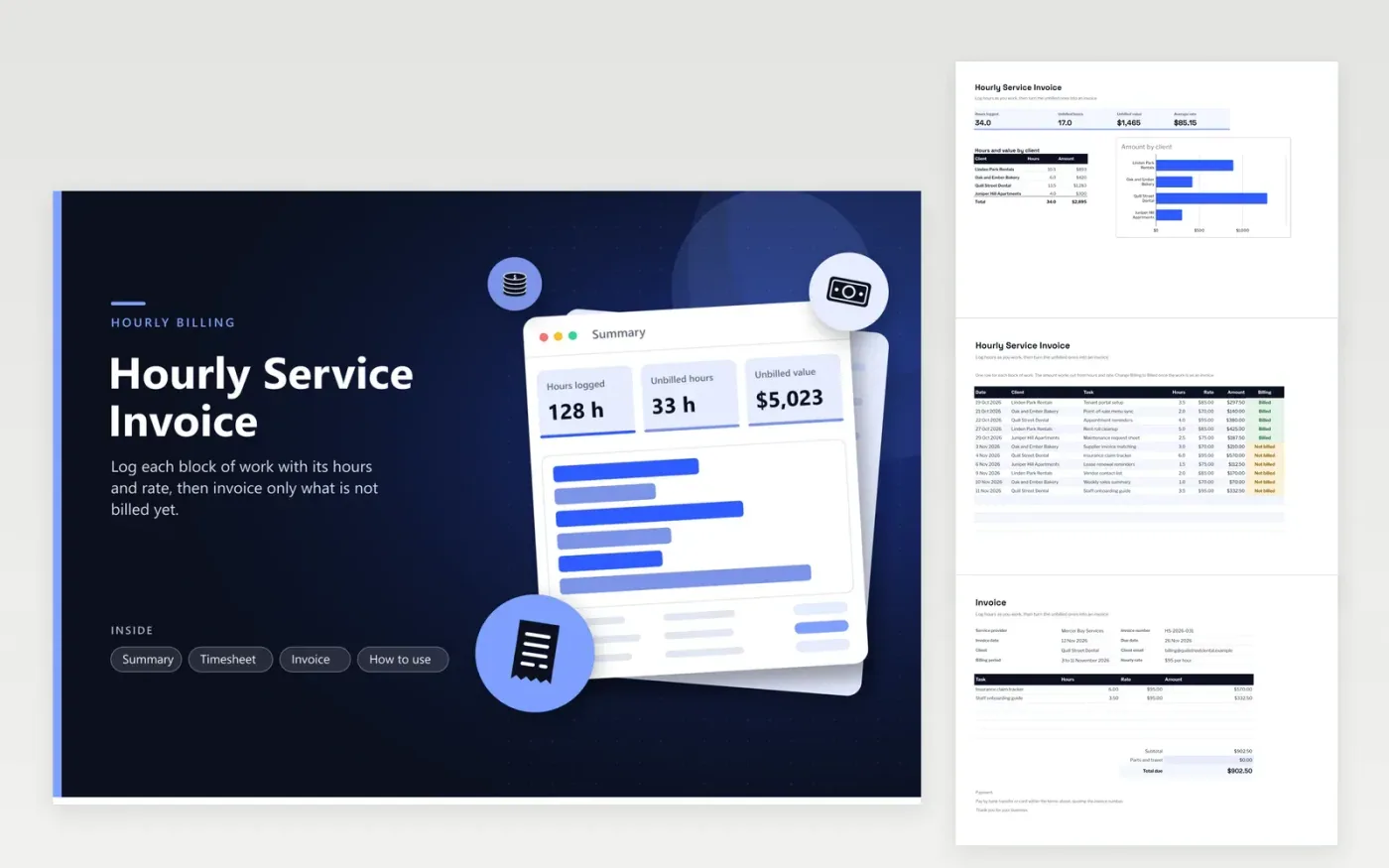
The Hourly Service Invoice suits tradespeople, freelancers and small service businesses that bill by the hour. The Timesheet tab records each block of work with its date, client, task, hours and rate, and works out the amount. The Summary tab shows total hours, unbilled hours and their value, plus hours and amount for each client. A printable bill for one client's unbilled work sits on the Invoice tab, with a subtotal, a line for parts and travel, and the total due.
The sample rows cover four clients over about three weeks, and the Billing column marks which blocks are already on an invoice. Before you send an invoice, change the matching rows to Billed so nothing is charged twice. Round hours the same way every time, and check that each row's rate matches what the client agreed.
Click Make a copy in Google Sheets, then confirm on the Google page. The copy is saved to your own Google Drive.
Start on the Timesheet tab: replace the sample rows with your own.
Keep the formula columns as they are; they fill in as you type.
Read the How to use tab for tips. For Excel, download the .xlsx file instead.
Change the Billing column to Billed for every row that is on an invoice. The Summary tab then shows unbilled hours and value separately, showing exactly what is still waiting to be invoiced.
Yes. Use the Parts and travel line on the Invoice tab for costs you pass on. Enter the amount there, and the total due adds it to the labor subtotal. Leave it at zero when you have no extra costs.
Yes. Enter hours as decimals, such as 1.25 for an hour and fifteen minutes. If your agreement sets a minimum charge, add it as a separate line on the invoice so each row still shows its own hours.
Docs + Word6 pages
FeaturedFree
Excel
FeaturedFree
Sheets + Excel5 tabs
Free
Sheets + Excel5 tabs
Free
Sheets + Excel5 tabs
Free
Sheets + Excel5 tabs
Free
Sheets + Excel5 tabs
Free
Docs + Word3 pages
Free
Docs + Word3 pages
Free
Docs + Word3 pages
Free
Docs + Word3 pages
Free
Docs + Word3 pages
Free
Docs + Word3 pages
Free
Docs + Word3 pages
Free
Docs + Word3 pages
Free








