
Annual Report
Docs + Word6 pages
FeaturedFree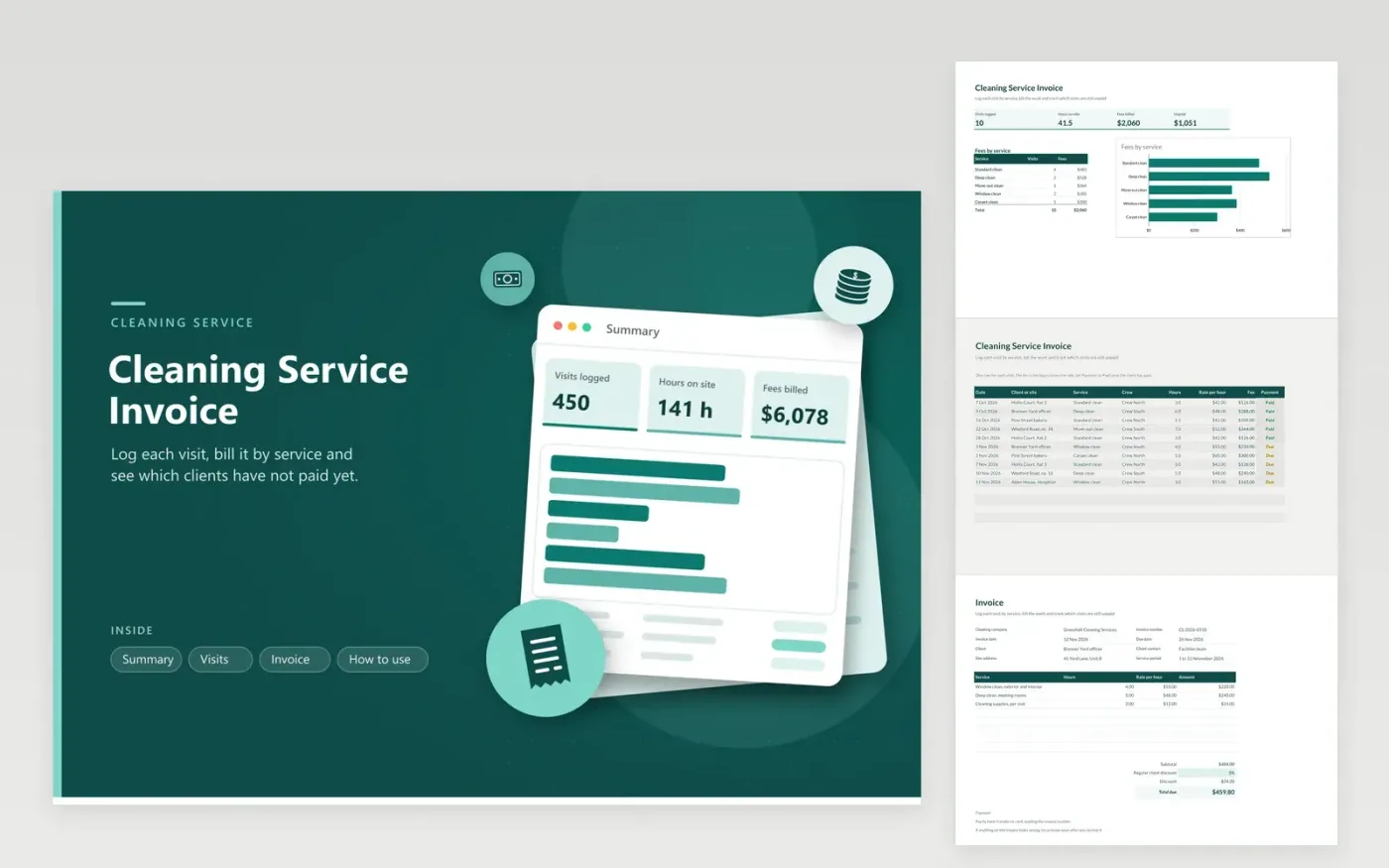
The Cleaning Service Invoice suits house cleaners, office cleaning crews and small janitorial firms. The Visits tab logs each job with its date, client or site, service, crew, hours and rate, then works out the fee and payment status. The Summary tab shows visits, hours on site, fees billed and the unpaid total, plus fees for each service. A printed bill for one client's work is kept on the Invoice tab, and a regular-client discount comes off the subtotal.
The sample visits cover five clients across October and November, and the newest visits are still marked Due. Use the same service names on every visit so the breakdown stays accurate. For regular clients, enter a discount percentage on the Invoice tab, and set it to zero for one-off jobs. Mark each visit Paid once the money arrives, and the unpaid figure on the Summary falls.
Click Make a copy in Google Sheets, then confirm on the Google page. The copy is saved to your own Google Drive.
Start on the Visits tab: replace the sample rows with your own.
Keep the formula columns as they are; they fill in as you type.
Read the How to use tab for tips. For Excel, download the .xlsx file instead.
Enter the discount as a percentage on the Regular client discount line, such as 5%. The Discount line works out that share of the subtotal and takes it off the total due. Enter 0% for one-off jobs and the total stays the same.
Yes. Enter the price of the visit as the rate and 1 as the hours, so the fee equals the visit price. Use the same method for each service so the Summary compares like with like.
Filter the Crew column on the Visits tab to show one crew. The hours and fee columns then show only that crew's work, and a SUM formula in any empty cell gives the totals.
Docs + Word6 pages
FeaturedFree
Excel
FeaturedFree
Sheets + Excel5 tabs
Free
Sheets + Excel5 tabs
Free
Sheets + Excel5 tabs
Free
Sheets + Excel5 tabs
Free
Sheets + Excel5 tabs
Free
Docs + Word3 pages
Free
Docs + Word3 pages
Free
Docs + Word3 pages
Free
Docs + Word3 pages
Free
Docs + Word3 pages
Free
Docs + Word3 pages
Free
Docs + Word3 pages
Free
Docs + Word3 pages
Free








