
Annual Report
Docs + Word6 pages
FeaturedFree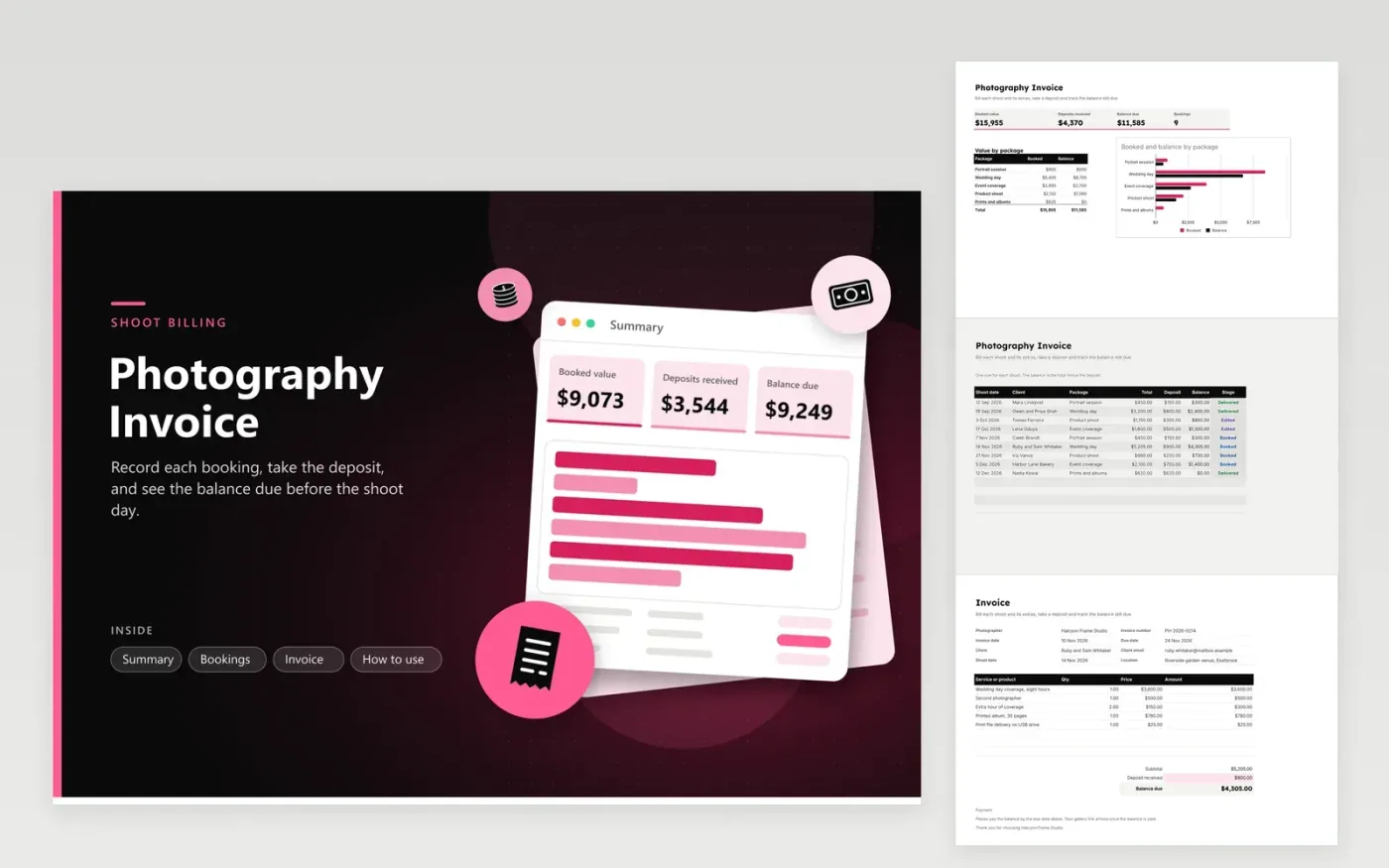
The Photography Invoice suits wedding, portrait and event photographers who take a deposit before the shoot. The Bookings tab logs each job on its own row with its shoot date, client, package, total, deposit, balance and stage. The Summary tab totals the booked value, deposits and balance due, and breaks the value down by package. The final bill goes on the Invoice tab, with the package, extras, the deposit received and the balance due.
The sample bookings include a wedding day and several smaller shoots at different stages, so the package breakdown has real figures to show. Use the same package names on the Bookings tab as in its Package list, so the breakdown adds up. Keep the deposit on the Invoice tab matched to the Bookings row, and move each job from Booked to Edited and then Delivered as the work progresses.
Click Make a copy in Google Sheets, then confirm on the Google page. The copy is saved to your own Google Drive.
Start on the Bookings tab: replace the sample rows with your own.
Keep the formula columns as they are; they fill in as you type.
Read the How to use tab for tips. For Excel, download the .xlsx file instead.
The balance is the total minus the deposit. The Bookings tab works it out for each row, and the Summary adds up every balance. On the Invoice tab, the balance due is the subtotal minus the deposit received, so both places agree.
Yes. Include the new name in the Package list through Data validation, then give it a matching line in the Value by package table on the Summary tab so its totals count.
Add the shoot date, the location, the hours of coverage and the date the gallery will be delivered. Clients tend to ask what the deposit covered, so print your payment terms in the footer along with the balance due date.
Docs + Word6 pages
FeaturedFree
Excel
FeaturedFree
Sheets + Excel5 tabs
Free
Sheets + Excel5 tabs
Free
Sheets + Excel5 tabs
Free
Sheets + Excel5 tabs
Free
Sheets + Excel5 tabs
Free
Docs + Word3 pages
Free
Docs + Word3 pages
Free
Docs + Word3 pages
Free
Docs + Word3 pages
Free
Docs + Word3 pages
Free
Docs + Word3 pages
Free
Docs + Word3 pages
Free
Docs + Word3 pages
Free








