
Annual Report
Docs + Word6 pages
FeaturedFree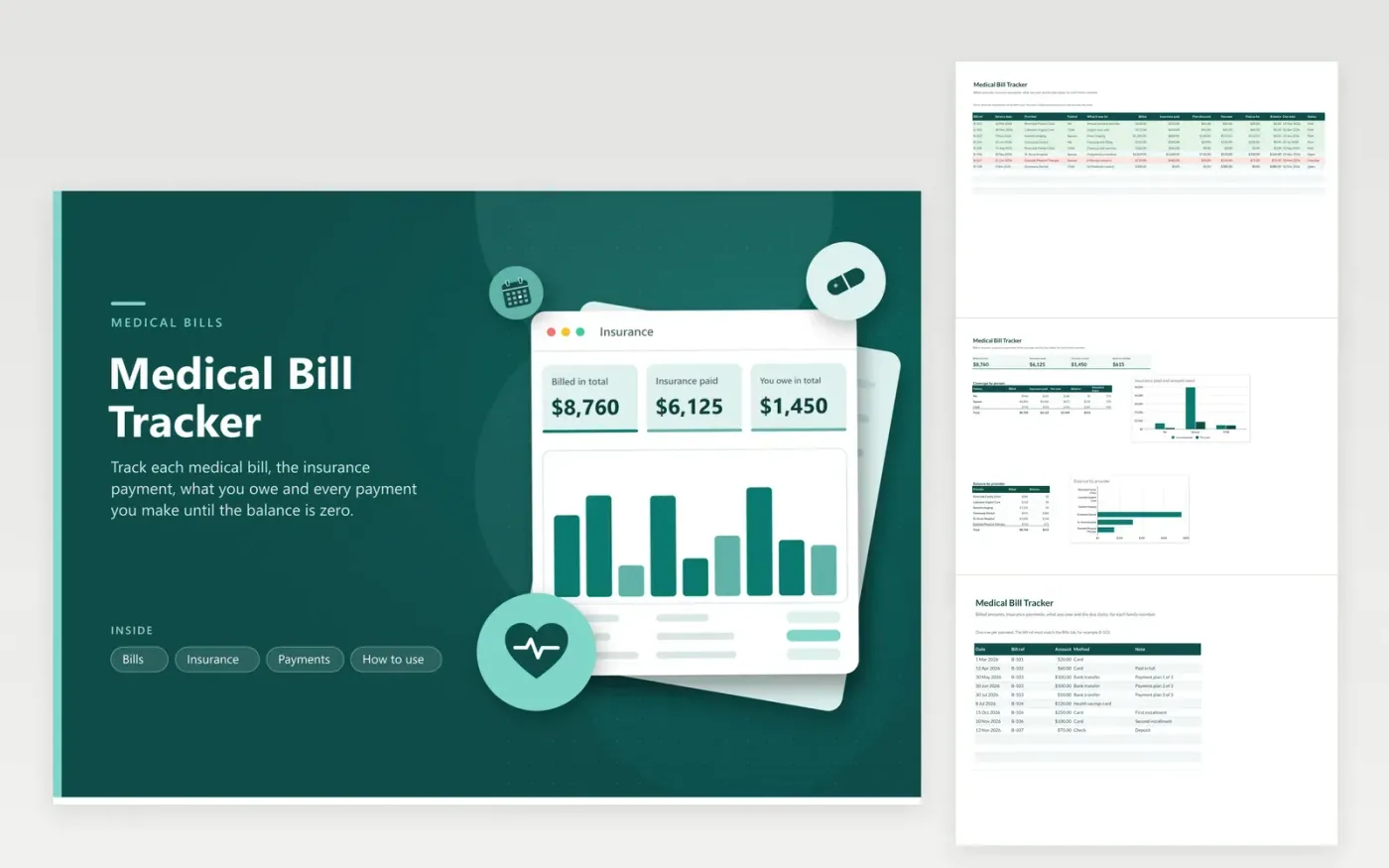
Medical bills arrive in pieces: a provider bill, an explanation of benefits and sometimes a second bill. The Bills tab records each one with a short reference, the service date, provider, patient, billed amount, insurance paid and any plan discount. The sheet works out what you owe, adds up the payments from the Payments tab and shows the balance and whether the bill is Open, Overdue or Paid, with overdue rows in red.
The Insurance tab totals billed, insurance paid, what you owe and the balance, then compares coverage by family member and balance by provider in two charts. Payments are logged by bill reference, which lets you handle payment plans with several installments. There is no place for diagnoses or member numbers, which keeps the file safer to share with a relative who helps you.
Click Make a copy in Google Sheets, then confirm on the Google page. The copy is saved to your own Google Drive.
Start on the Bills tab: replace the sample rows with your own.
Keep the formula columns as they are; they fill in as you type.
Read the How to use tab for tips. For Excel, download the .xlsx file instead.
Give each bill a reference, enter the billed amount and what insurance paid from the explanation of benefits, then log your payments against the same reference.
Owed is the billed amount minus insurance paid and any plan discount. Compare it with the provider bill and request a line-by-line statement if they differ.
No. Keep the file to dates, providers and amounts. This tracker is not medical or financial advice.
Docs + Word6 pages
FeaturedFree
Excel
FeaturedFree
Sheets + Excel5 tabs
Free
Sheets + Excel5 tabs
Free
Sheets + Excel6 tabs
Free
Sheets + Excel6 tabs
Free
Sheets + Excel5 tabs
Free
Sheets + Excel5 tabs
Free
Sheets + Excel5 tabs
Free
Sheets + Excel5 tabs
Free
Sheets + Excel4 tabs
Free
Sheets + Excel4 tabs
Free
Sheets + Excel4 tabs
Free
Sheets + Excel4 tabs
Free
Sheets + Excel3 tabs
Free








