
Annual Report
Docs + Word6 pages
Free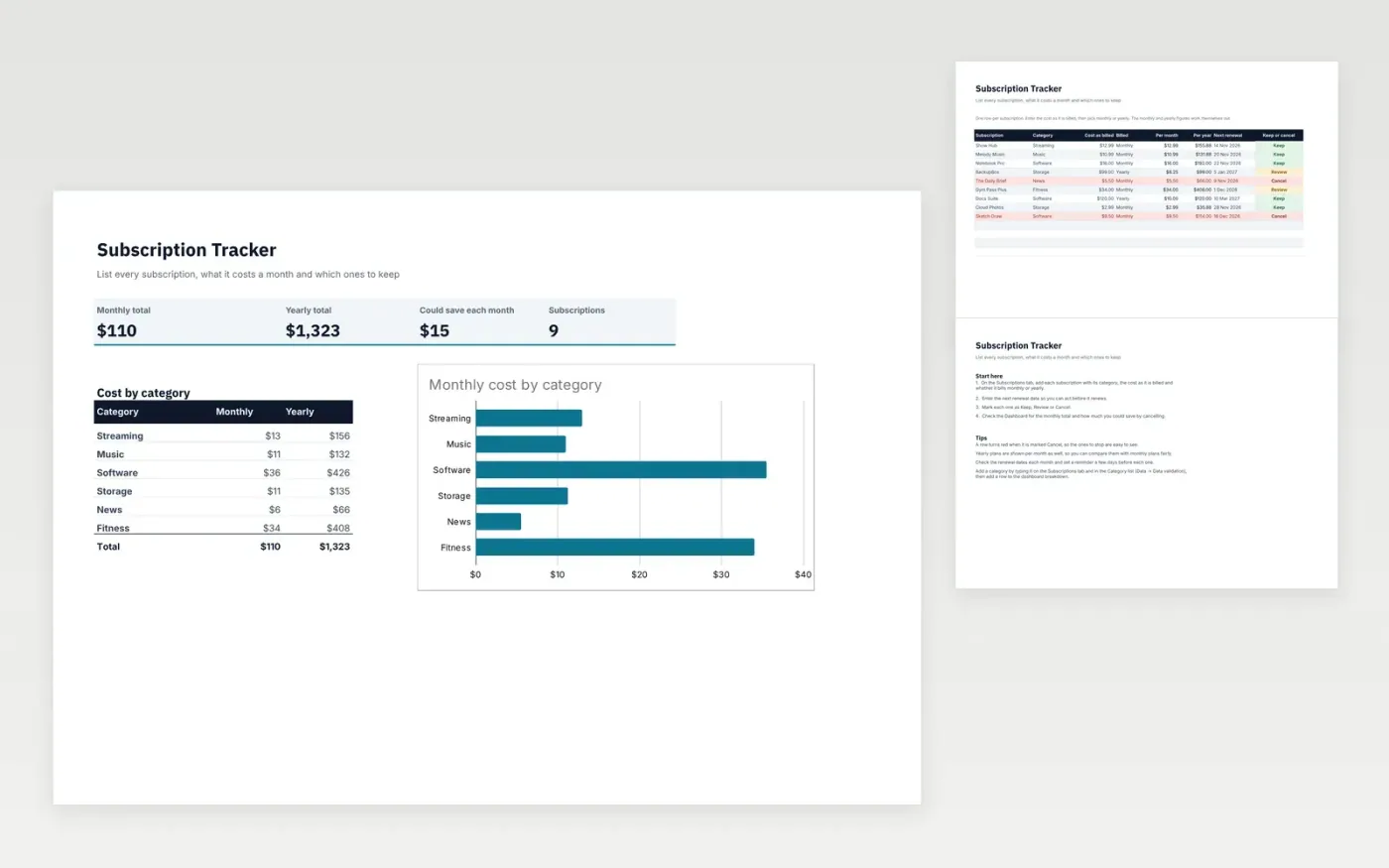
This template keeps a list of the subscriptions you pay for, such as streaming, music, software, storage and fitness. The Subscriptions tab records what each one costs as it is billed, whether it bills monthly or yearly, and when it next renews.
The monthly and yearly figures are worked out for you, so monthly and yearly plans can be compared fairly. Mark each one as Keep, Review or Cancel. The Dashboard shows the total cost and how much you could save by cancelling.
It comes with sample data. Make a copy, then replace the sample subscriptions with your own. Formulas, dropdowns and charts update on their own.
Click Make a copy in Google Sheets, then confirm on the Google page. The copy is saved to your own Google Drive.
Start on the Subscriptions tab: replace the sample rows with your own.
Keep the formula columns as they are; they fill in as you type.
Read the How to use tab for tips. For Excel, download the .xlsx file instead.
Yes. Download the template and use it in Google Sheets or Excel at no cost.
Yes. Download the .xlsx file to open it in Excel. The formulas and charts work in both Excel and Google Sheets.
Enter the yearly price and choose Yearly in the Billed column. The template divides it by 12 for the monthly figure.
Docs + Word6 pages
Free
Excel
Free
Sheets + Excel4 slides
Free







