Annual Report
Docs + Word6 pages
FeaturedFree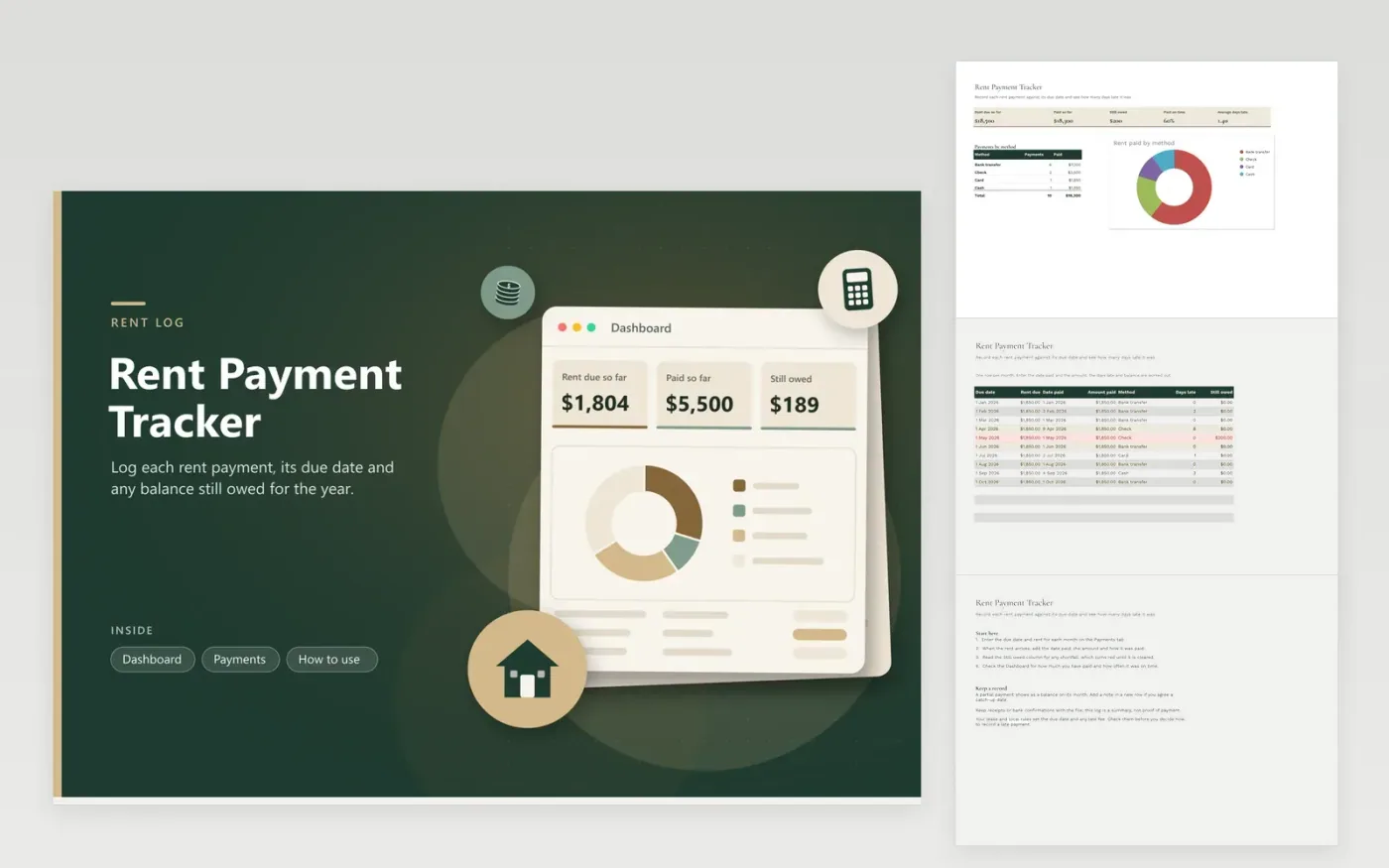
The Rent Payment Tracker is a simple log for renters who pay monthly and want proof of every payment made. The Payments tab lists the due date, rent due, date paid, amount paid, method, days late and still owed for each month. The Dashboard totals the rent due and paid, shows the balance owed, the share of payments made on time and the average days late, and charts payments by method.
The sample covers January to October 2026, including one late payment, one partial payment and a balance still owed, so you can watch how the sheet reacts. Overwrite the sample rent and dates with real figures. Hold on to the bank record or receipt for each payment with the file, since this log is a summary and not proof of payment.
Click Make a copy in Google Sheets, then confirm on the Google page. The copy is saved to your own Google Drive.
Start on the Payments tab: replace the sample rows with your own.
Keep the formula columns as they are; they fill in as you type.
Read the How to use tab for tips. For Excel, download the .xlsx file instead.
If you enter a date paid, the sheet counts the days after the due date, with zero for a payment on time. With no date paid entered, the sheet measures from the due date up to today, so unpaid rent keeps showing as late until you record it.
It subtracts the amount paid from the rent due for each month. Any figure above zero is still owed and turns red. To clear it, enter the extra payment on the same row and the balance drops to zero.
This sheet only records dates, amounts and days late. Whether a late payment brings a fee or affects your lease depends on your agreement and local rules. Read your lease, and ask a housing adviser if you are unsure.
Docs + Word6 pages
FeaturedFree
Excel
FeaturedFree
Sheets + Excel9 tabs
Free
Sheets + Excel5 tabs
Free
Sheets + Excel5 tabs
Free
Sheets + Excel5 tabs
Free
Sheets + Excel4 tabs
Free
Sheets + Excel4 tabs
Free
Sheets + Excel4 tabs
Free
Sheets + Excel3 tabs
Free