
Annual Report
Docs + Word6 pages
FeaturedFree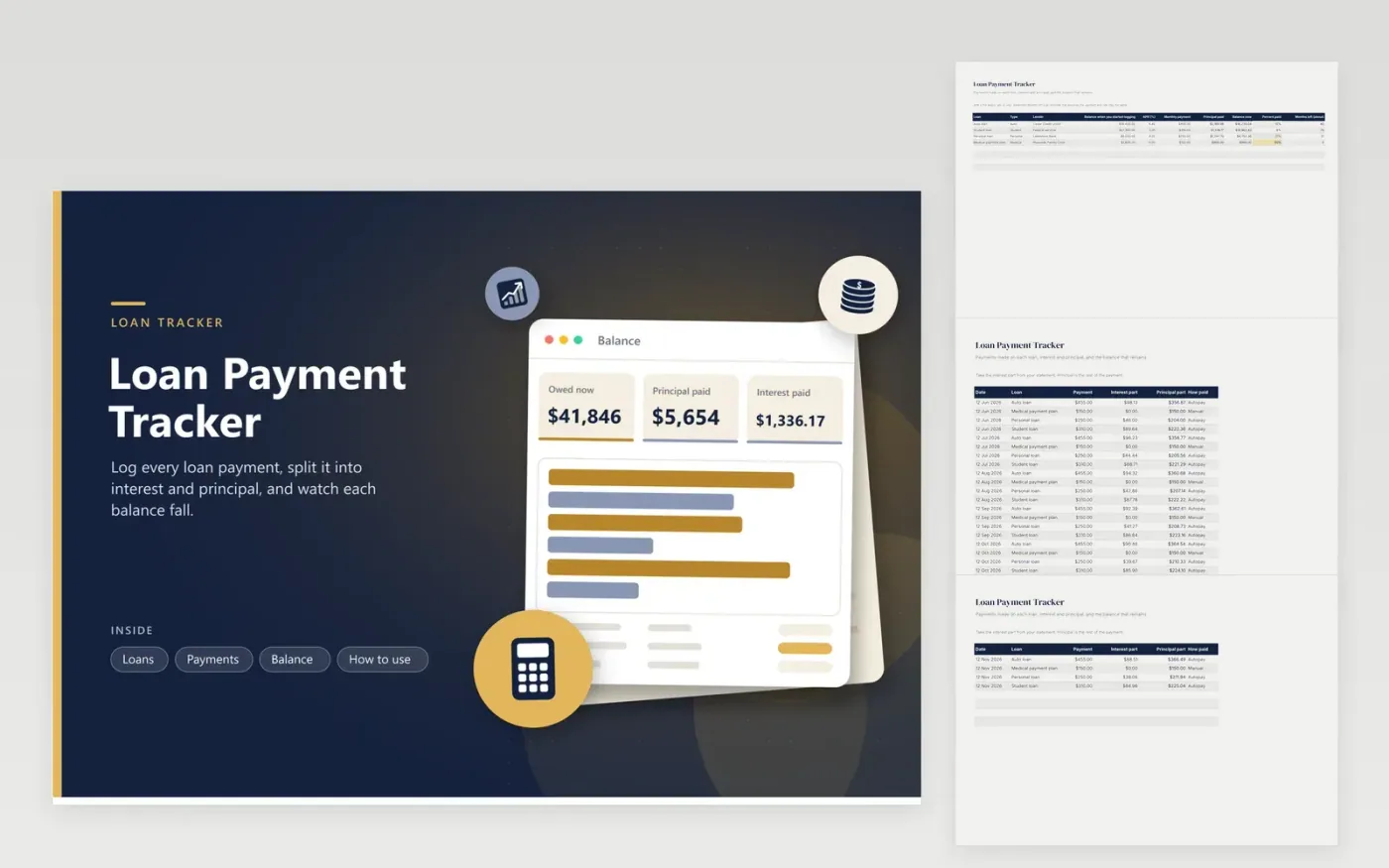
A loan balance falls more slowly than the payments suggest, because part of each payment is interest. Enter each loan with the balance on the day you start logging, the rate from your statement and the amount you pay each month. Then use the Payments tab to log each one with the interest part from the statement. The sheet works out the principal, the balance now, the percent paid and an estimate of the months left.
The Balance tab shows how much you owe across all loans, the principal paid, the interest paid and the number of payments logged, with a bar chart of the starting balance against the balance now for each loan. The four sample loans include an auto loan, a student loan, a personal loan and an interest-free medical payment plan.
Click Make a copy in Google Sheets, then confirm on the Google page. The copy is saved to your own Google Drive.
Start on the Loans tab: replace the sample rows with your own.
Keep the formula columns as they are; they fill in as you type.
Read the How to use tab for tips. For Excel, download the .xlsx file instead.
Enter the loan with its starting balance, then log each payment with the interest portion from your statement. The sheet subtracts the principal part from the balance.
It estimates how many payments remain if the rate and payment stay as they are. Your lender payoff quote is the figure to trust.
Yes. Add a row with the extra amount, a zero or small interest part and the how paid set to Extra. The principal part reduces the balance.
Docs + Word6 pages
FeaturedFree
Excel
FeaturedFree
Sheets + Excel5 tabs
Free
Sheets + Excel5 tabs
Free
Sheets + Excel5 tabs
Free
Sheets + Excel6 tabs
Free
Sheets + Excel5 tabs
Free
Sheets + Excel5 tabs
Free
Sheets + Excel5 tabs
Free
Sheets + Excel5 tabs
Free
Sheets + Excel4 tabs
Free
Sheets + Excel4 tabs
Free
Sheets + Excel4 tabs
Free
Sheets + Excel4 tabs
Free
Sheets + Excel3 tabs
Free








