Annual Report
Docs + Word6 pages
FeaturedFree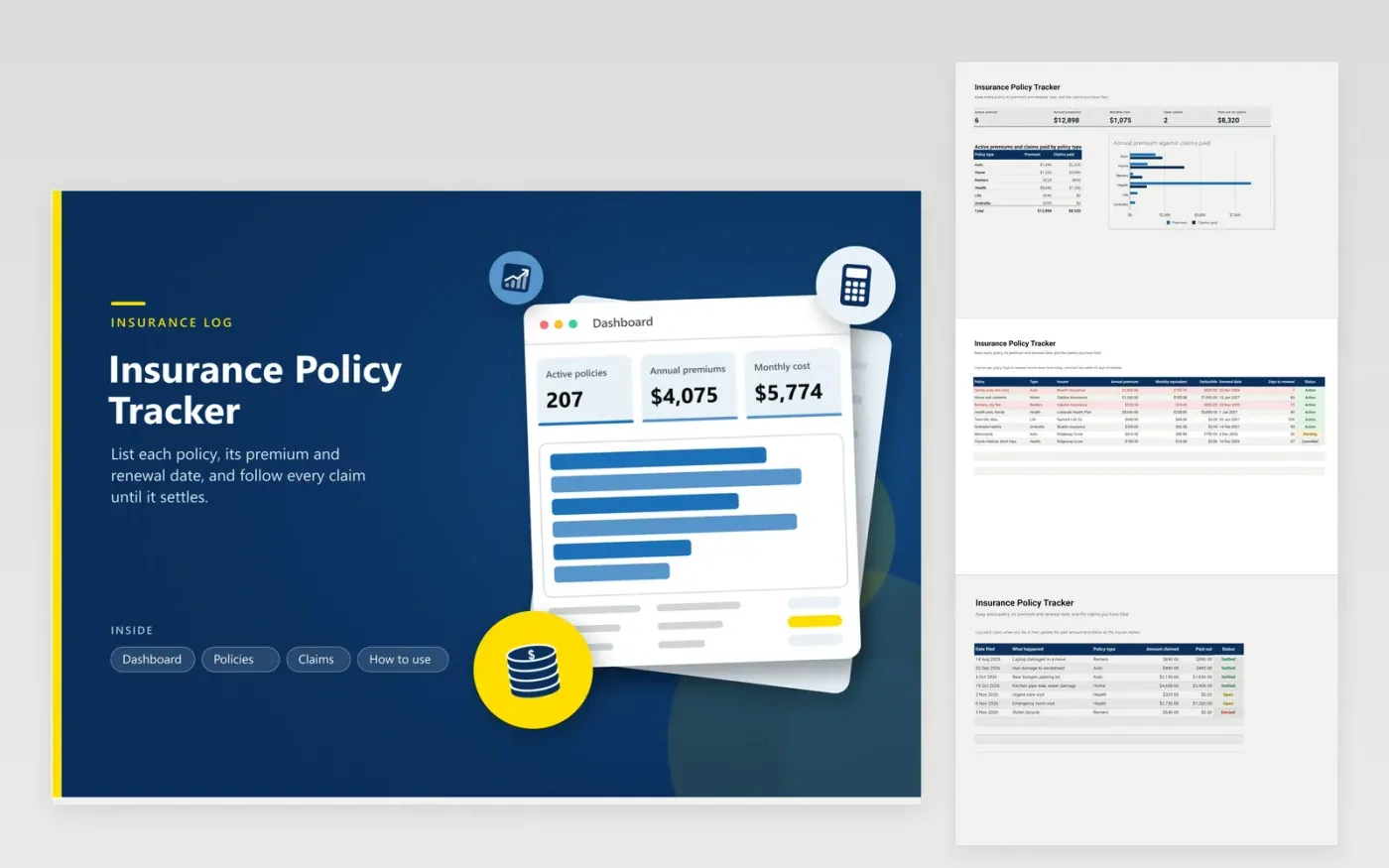
This tracker suits households and small business owners who hold several policies for cars, a home, renters cover, health, life or an umbrella liability. The Policies tab lists each policy with its insurer, annual premium, monthly equivalent, deductible, renewal date and status. Days to renewal counts down automatically, and active rows turn red within 45 days of renewal.
The Claims tab logs what happened, the sum requested, the sum paid out and whether the claim is open, settled or denied. The Dashboard totals your active premiums and monthly cost, counts open claims and compares premiums with claims paid by policy type in a bar chart. Sample rows show how a full year looks, so overwrite them with the policies you actually hold.
Click Make a copy in Google Sheets, then confirm on the Google page. The copy is saved to your own Google Drive.
Start on the Policies tab: replace the sample rows with your own.
Keep the formula columns as they are; they fill in as you type.
Read the How to use tab for tips. For Excel, download the .xlsx file instead.
Compare the annual premium with the claims paid and the deductible on each row. A policy that costs more than it has paid out is not always a bad deal, since cover protects against large losses. Get fresh quotes before each renewal date and note the result in the Notes column.
Yes. Give each policy a name and insurer, then pick its type when you log a claim. The Dashboard groups premiums and paid claims by type, so one view covers every insurer you use.
No. The Paid out column holds the figure your insurer confirms. Deductibles, limits and exclusions come from your policy document, so check those before you file.
Docs + Word6 pages
FeaturedFree
Excel
FeaturedFree
Sheets + Excel9 tabs
Free
Sheets + Excel5 tabs
Free
Sheets + Excel5 tabs
Free
Sheets + Excel4 tabs
Free
Sheets + Excel4 tabs
Free
Sheets + Excel4 tabs
Free
Sheets + Excel4 tabs
Free
Sheets + Excel3 tabs
Free