
Access Card Request Letter
Docs + Word2 pages
Free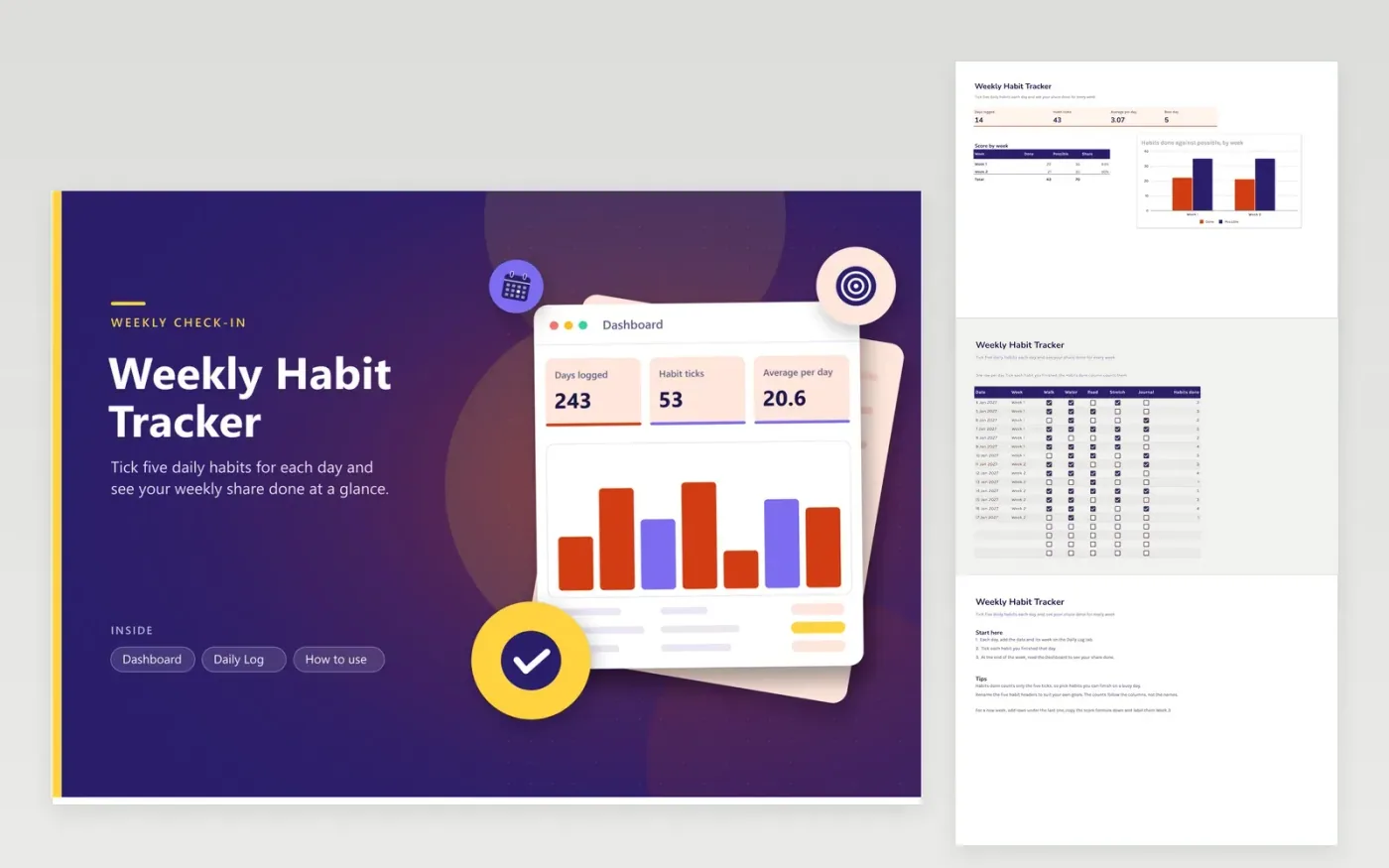
This tracker is for people who want a simple daily tick and a weekly score. The Daily Log tab holds one row per day with a week label, five habit columns of checkboxes and a Habits done count. The Dashboard shows days logged, total ticks, the average per day, the best day and a chart of done against possible for each week.
Tick the boxes every evening, even after a rough day; a brief list is simpler to sustain. Rename the five habit headers to match your goals; the counts still work since they follow the columns rather than the names. When Sunday ends, look at the share done and pick one habit to focus on next.
Click Make a copy in Google Sheets, then confirm on the Google page. The copy is saved to your own Google Drive.
Start on the Daily Log tab: replace the sample rows with your own.
Keep the formula columns as they are; they fill in as you type.
Read the How to use tab for tips. For Excel, download the .xlsx file instead.
It counts the boxes ticked on that row, from 0 to 5. The Dashboard adds these up for total ticks and averages them per day, so a higher score means more habits finished that day.
Insert rows under the last one, copy the Habits done formula down and choose the new week label. Insert a matching line in the score-by-week breakdown on the Dashboard so the new week shows up in the totals.
Not without adding columns and extending the Habits done formula across. Five is a good number to start with, and the Possible figure on the Dashboard assumes five habits per day.
More Google Sheets templatesMore business operations templates
Docs + Word2 pages
Free
Docs + Word2 pages
Free
Docs + Word2 pages
Free
Sheets + Excel4 tabs
Free
Sheets + Excel5 tabs
Free
Sheets + Excel5 tabs
Free
Sheets + Excel4 tabs
Free
Sheets + Excel4 tabs
Free
Sheets + Excel5 tabs
Free
Sheets + Excel4 tabs
Free
Sheets + Excel4 tabs
Free
Sheets + Excel5 tabs
Free
Sheets + Excel5 tabs
Free
Sheets + Excel5 tabs
Free
Sheets + Excel5 tabs
Free










