Freelance Invoice
Docs + Word2 pages
Free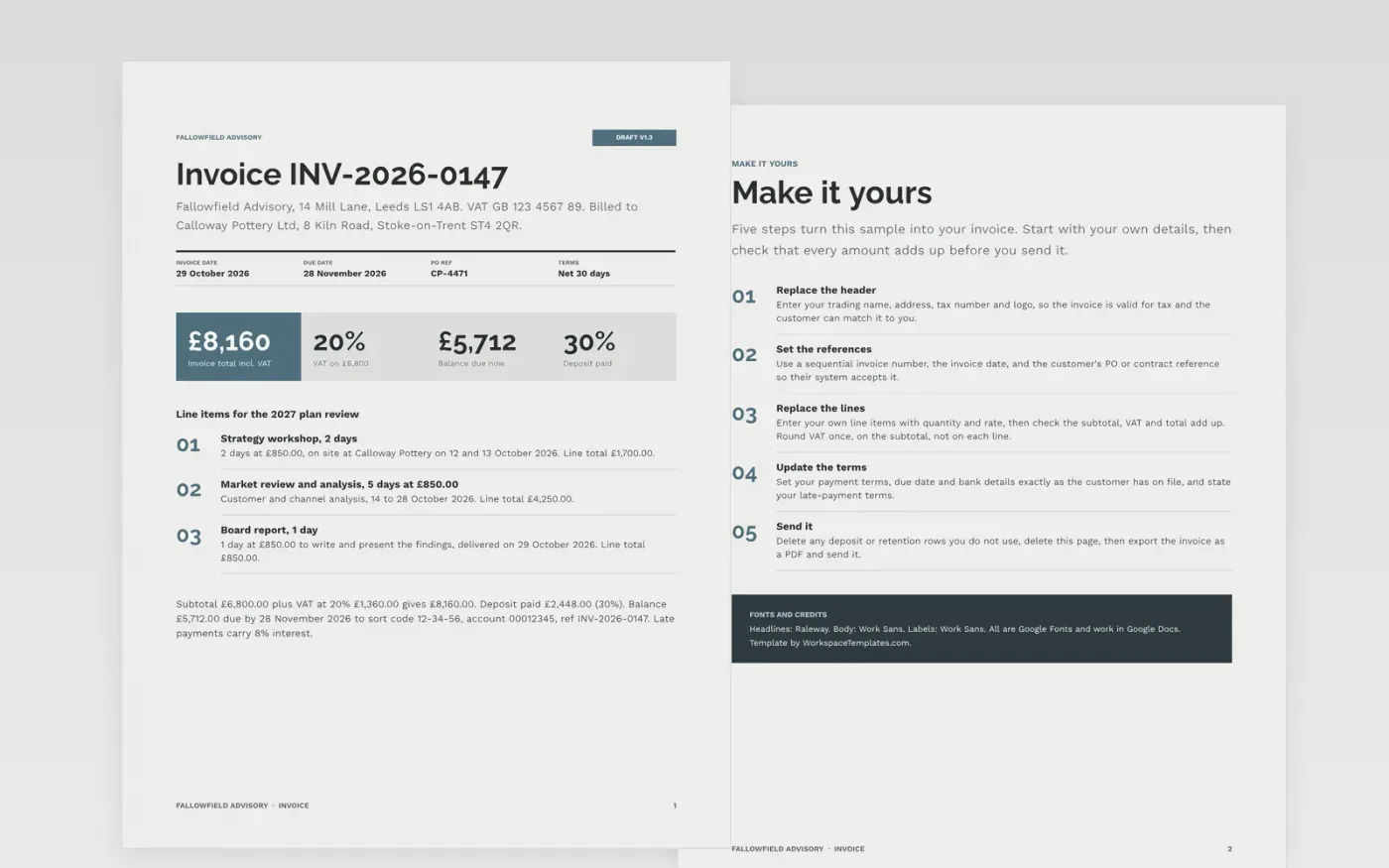
An invoice is rejected when the invoice number, PO reference or tax number is missing, or when the total does not add up. This one-page invoice puts the supplier, customer, references, line items, VAT, deposit, balance, due date and bank details where accounts payable teams look for them.
The sample shows Fallowfield Advisory billing a pottery manufacturer £6,800.00 for three consulting lines, plus 20% VAT, with a 30% deposit already paid and the balance due in 30 days. Replace the header, invoice number, PO reference, lines and bank details with your own, then check the totals.
Click Make a copy in Google Docs, then confirm on the Google page. The copy is saved to your own Google Drive.
Replace the header with your trading name, address and tax number, then set your invoice number and the customer's PO reference.
Replace the line items and check that the subtotal, VAT and total add up.
Update the payment terms, due date and bank details exactly as the customer has them on file.
Delete the Make it yours page, then export the invoice as a PDF and send it.
Yes. Make a copy in Google Docs and edit it in your own Drive. You do not need to install anything or create an account beyond your Google account.
No. Fallowfield Advisory, the customer, the people named, the VAT number, bank details and every amount are fictional sample data. Replace them with your own.
No, it is a document and the figures are typed in. Calculate VAT on the subtotal, round once, and check that the lines, VAT and total add up before you send it.
Docs + Word2 pages
Free
Docs + Word3 pages
Free
Docs + Word17 pages
Free
Docs + Word3 pages
Free
Docs + Word3 pages
Free
Sheets + Excel3 slides
Free
Sheets + Excel3 slides
Free
Sheets + Excel4 slides
Free
Sheets + Excel3 slides
Free










