Annual Marketing Plan
Docs + Word12 pages
Free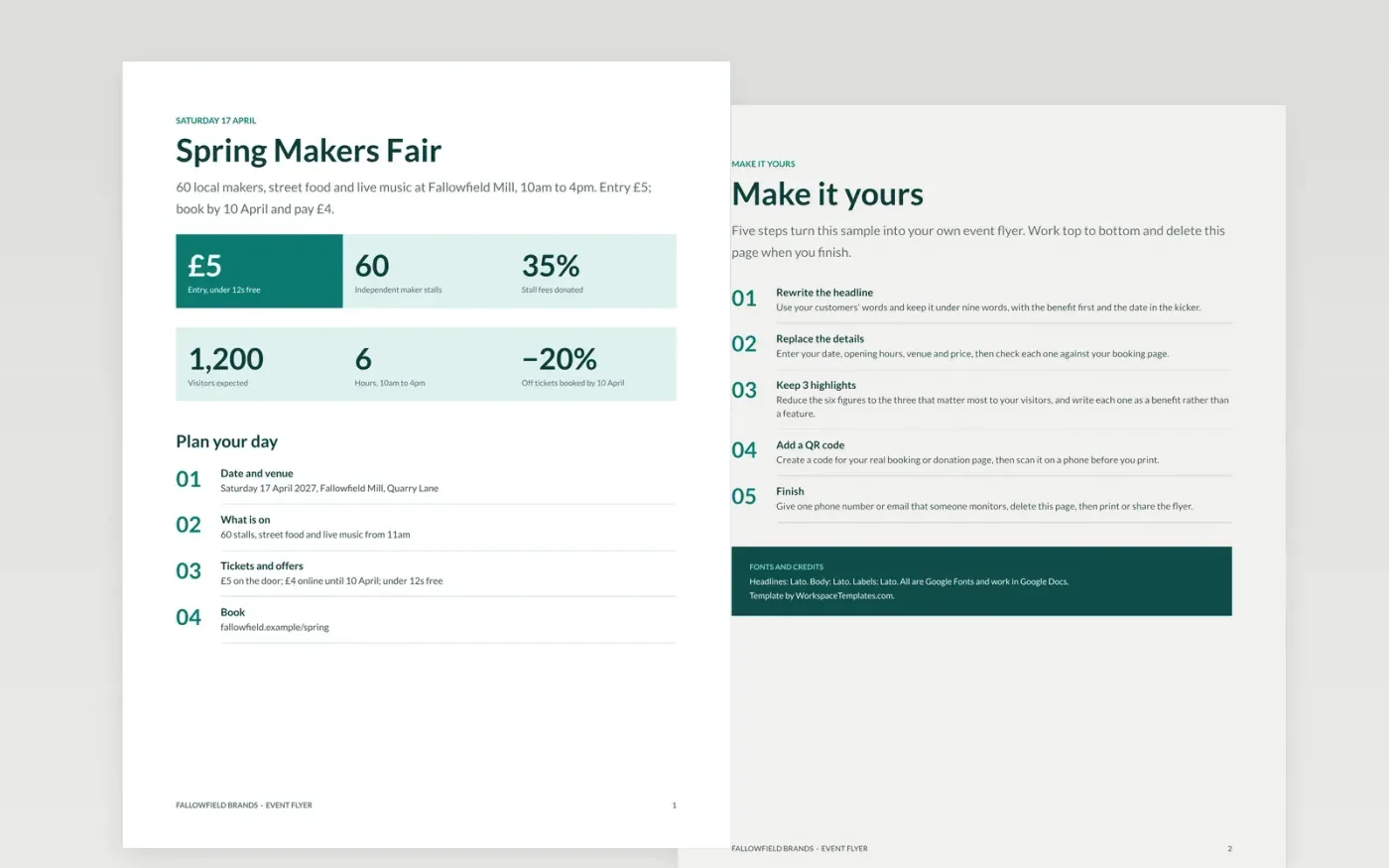
A flyer has about three seconds to show what the event is, when it happens, what it costs and how to book. This template puts a short headline first, then six figures a passer-by can scan, and a numbered list that ends with a single booking action.
The sample promotes the Fallowfield Spring Makers Fair, a fictional market run by Fallowfield Brands: 60 stalls, 1,200 expected visitors, £5 entry and 20% off for early booking. Replace the headline, date, venue, prices and booking link with your own, and test the link before you print.
Click Make a copy in Google Docs, then confirm on the Google page. The copy is saved to your own Google Drive.
Rewrite the headline in your customers' words and keep it under nine words.
Replace the date, venue, price and the six figures with your own, and cut the highlights to three benefits.
Create a QR code or short link to your real booking page, test it, and use one phone number or email that someone monitors.
Delete the Make it yours guide page, then print at A5 or A4, or share the flyer online.
Yes. It is a free Google Docs template. Make a copy to your own Drive, edit it, then print it or export it as a PDF to share.
No. The organisation, the event, the people and every figure are fictional. They show how a clear flyer reads, so replace them with your own event details.
A5 works well for handing out and A4 for noticeboards. Check your printer's bleed and keep the date, price and booking line well inside the margins.
Docs + Word12 pages
Free
Docs + Word6 pages
Free
Google Sheets
Free
Docs + Word3 pages
Free
Docs + Word3 pages
Free








