Event Flyer
Docs + Word2 pages
Free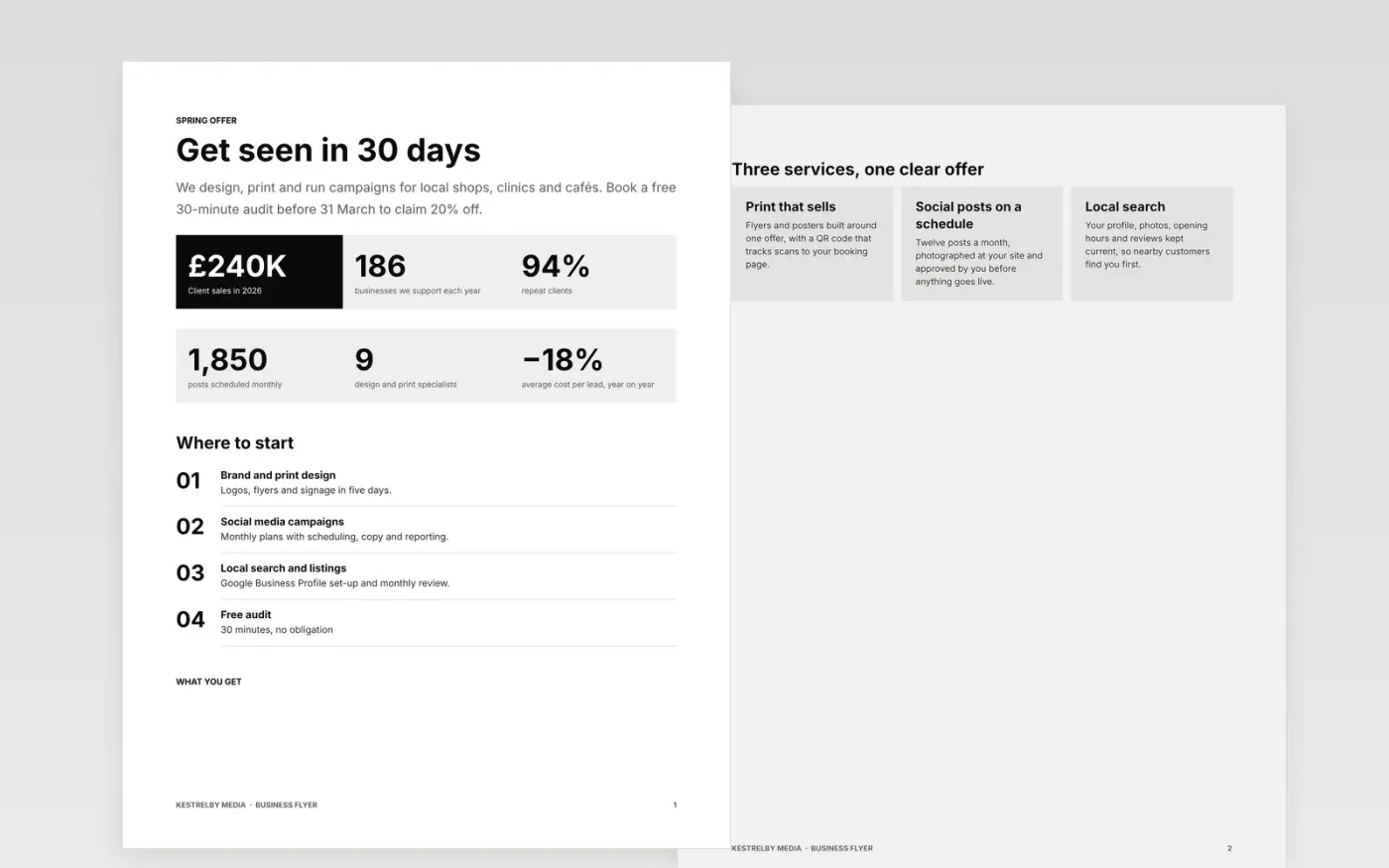
Most flyers fail because the reader cannot tell what is on offer, when it runs or what to do next within a few seconds. This template gives a service business one page with a headline, a row of key figures, three numbered benefits and a single call to action. The top section carries the message, the middle carries the proof and the bottom carries the booking details. Each part is set so the eye lands on the offer first, then the date and price, then the contact line.
The sample is for Kestrelby Media, a fictional agency that runs social campaigns and local search for small firms. Its offer, 20% off a first month, is shown with a booking QR code, a free 30-minute audit and one monitored contact line. Replace the headline, offer, figures and QR link with your own before you print or post. The three service cards show how each benefit can be written in plain words.
Click Make a copy in Google Docs, then confirm on the Google page. The copy is saved to your own Google Drive.
Replace the headline, standfirst and six figures with your own sample results.
Set the offer, date, venue and price in the details block, then check every figure matches.
Scan the QR code from a phone to confirm it opens your real booking page.
Delete the guide page, then share the file as a PDF or print it at A5 to present.
Print at A5 for counters and windows, or A4 for noticeboards. Add 5 mm bleed on each edge if a printer asks for it, so the colour reaches the trimmed edge.
No. Kestrelby Media, its clients, the people named and every figure are fictional sample data. Replace them with your own details before the flyer goes out.
Two is enough: one for the headline and one for the body. Keep the date and price the same size as the headline so that readers do not miss them.
Docs + Word2 pages
Free
Docs + Word3 pages
Free
Docs + Word6 pages
Free









