
Bug Bash Kickoff Slides
Slides + PowerPoint12 slides
Free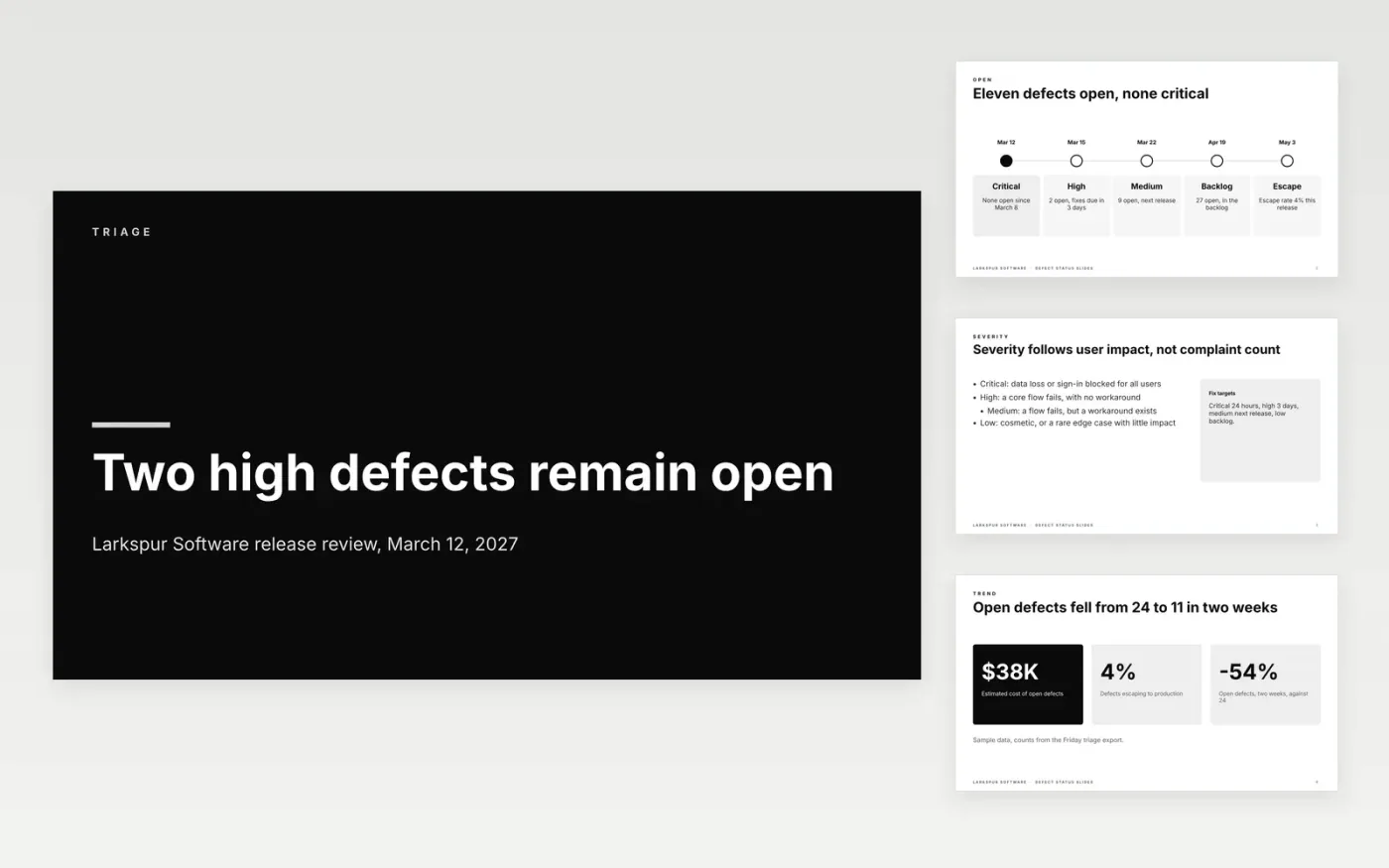
A release meeting goes badly when the team argues from memory about which bugs are still open and how serious they are. This deck gives the team one short run through the defects: counts by severity, the trend across the sprint, the blockers with their owners and the risk to the ship date. Each slide answers one question, and every number traces back to the triage export.
The sample is for Larkspur Software, a fictional software company preparing build 8.4.2 (1,284). It shows 11 open defects, none of them critical, two high and nine medium, with a 4% escape rate. Replace the counts, severities, owners and dates with figures from your own tracker, and keep the severity definitions visible so nobody ranks a defect by how loudly it was reported.
Click Make a copy in Google Slides, then confirm on the Google page. The copy is saved to your own Google Drive.
Replace the counts, severities and dates on slides 2 and 6 with your own tracker export.
Update the blockers table on slide 6 so every high defect has an owner and a status.
Keep the severity rules on slide 3 visible, and set each defect's severity by user impact.
Delete the guide slide, then share the deck with the release team or present it from Google Slides.
No. Larkspur Software, Lena Ortiz, Dara Lewis, Priya Shah, the email addresses ending in .example, the build number and every defect count are fictional sample data. Replace them with your own figures before the release meeting.
One defect per report, with a clear summary, the build and device, steps to reproduce, the expected and actual results, and one or two attachments. Remove customer data and secrets from every log or recording before you attach it.
Refresh them from the tracker before each triage meeting, and at least twice a week during a release. A count more than a day old is a guess, so date every figure on the slide.
More Google Slides templatesMore developer workflows templates
Slides + PowerPoint12 slides
Free
Docs + Word7 pages
Free
Docs + Word8 pages
Free
Docs + Word7 pages
Free
Docs + Word7 pages
Free
Docs + Word9 pages
Free
Docs + Word9 pages
Free
Sheets + Excel3 tabs
Free










