Bug Report
Docs + Word8 pages
Free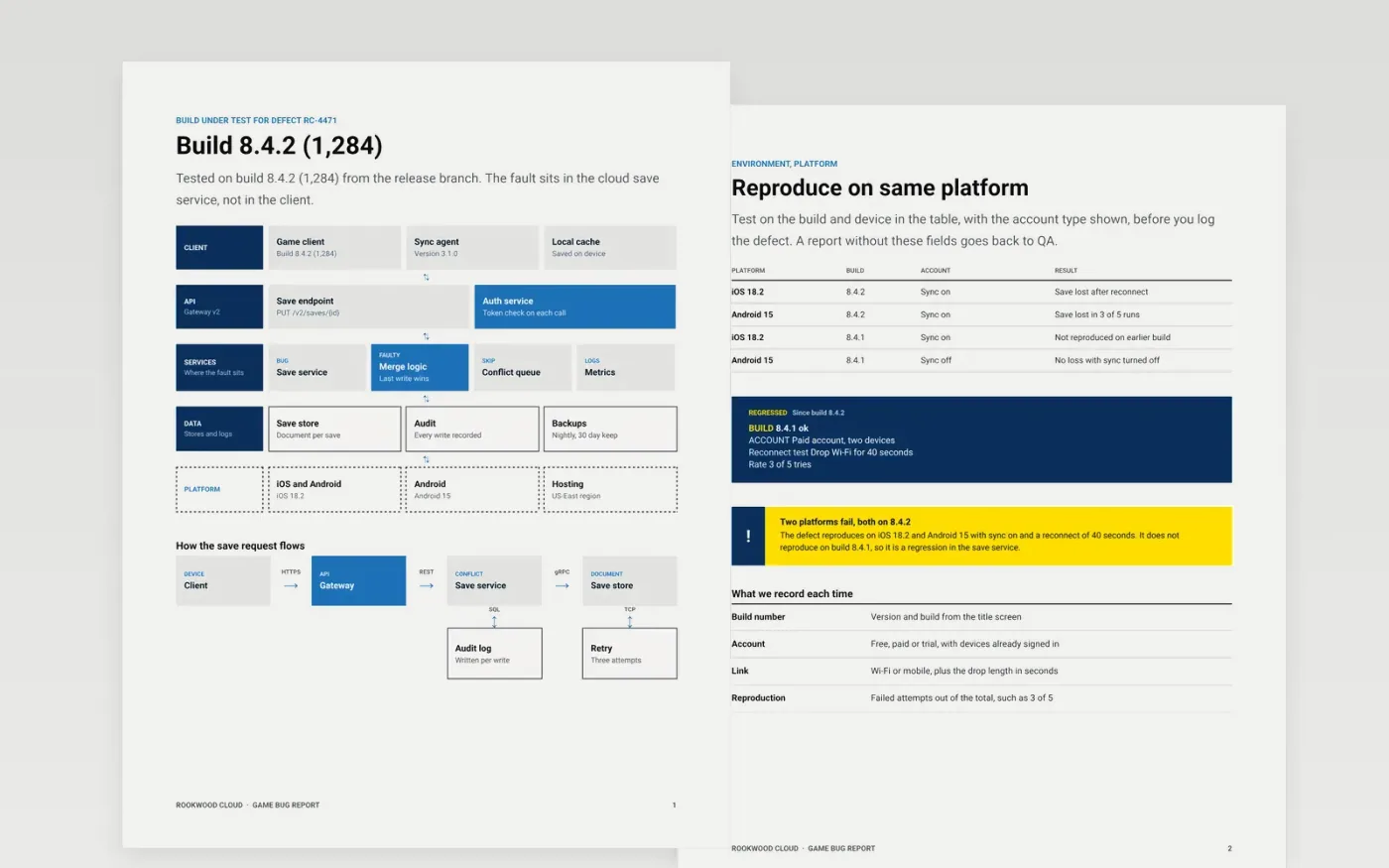
A bug report that says it does not work sends the developer on a search, and a report with no build number can send them to the wrong code. This template gives one defect its own report, with the build, platform, steps to reproduce, reproduction rate, video evidence and a severity rating with a fix target. Each page answers one question a developer or triage lead would otherwise ask, so the defect can be fixed or closed cleanly.
The sample is for Rookwood Cloud, a fictional cloud gaming service, and a save bug on build 8.4.2 that appears in three of five runs on iOS and Android. Replace the summary, build, environment and steps with your own, attach the log excerpt and video with personal data removed, and set severity against your triage definitions. Keep one defect per report, so each one can be closed on its own.
Click Make a copy in Google Docs, then confirm on the Google page. The copy is saved to your own Google Drive.
Replace the summary with one sentence of observable behavior, then fill in the build and environment.
Rewrite the steps so someone else reproduces the defect on the first try, and attach a log or video.
Remove personal data from every attachment, then set severity against your own triage definitions.
Delete the guide page, then share the report with the team or present it from Google Docs.
No. Rookwood Cloud, the test accounts, the build numbers, the defect and every log line are fictional sample data. Replace them with your own before you file a real defect.
One. A report with two defects cannot be closed cleanly, because one fix may resolve only half of it. Split the report, link the two, and give each its own severity and steps.
Testers suggest a severity using the written definitions, and the triage lead confirms it. Rating by complaint volume is not allowed, because impact on players, not the number of reports, sets the fix target.
More Google Docs templatesMore developer workflows templates
Docs + Word8 pages
Free
Docs + Word7 pages
Free
Slides + PowerPoint11 slides
Free
Sheets + Excel3 slides
Free
Docs + Word6 pages
Free









