API Documentation
Docs + Word14 pages
Free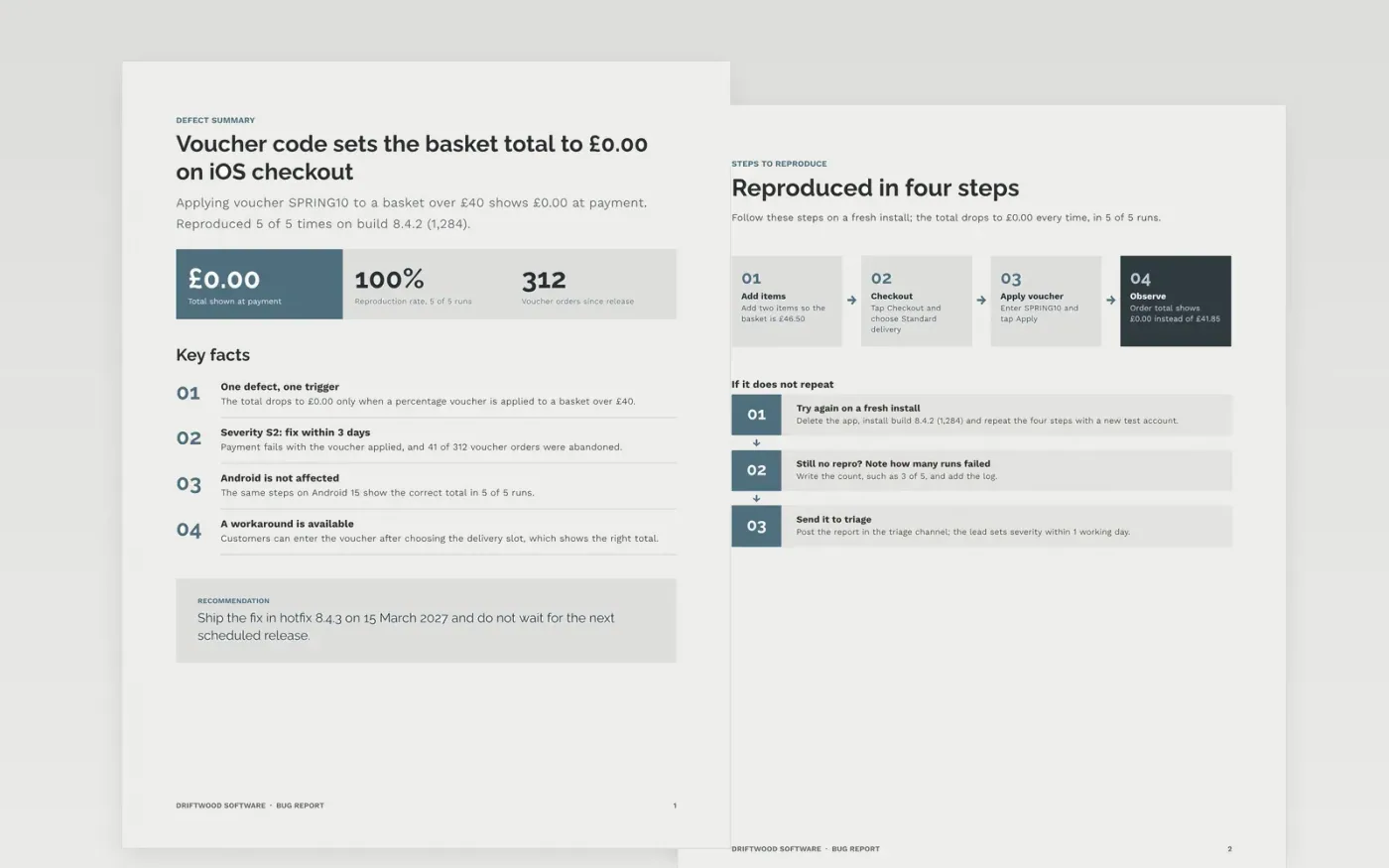
Bug reports fail when they say it doesn't work and leave out the steps, build and expected result. This template keeps one defect per report: an answer-first summary with severity, reproduction steps, expected and actual behaviour, the environment and the evidence to attach.
The sample reports defect DW-2417 at Driftwood Software, where a percentage voucher sets the iOS checkout total to £0.00 in 5 of 5 runs on build 8.4.2 (1,284). Replace the summary with one sentence of observable behaviour, then fill in your build, steps, severity and attachments.
Click Make a copy in Google Docs, then confirm on the Google page. The copy is saved to your own Google Drive.
Replace the summary with one sentence of observable behaviour, not a theory of the cause, and rewrite the steps so someone else reproduces it on the first try.
Fill in the environment with the build, device, OS and account type where it happens, and set severity and priority from your triage definitions.
Attach the log excerpt, recording or network trace, and remove personal data and secrets from every file.
Delete the guide page, then share the report with the triage lead and the developer.
No. Keep one defect per report so each can be assigned, fixed and closed cleanly. If two faults share a cause, link the reports rather than merging them.
Use impact, not the volume of complaints. The sample uses S1 to S4 with fix targets of 24 hours, 3 days, next release and backlog; adjust them to your triage rules.
No. Driftwood Software, the people, the build numbers and every figure are fictional sample data. Replace all of them with details from your own defect.
More Google Docs templatesMore developer workflows templates
Docs + Word14 pages
Free
Slides + PowerPoint12 slides
Free
Docs + Word6 pages
Free
Sheets + Excel3 slides
Free
Docs + Word6 pages
Free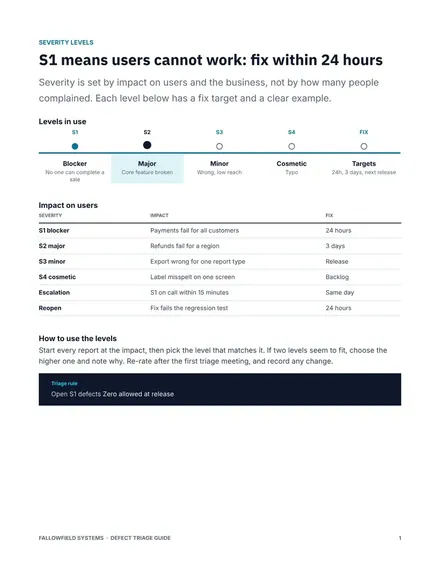
Docs + Word7 pages
Free
Docs + Word8 pages
Free










