Bug Report
Docs + Word8 pages
Free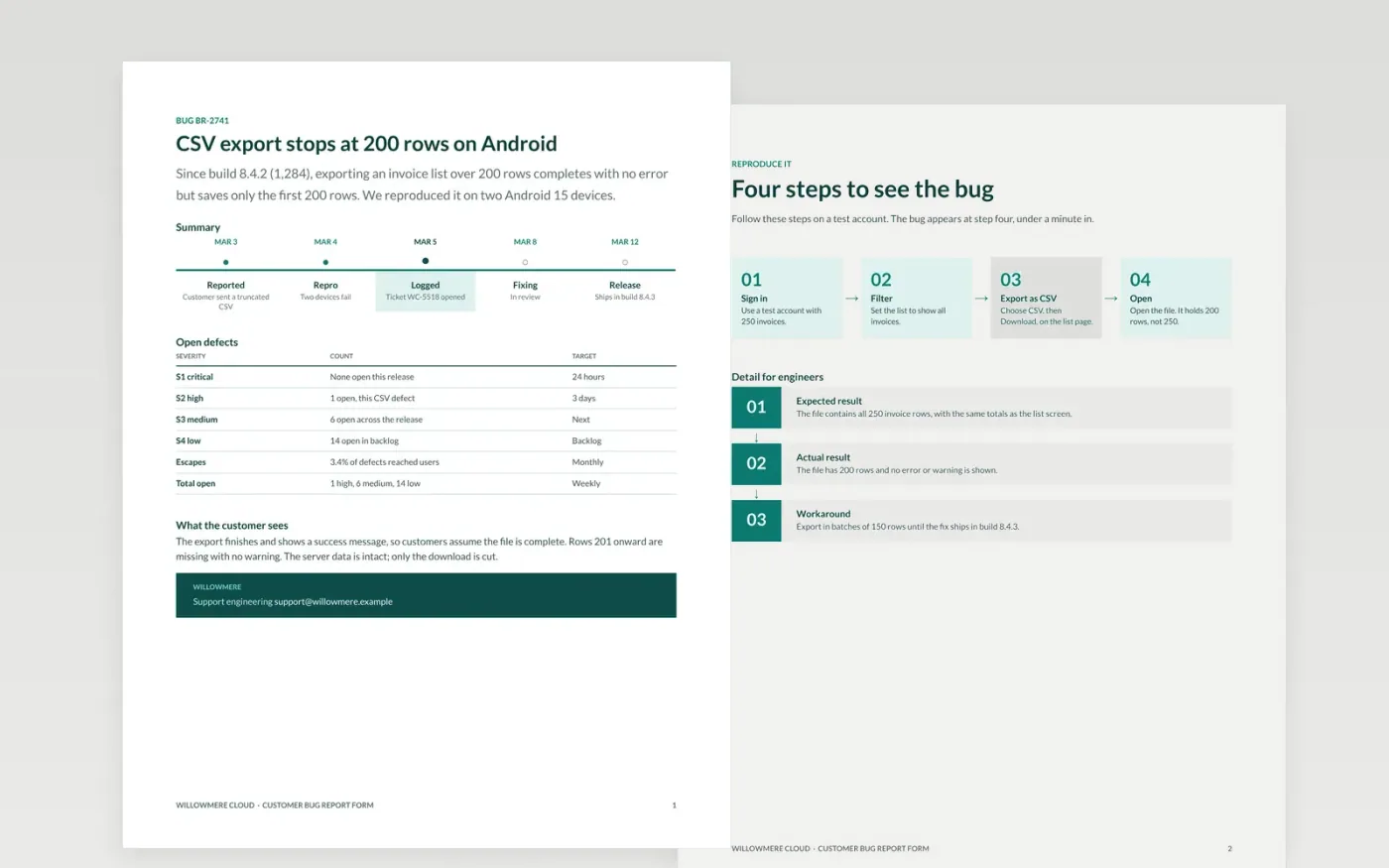
A bug report that says it does not work sends a developer on a search, while a complete one gets fixed on the first attempt. This bug report template asks for one defect at a time: what happened, the steps to reproduce, the environment, the expected and actual results, and the evidence that proves it. It also gives the release view, so triage can decide whether a defect blocks the next release.
The sample is for Willowmere Cloud, a fictional software company whose CSV export cuts off at 200 rows on Android 15. It shows the four steps that reproduce the bug, the expected and actual results, a workaround in batches of 150 rows, and a release view with no open critical defects. Replace the product, build numbers, steps and contacts with your own, and remove personal data from every attachment before the report goes into the tracker.
Click Make a copy in Google Docs, then confirm on the Google page. The copy is saved to your own Google Drive.
Replace the summary with one sentence of observable behaviour, not a theory.
Fill in the environment with the build, device, OS and account type.
Rewrite the steps so someone else reproduces the bug on the first try.
Delete the guide page, then share the report with the triage team.
No. Willowmere Cloud, its build numbers, the defect, the devices and the contacts are fictional sample data. Replace them with your own before you use the form with customers or developers.
No. Each defect needs its own report, so it can be tested, fixed and closed on its own. If you find a second problem while testing, open a new report and link the two.
Yes, with a shorter version. Keep the steps, environment and expected result, and ask for a screenshot with personal data removed. Tell customers that support will follow up within one working day.
More Google Docs templatesMore developer workflows templates
Docs + Word8 pages
Free
Docs + Word7 pages
Free
Slides + PowerPoint11 slides
Free
Sheets + Excel3 slides
Free
Docs + Word8 pages
Free









