Bug Report
Docs + Word8 pages
Free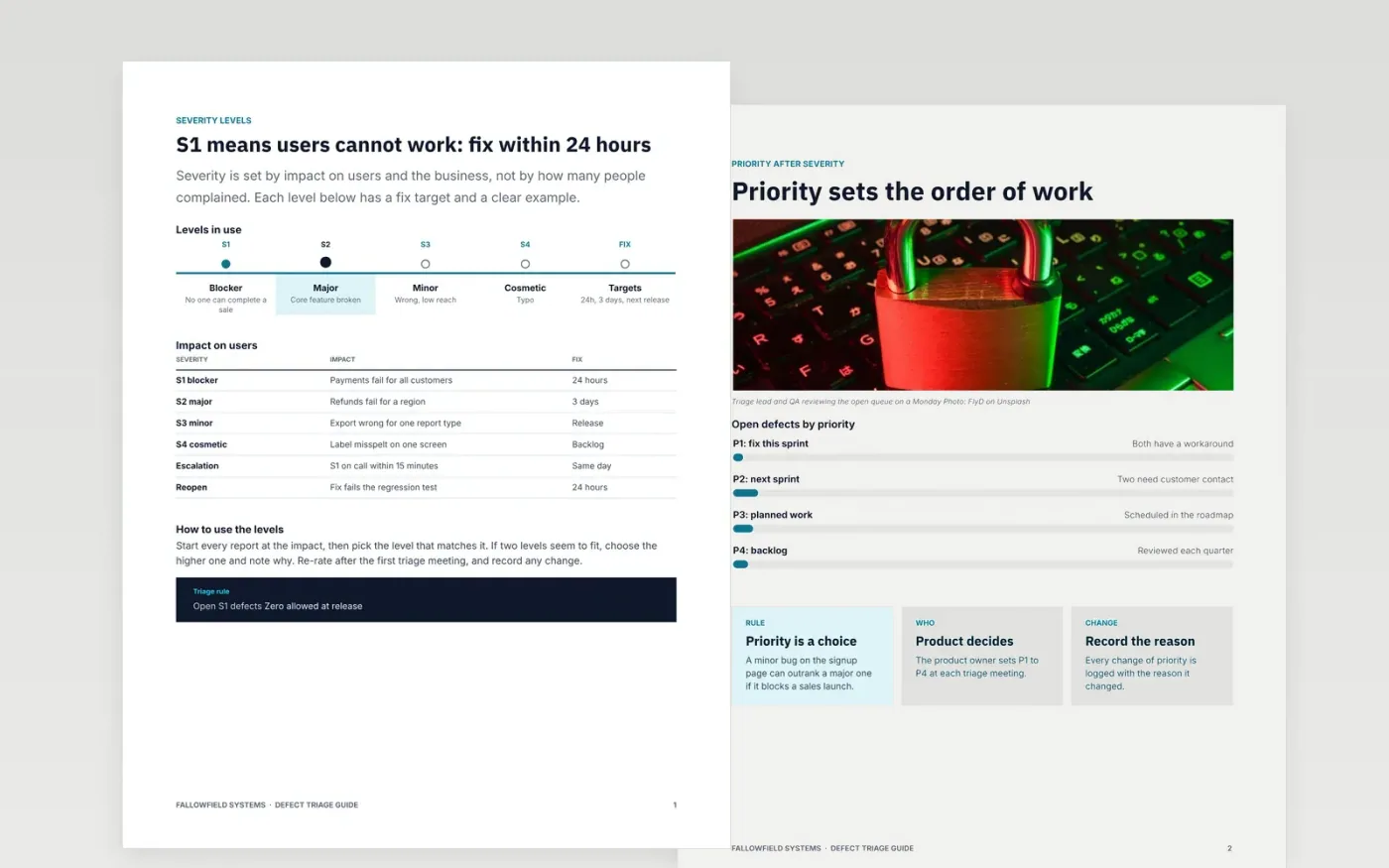
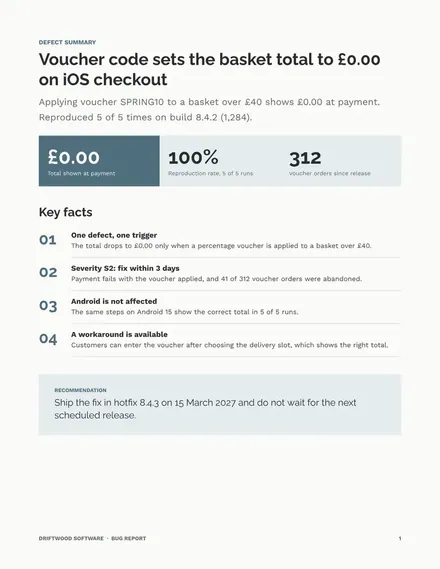
Defects get lost when reports lack steps, when severity follows complaint volume and when nobody owns the fix. This guide sets out how a defect is rated, prioritised and assigned: severity by impact, priority by the product owner, a weekly triage meeting with a fixed order, named owners and service levels for each level. It is written for the people who triage, fix and approve a release, not for the reporter alone.
The sample is for the fictional Fallowfield Systems, with 14 open defects, two of them P1, a release that is blocked by any open S1, and service levels of one hour to acknowledge an S1. Replace the levels, owners, targets and figures with your own, and agree the rules with your leads before the first triage meeting.
Click Make a copy in Google Docs, then confirm on the Google page. The copy is saved to your own Google Drive.
Replace the Fallowfield Systems name, the severity levels and the owners with your own team's definitions.
Set the service levels and targets with your leads, and update the open-defect figures from your tracker.
Delete the guide page, agree the rules before the first meeting, then share the process with every team.
Yes. Click Make a copy in Google Docs and the file is saved to your own Google Drive, with no sign-up and no charge.
Not always. Severity says how bad the impact is, and priority says when to fix it, so a minor defect can come first if it blocks a sale.
No. Fallowfield Systems, its engineers, defect counts, service levels and every figure are fictional sample data. Replace them before use.
More Google Docs templatesMore developer workflows templates
Docs + Word8 pages
Free
Docs + Word6 pages
Free
Slides + PowerPoint11 slides
Free
Sheets + Excel3 slides
Free
Docs + Word8 pages
Free









