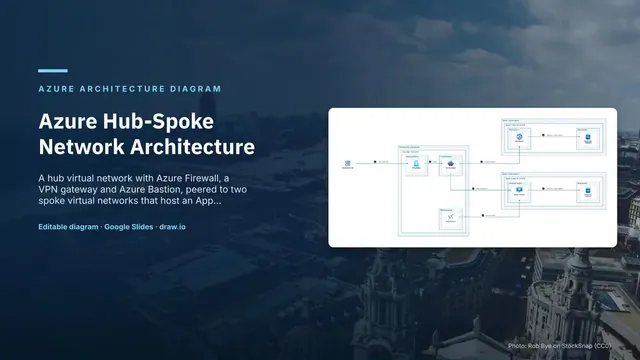
Azure Hub-Spoke Network Architecture
Slides + PowerPoint5 slides
Free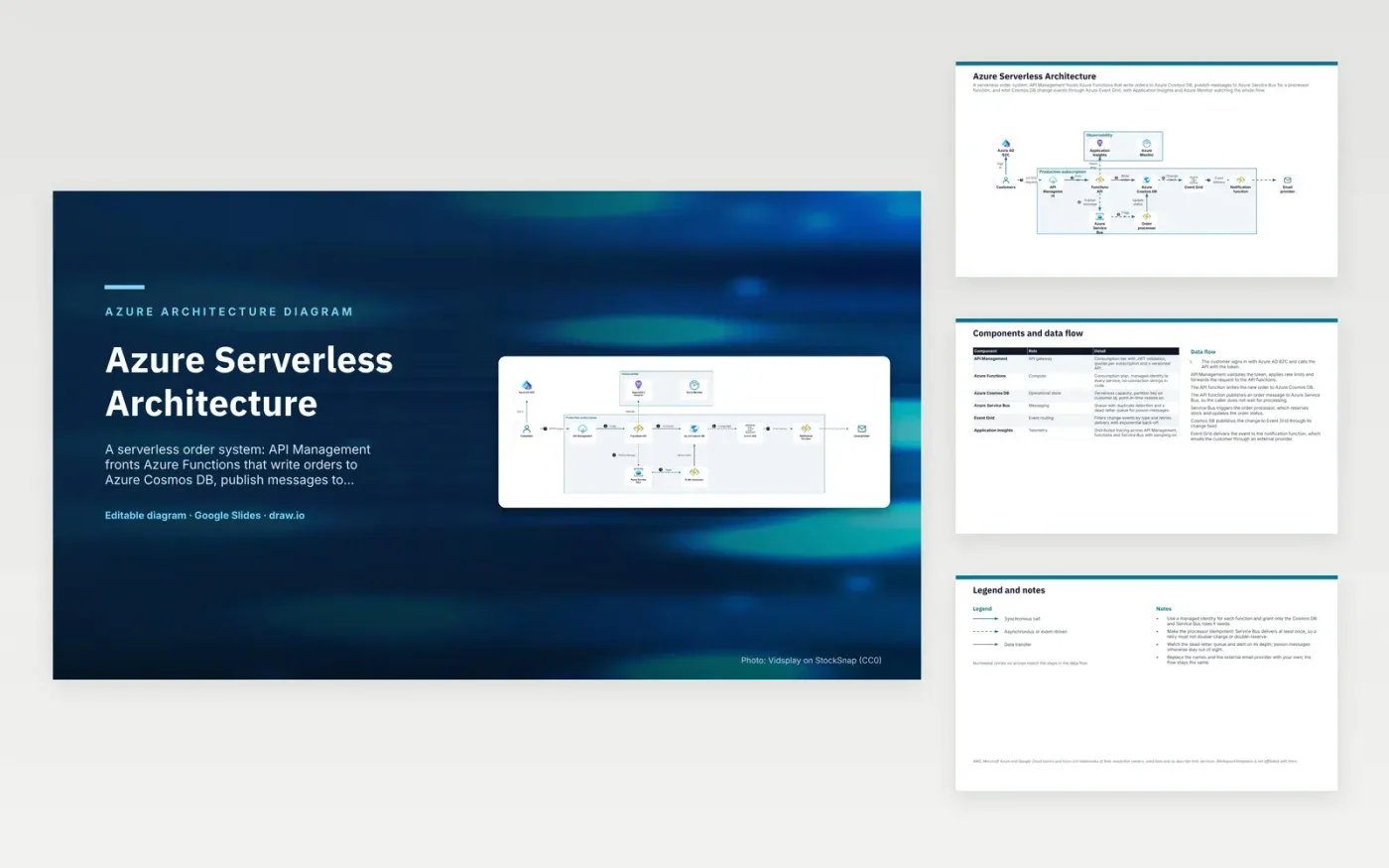
A customer signs in with Azure AD B2C and sends the request through API Management, which validates the token and applies rate limits. The API function writes the new order to Azure Cosmos DB and publishes a message to Azure Service Bus, so the caller does not wait for processing. Service Bus triggers the order processor, which reserves stock and updates the order status. The Cosmos DB change feed sends each change to Event Grid, which delivers it to the notification function that emails the customer.
The design point is at-least-once delivery. Service Bus can deliver the same message more than once, so the processor must be idempotent and a retry must not reserve stock twice. Failed messages move to a dead-letter queue, which needs an alert on its depth so poison messages are not missed. Functions use managed identities rather than connection strings. To adapt it, replace the names and the email provider, and keep the processor idempotent whichever services you choose.
The diagram uses the official Microsoft Azure architecture icons, each labelled with its service name. AWS, Microsoft Azure and Google Cloud names and icons are trademarks of their respective owners, used here only to describe their services. WorkspaceTemplates is not affiliated with them.
Click Make a copy in Google Slides, then confirm on the Google page. The copy is saved to your own Google Drive.
Rename Customers, Azure AD B2C, API Management and the other boxes inside Production subscription to your own components, and delete the ones your system does not have.
Rewrite the 7-step data flow and the 6-row components table so they match the arrows you keep.
For the draw.io version, download azure-serverless-architecture-diagram.drawio and open it at app.diagrams.net.
Service Bus delivers each message at least once, so a message can arrive twice after a retry. Re-processing a message leaves the outcome unchanged, so a duplicate order message does not reserve stock twice.
The change feed lists inserts and updates in a container in the order they happened. Here it feeds Event Grid, so the notification function reacts to order changes without the API calling it directly.
API Management checks tokens, applies quotas and rate limits per subscription, and versions the API. The functions behind it can change without clients noticing, as long as the published contract stays the same.
More Google Slides templatesMore developer workflows templates
Slides + PowerPoint5 slides
Free
Slides + PowerPoint5 slides
Free
Slides + PowerPoint5 slides
Free
Slides + PowerPoint5 slides
Free
Slides + PowerPoint5 slides
Free
Slides + PowerPoint5 slides
Free
Slides + PowerPoint5 slides
Free
Slides + PowerPoint5 slides
Free










