
Security Posture Deck
Slides + PowerPoint12 slides
Free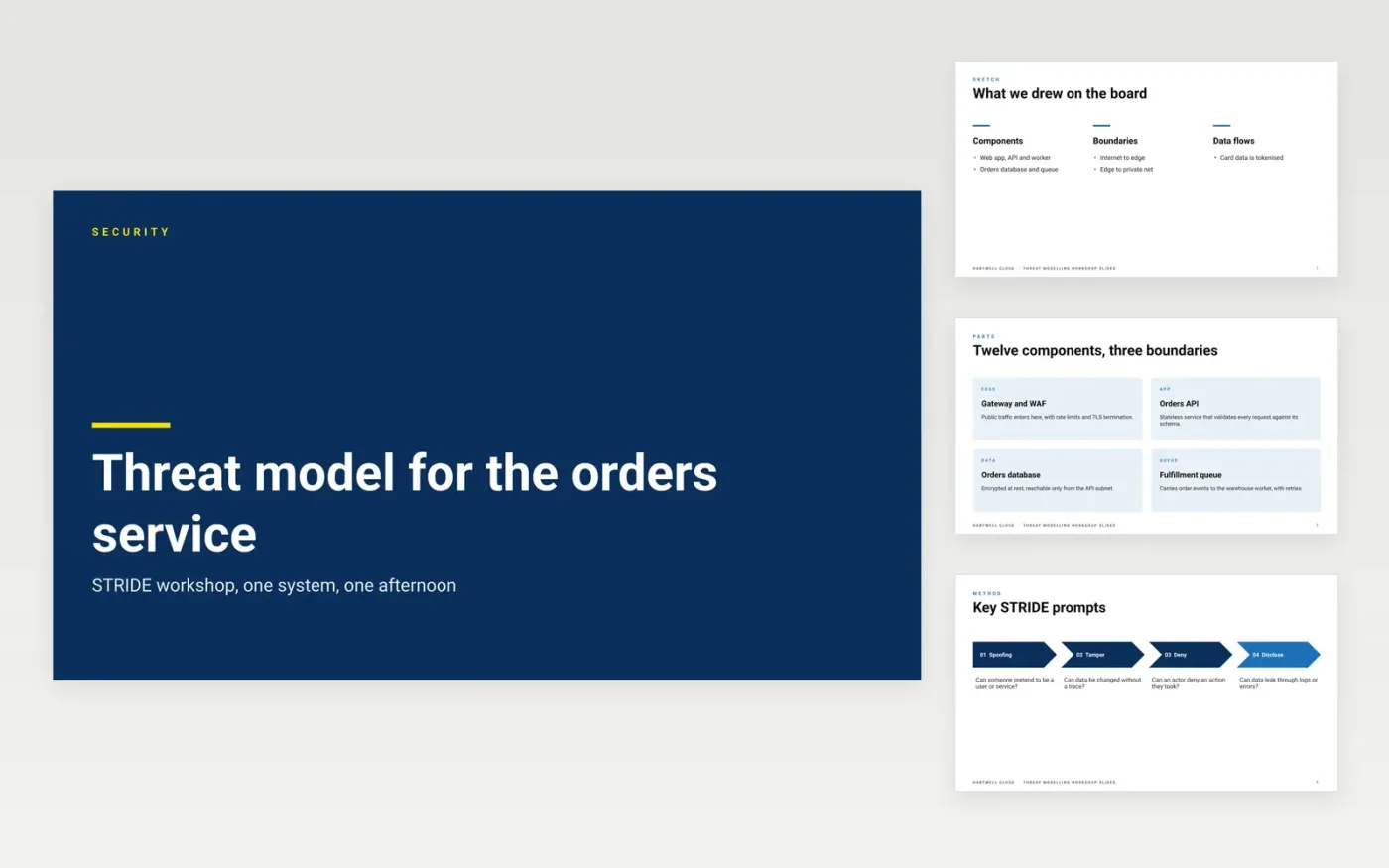
A threat model is only useful when it starts from a diagram of how data moves and where trust changes, and when every threat ends with a control and an owner. This deck follows a single workshop: sketch the system, apply the STRIDE prompts at each boundary, list the threats, agree the mitigations and assign owners. Security can then approve or block the launch on evidence.
The sample is for Hartwell Cloud, a fictional provider, and its orders service, threats, ratings, owners and dates are invented sample data. Redraw the data-flow diagram with your own components and boundaries, replace the threat table with what your team finds, and re-rate each finding on your own severity scale. Assign an owner and a due date to every high and critical item.
Click Make a copy in Google Slides, then confirm on the Google page. The copy is saved to your own Google Drive.
Redraw the data-flow diagram with your components, data stores and trust boundaries.
Replace the threat table with the threats your team found at each boundary.
Re-rate each finding with your own severity scale, and add the evidence beside it.
Delete the guide slide, then share the deck or present it to the security review board.
Yes. Click Make a copy and the deck saves to your own Google Drive, where you can edit each slide. Hartwell Cloud, the orders service, the threats and the owners named here are fictional and included as sample content.
STRIDE is a checklist of six threat types: spoofing, tampering, repudiation, information disclosure, denial of service and elevation of privilege. Apply it at each trust boundary in the diagram, because threats cluster where data crosses from one zone to another.
Refresh it whenever the architecture changes, a new data store or trust boundary is added, or a finding is closed with a different control. A model written once and filed away stops describing the system, and the approvals based on it stop meaning anything.
More Google Slides templatesMore developer workflows templates
Slides + PowerPoint12 slides
Free
Slides + PowerPoint12 slides
Free
Docs + Word8 pages
Free
Docs + Word7 pages
Free
Docs + Word7 pages
Free
Docs + Word7 pages
Free
Docs + Word9 pages
Free
Docs + Word8 pages
Free










