
Security Awareness Training Deck
Slides + PowerPoint12 slides
Free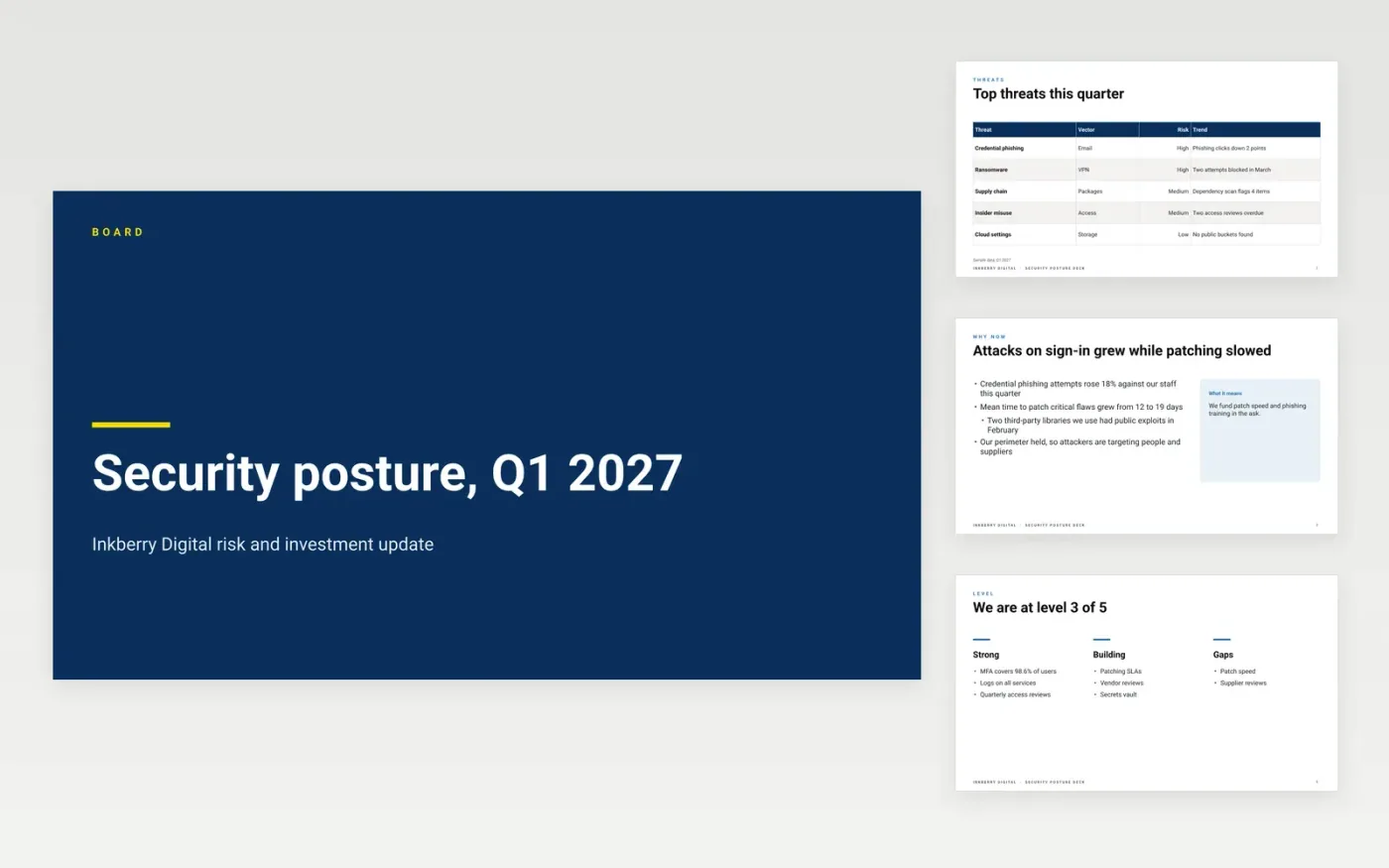
Boards rarely have time for a technical threat model, so security reports often lose their audience before the ask arrives. This Google Slides posture deck translates risk into four plain sections: the threat landscape, maturity by area, incidents and the controls they led to, and investment options with the decision at the end. Each slide carries one message, so a director can follow it in a single pass.
The sample is set at Inkberry Digital, a fictional company, and shows a 2027 review with three investment tiers and a request to approve the growth tier at $320,000. Replace the threats, maturity levels and figures with your own evidence, mark anything you have not verified as sample data, and name the person who will answer board questions after the meeting.
Click Make a copy in Google Slides, then confirm on the Google page. The copy is saved to your own Google Drive.
Replace the threat table and the maturity levels with your own evidence, marking each figure you have not verified.
Redraw the investment tiers with your real costs in US dollars, and check the total against the budget.
Set an owner and a due date for every finding, and record the name of whoever accepted each residual risk.
Delete the guide slide, then share the deck with the board pack or present it at the next meeting.
Yes. Inkberry Digital, every person named, every email address ending in .example, and every threat count, price and percentage in the deck are fictional and included only to show structure and tone.
Show threats by business effect, such as payroll fraud or customer data exposure, and keep the technical names for an appendix. Directors act on consequences, and the detail is there if they ask.
Put it on the findings slide with the name of the person who accepted it, the date and a review date. A risk without a named owner and an end date has not really been accepted.
More Google Slides templatesMore developer workflows templates
Slides + PowerPoint12 slides
Free
Slides + PowerPoint11 slides
Free
Docs + Word8 pages
Free
Docs + Word7 pages
Free
Docs + Word7 pages
Free
Docs + Word7 pages
Free
Docs + Word9 pages
Free
Docs + Word8 pages
Free










