Market Research Presentation
Slides + PowerPoint18 slides
Free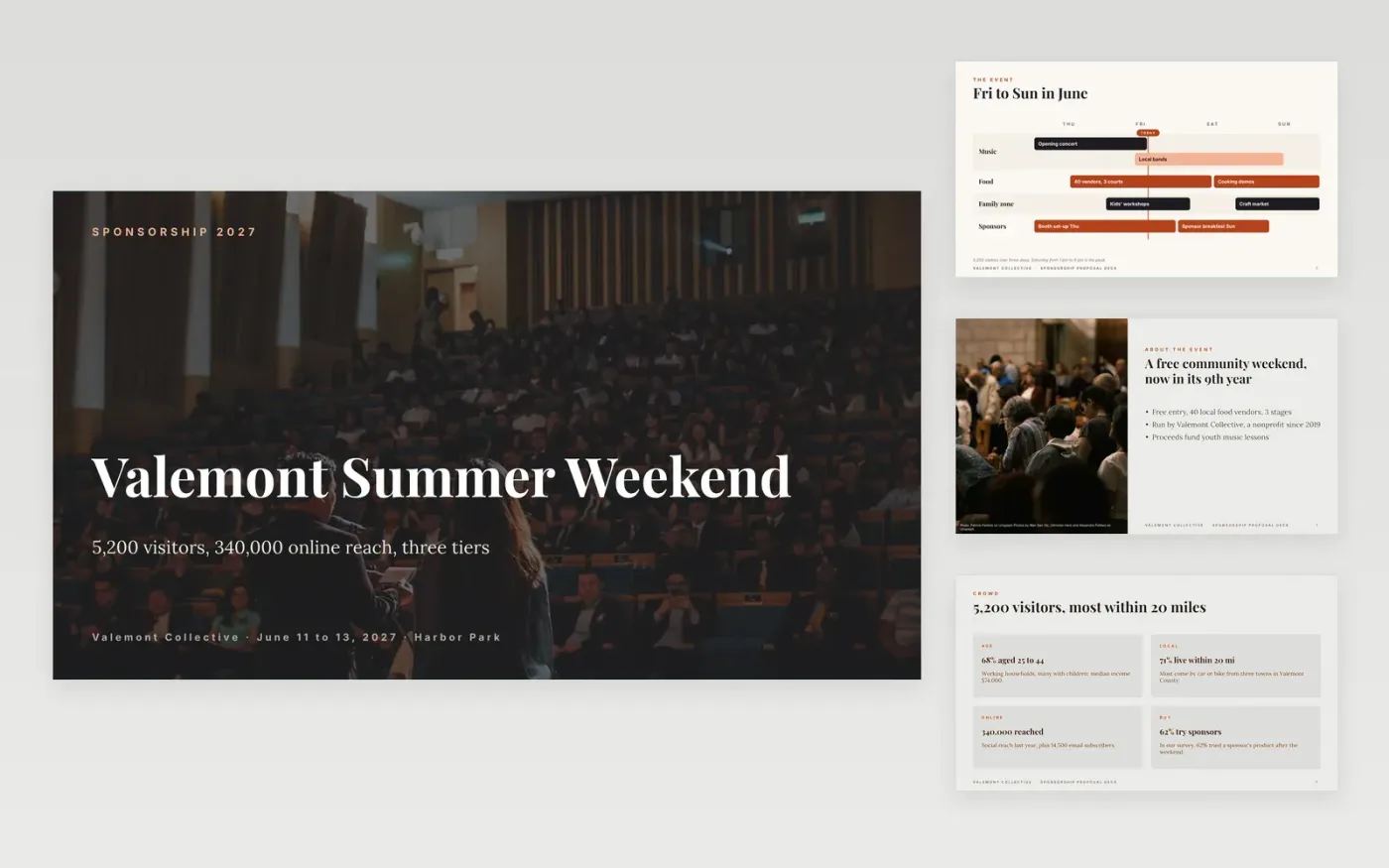
Sponsors fund events when they can see the audience they reach and exactly what each tier includes, not when they are asked for goodwill. This deck makes that case in order: the event, the audience in numbers, the places a brand appears, three tiers with prices, a result from a past sponsor and a deadline to choose.
The sample pitches Valemont Summer Weekend, a fictional free festival with 5,200 visitors and tiers at $1,500, $5,000 and $15,000. Reach, leads and renewal figures agree across slides. Replace the audience data with your latest figures, rewrite each tier so every step up adds one meaningful asset, and add a real sponsor quote or delete that slide.
Click Make a copy in Google Slides, then confirm on the Google page. The copy is saved to your own Google Drive.
Replace the audience figures with your latest attendance, makeup and online reach.
Rewrite the tiers so that each upgrade adds one meaningful asset, with prices that match your costs.
Add a real sponsor result or quote, name a deadline for choosing a tier, and add the person who will answer questions.
Delete the guide slide, then share or present the deck.
No. Valemont Collective, its people, the sponsors and every figure are fictional sample data. Replace them with your own event details before you send the deck.
Three is usual. Make sure each step up adds one asset a sponsor can see, or no one will pay for the top tier. The middle tier is the one most buyers choose.
Delete the quote slide, or replace it with a result from a similar event, a survey of your audience or a pilot. Never invent a quote.
Slides + PowerPoint18 slides
Free
Docs + Word6 pages
Free
Google Sheets
Free
Slides + PowerPoint10 slides
Free
Docs + Word5 pages
Free








