
Company Magazine
Docs + Word7 pages
FeaturedFree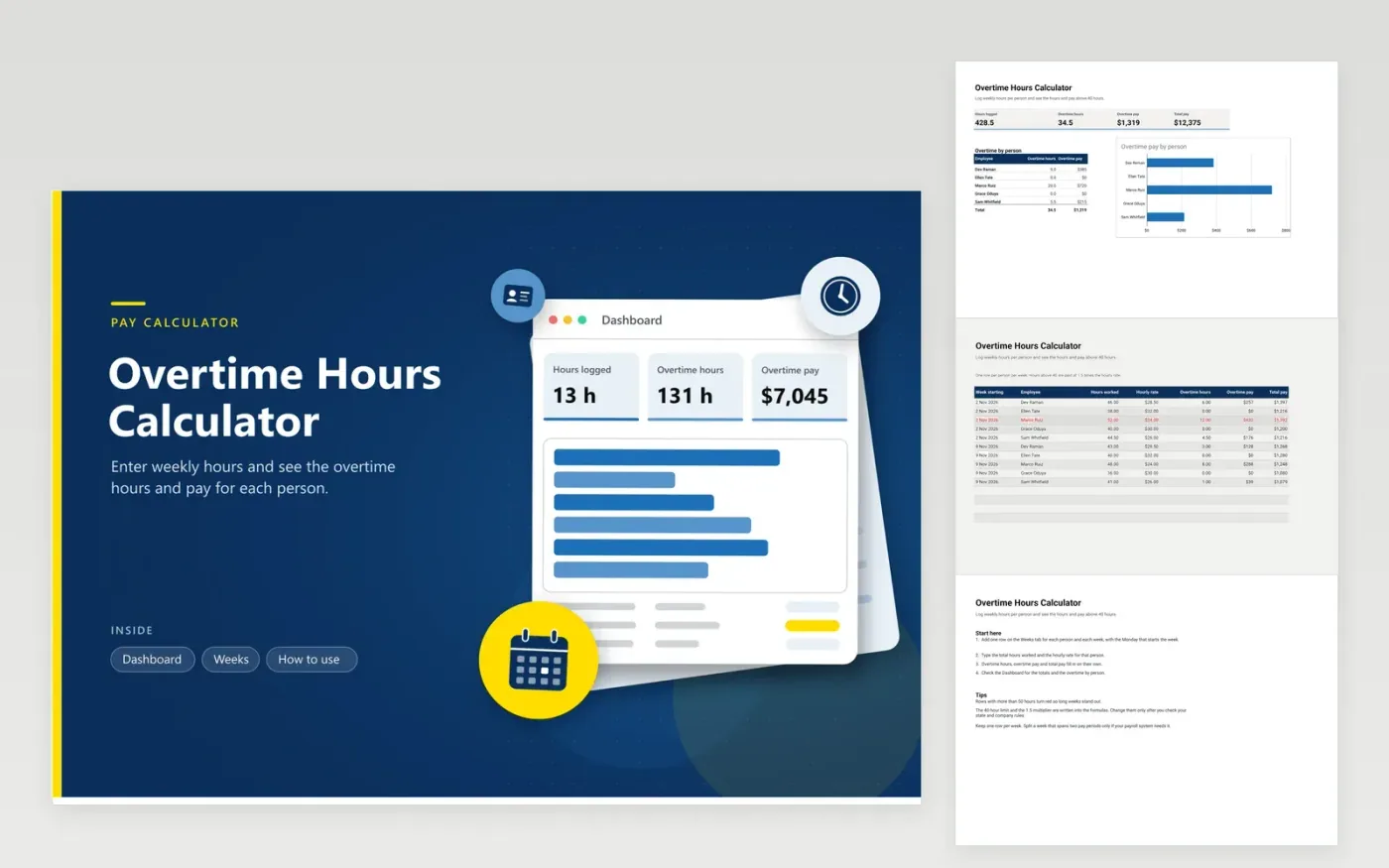
The Overtime Hours Calculator is for supervisors, payroll clerks and small business owners who pay staff by the hour. The Weeks tab keeps a row for each employee and week, showing hours worked and hourly rate. Overtime hours, overtime pay and total pay fill in by formula. The Dashboard totals the hours and pay for the period and shows overtime by person in a bar chart.
Overwrite the sample rows with real weekly totals, newest week first. The 40-hour threshold and the 1.5 multiplier are written into the formulas, so check them against federal and state rules and your company policy before anyone is paid. Weeks over 50 hours turn red so long hours stand out. Copy the file each quarter to keep an archive.
Click Make a copy in Google Sheets, then confirm on the Google page. The copy is saved to your own Google Drive.
Start on the Weeks tab: replace the sample rows with your own.
Keep the formula columns as they are; they fill in as you type.
Read the How to use tab for tips. For Excel, download the .xlsx file instead.
Under the federal Fair Labor Standards Act, most hourly employees must get at least 1.5 times their regular rate for hours over 40 in one workweek. Some states add daily overtime or stricter rules, and some workers are exempt. Check current US Department of Labor guidance and your state law before you rely on this sheet.
Yes, but they are typed into the formulas on the Weeks tab. Open Find and replace, search the Overtime hours and Overtime pay formulas, and change 40 or 1.5 to your own figures in each one. Then check the result against one week you have already paid by hand.
Enter each week by its starting date and count the hours worked in that week, not the pay period. If your payroll system pays by period, split the amounts there, and keep the weekly total here so overtime is worked out on whole weeks.
Docs + Word7 pages
FeaturedFree
Docs + Word21 pages
FeaturedFree
Slides + PowerPoint16 slides
FeaturedFree
Sheets + Excel5 tabs
Free
Sheets + Excel4 tabs
Free
Sheets + Excel5 tabs
Free
Sheets + Excel5 tabs
Free
Sheets + Excel5 tabs
Free
Sheets + Excel4 tabs
Free
Sheets + Excel3 tabs
Free
Sheets + Excel3 tabs
Free
Sheets + Excel3 tabs
Free