
Company Magazine
Docs + Word7 pages
FeaturedFree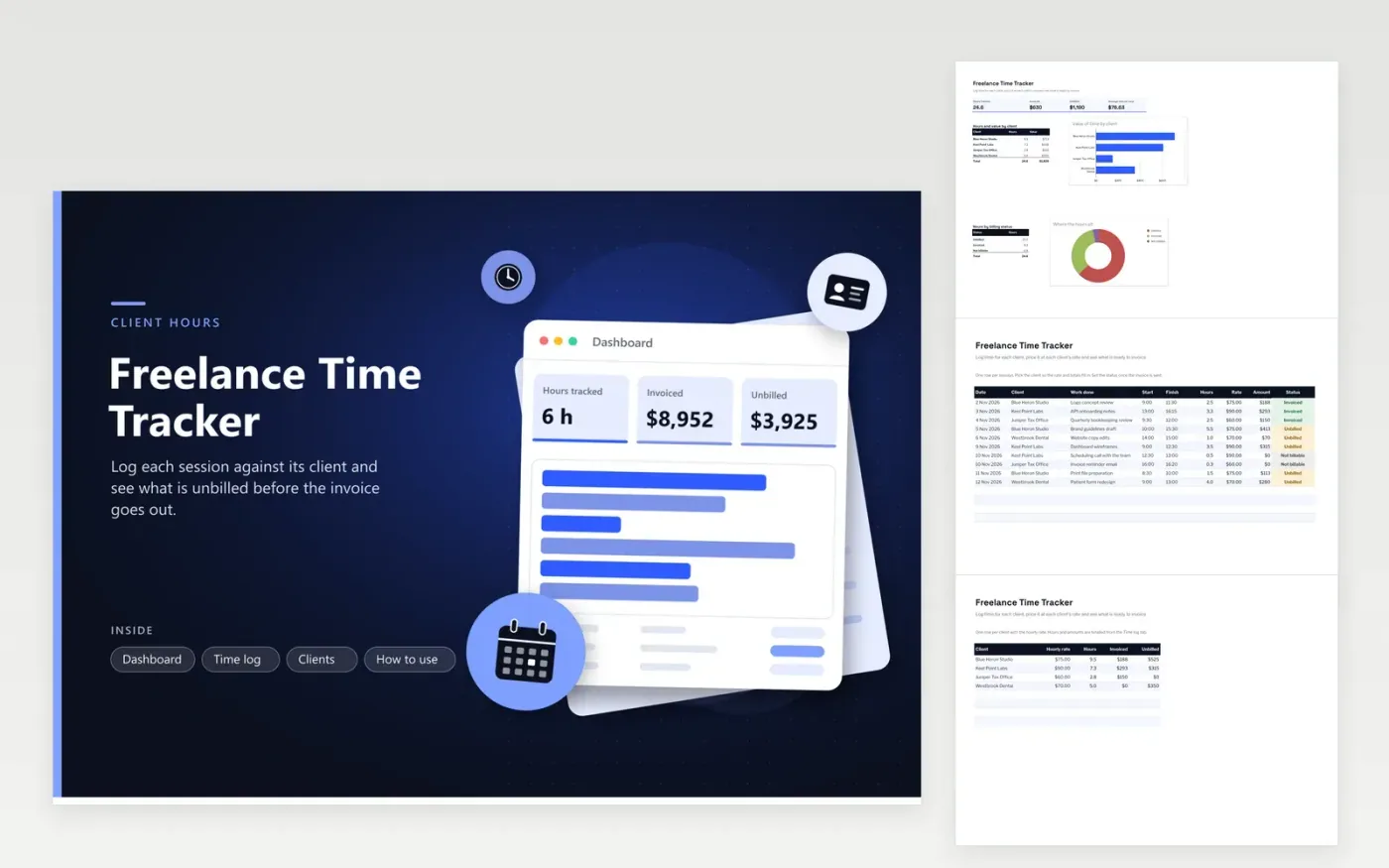
The Freelance Time Tracker is for a self-employed designer, developer, writer or consultant who bills several clients by the hour. The Time log tab records each session with its date, client, work done, start and finish times, hours, rate, amount and a status of Unbilled, Invoiced or Not billable. The Clients tab stores each hourly rate and totals the hours, invoiced amount and unbilled amount for that client. The dashboard adds up the hours and money and shows the split by client.
Choose the client before you type the times, so the rate fills in and the amount is right from the start. Log calls and admin as Not billable, which keeps them in the hours without adding to the amount. Before you send each invoice, check the Unbilled figure for that client on the Clients tab, then change the matching rows to Invoiced so the two totals stay in step.
Click Make a copy in Google Sheets, then confirm on the Google page. The copy is saved to your own Google Drive.
Start on the Time log tab: replace the sample rows with your own.
Keep the formula columns as they are; they fill in as you type.
Read the How to use tab for tips. For Excel, download the .xlsx file instead.
The rate column looks up the current rate on the Clients tab, so every row changes at once. If earlier work should keep the old rate, type the rate into that row's rate cell and replace the formula there. Keep a note of the change so the invoice matches what you agreed.
Enter the finish time as it appears on the clock and the hours may show as negative. Split the session into two rows, one ending at midnight and one starting at midnight, so the hours add up correctly on each day.
The invoiced amounts show what you billed in each period, which helps when you prepare your records. Check current IRS rules or ask a tax professional about what income and expenses you need to report, since this sheet only tracks time.
Docs + Word7 pages
FeaturedFree
Docs + Word21 pages
FeaturedFree
Slides + PowerPoint16 slides
FeaturedFree
Sheets + Excel5 tabs
Free
Sheets + Excel4 tabs
Free
Sheets + Excel5 tabs
Free
Sheets + Excel4 tabs
Free
Sheets + Excel5 tabs
Free
Sheets + Excel4 tabs
Free
Sheets + Excel3 tabs
Free
Sheets + Excel3 tabs
Free
Sheets + Excel3 tabs
Free