
Company Magazine
Docs + Word7 pages
FeaturedFree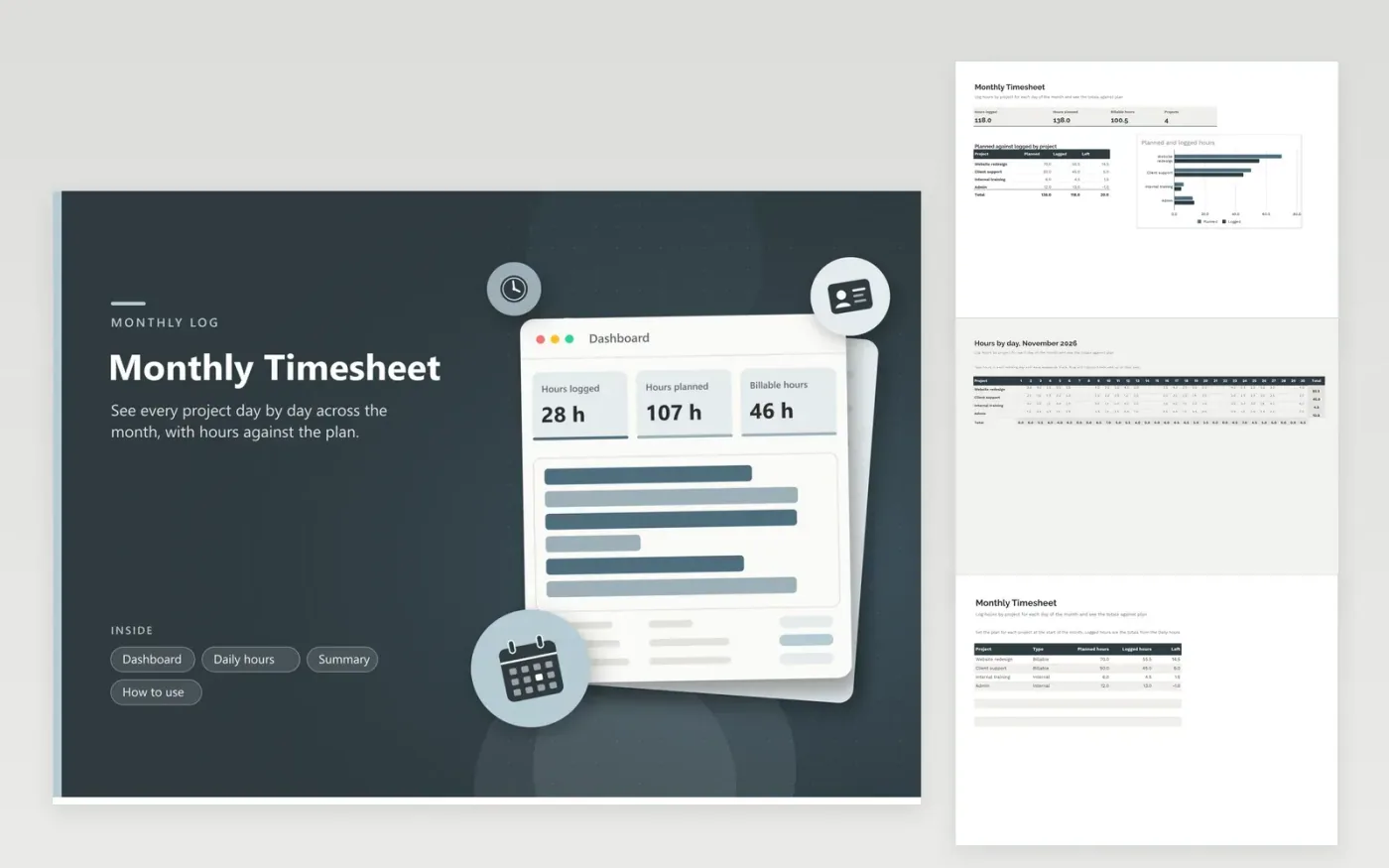
The Monthly Timesheet is for someone who tracks time by project across a whole month, such as a contractor, a consultant or a team lead covering several workstreams. On the Daily hours tab, projects run down the side and the days of November 2026 across the top, and totals close every row and every day. The Summary tab holds the planned and logged hours per project and the hours left, and the dashboard totals these and breaks them down by project.
Set the planned hours on the Summary tab before the month starts, so the Left column shows the room you have. Type hours into the grid as the day goes, and leave weekends blank so the totals stay honest. At month end, copy each project total into the Logged column, then compare billable and internal time before you send the sheet to a client or a manager.
Click Make a copy in Google Sheets, then confirm on the Google page. The copy is saved to your own Google Drive.
Start on the Daily hours tab: replace the sample rows with your own.
Keep the formula columns as they are; they fill in as you type.
Read the How to use tab for tips. For Excel, download the .xlsx file instead.
Yes. Type 0.5 for half an hour and 0.25 for fifteen minutes. The row and column totals add decimals in the same way, so a project that took two hours and fifteen minutes shows 2.25 in its total.
Copy the file, change the month in the Daily hours title and clear the values in the grid. Change the day columns if the new month has a different number of days, such as thirty-one for December. Keep the project names so the Summary still matches.
A grid on one tab cannot feed formulas on another tab in this template, so the Logged column on the Summary tab is typed in. Copy each row total from the Daily hours tab across once the month is finished, and the dashboard will show the new figures.
Docs + Word7 pages
FeaturedFree
Docs + Word21 pages
FeaturedFree
Slides + PowerPoint16 slides
FeaturedFree
Sheets + Excel5 tabs
Free
Sheets + Excel4 tabs
Free
Sheets + Excel5 tabs
Free
Sheets + Excel4 tabs
Free
Sheets + Excel5 tabs
Free
Sheets + Excel4 tabs
Free
Sheets + Excel3 tabs
Free
Sheets + Excel3 tabs
Free
Sheets + Excel3 tabs
Free